
DynColor
- Version 1.1 -
What does it do
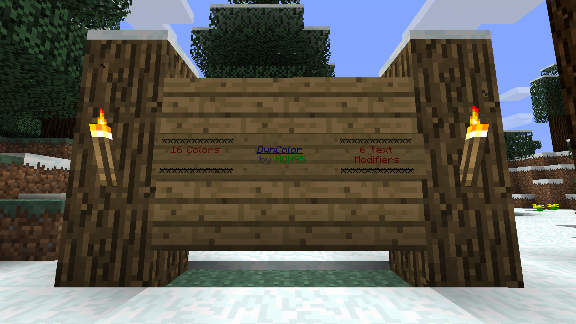
Lets you format text with colors and magic, bold, strikedthrough, underlined and italic formatters. Works in the chat and on signs.
How does it work
Type a color or format code followed by some text. The trailing text will then inherit the selected colors and/or formats, but the two-character code will disappear.
Permissions
- dyncolor.*: Access to chat and format codes on both signs and in the chat.
- dyncolor.sign: Access to chat and format codes on signs.
- dyncolor.chat: Access to chat and format codes in the chat.
Color and Format Codes
This is a list of all allowed codes. Check out the Minecraft Wiki if you want to see what the colors look like: Minecraft Wiki: Color Codes
Code What is it Example
&0 Black ABC
&1 Dark Blue ABC
&2 Dark Green ABC
&3 Dark Aqua ABC
&4 Dark Red ABC
&5 Dark Purple ABC
&6 Gold ABC
&7 Gray ABC
&8 Dark Grey ABC
&9 Blue ABC
&a Green ABC
&b Aqua ABC
&c Red ABC
&d Purple ABC
&e Yellow ABC
&f White ABC
&k Magic ABC
&l Bold ABC
&m Strikethrough ABC (Without red)
&n Underline ABC
&o Italic ABC
&r Reset formatting ABC (White, actually)
Comment installer DynColor
A server on Paper or Spigot
The plugin runs on the server core; players do not need to install anything.
File goes into the plugins folder
Download the file DynColor.jar (3 KB) and put it into the server’s plugins folder.
Restart the server
On startup the plugin creates its own settings folder in plugins.
Use the “To server” button
On Millida Hosting, the button at the top of the page uploads the file to your server and restarts it for you.
Versions
Avec dépendances
| Minecraft | Loader | Fichier | Date | Actions |
|---|---|---|---|---|
| — | — | DynColor v1.22.7 Ko |
Avis
Soyez le premier à noter DynColor


