

AntiInvisibility Plugin pour Minecraft
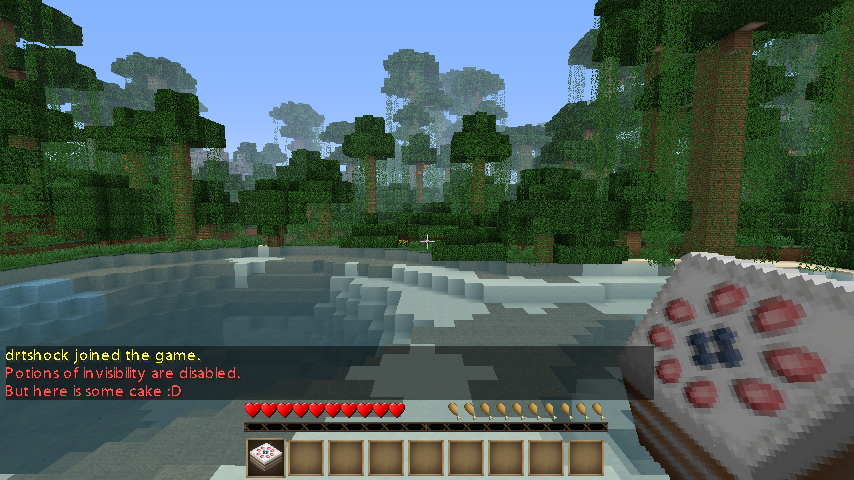
Fini les potions d'invisibilité !
Features
Get rid of the potions of invisibility!
Cancels when a player tries to drink or throw an invisibility potion and gives them an empty bottle instead.
Cancels the dispense event of invisibility potions.
Permissions
nopot.bypass - Allows use of invisibility potions.
Config
Is always red. DenyMessage: You do not have permission to use potions of invisibility.
Installation
Drag and drop AntiInvisibility.jar in to your plugins folder, restart and enjoy :D
GitHub
Want to see the source code?
https://github.com/drtshock/AntiInvisibility
Future
Get to work with splash very soon!
Work with dispensers
Permissions based?
Give them a cookie instead?
Pull requests are much appreciated :)
Need quick help or just want to talk? irc://irc.esper.net/drtshock
Comment installer AntiInvisibility
A server on Paper or Spigot
The plugin runs on the server core; players do not need to install anything.
File goes into the plugins folder
Download the file AntiInvisibility.jar (4 KB) and put it into the server’s plugins folder.
Restart the server
On startup the plugin creates its own settings folder in plugins.
Use the “To server” button
On Millida Hosting, the button at the top of the page uploads the file to your server and restarts it for you.
Versions
Avec dépendances
| Minecraft | Loader | Fichier | Date | Actions |
|---|---|---|---|---|
| — | — | 694.4 Ko | ||
| — | — | 0.811 Ko |
FAQ
Where can I download AntiInvisibility safely?
On this page: the file AntiInvisibility.jar (4 KB) is stored on Millida’s server, with no link shorteners. SHA-1 checksum: 4b344088a51b76a7084cee88b5d7f90a1f74d7fd.
Avis
Soyez le premier à noter AntiInvisibility



