

Where Is It Mod pour Minecraft 1.20.1, 1.21.4
Trouvez des objets dans les inventaires à proximité. Fonctionne désormais uniquement côté serveur !
 Fabric
 Quilt
QuiltWhere Is It
Minecraft mod to locate items in nearby inventories. Press Y over an item to search.
Requirements
- Fabric API
- YACL
Also embeds JackFredLib and MixinExtras.
Features
- Not required - vanilla clients can join without restricting mod users.
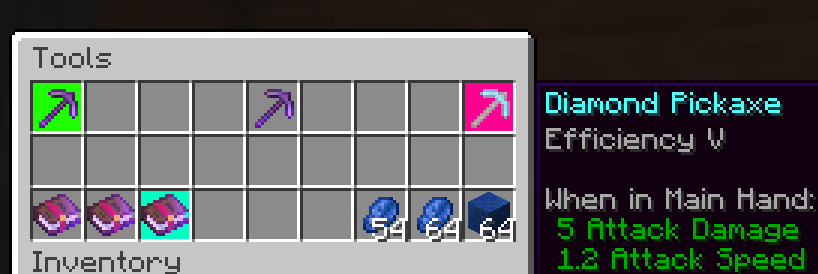
- Detailed searching - search by item ID, name, item tag, fluid contents, enchantment, potions, and more, and any combination of the previous.
- Server-side functionality - clients without the mod can use the command /whereis (default, changeable) to use the mod.
- Support for recipe viewers, including the vanilla Recipe Book, and for JEI, REI, EMI:
- Ability to search for items containing specific fluids, and tags for recipes.
- Custom searches (search for enchantments using enchanted books, and potion effects using potions).
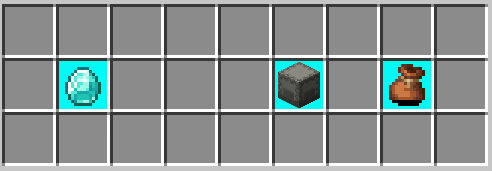
- Smart favourite handling - add a named Shulker Box in your favourites, and search for it regardless of the contents.
Usage
Press Y (by default) to search by item ID.
Inventory
Hold shift to also search for NBT data.
Recipes (Recipe Book / JEI / REI / EMI)
Will search for tags in the recipe if applicable. If hovered over a fluid, will search for items containing said fluid.
Item Overlays (JEI / REI / EMI)
Normally matches the inventory, however certain items contain different behavior:
- Enchanted books will search for any items with that enchantment. Holding shift will specify the level as well.
- Potions will search for the potion effect on any item. Holding shift will match the specific item.
Item Favourites/Bookmarks (JEI / REI / EMI)
Will try to look for the specific item by looking at name, enchantments or potion effects.
Comment installer Where Is It
With Millida Launcher
Install Millida Launcher
The launcher is free: download it at millida.net/launcher and sign in with any nickname.
Click “Install” on this page
The launcher opens and installs the mod for Minecraft 1.20–1.21.4 on Fabric or Quilt automatically.
Launch the game
A profile with it appears in the launcher: click “Play”.
Manually
Install Fabric or Quilt
The loader must match the game version of the mod file, for example Minecraft 1.21.4. After installing it, a separate profile appears in your launcher.
Download the file for your version
In the version list above, pick the file whereisit-2.6.4+1.21.2.jar (437 KB) for your game version and loader.
Put it in the mods folder
The folder is inside .minecraft (Windows: %appdata%\.minecraft\mods). If it does not exist, create it.
Launch the loader profile
Open “Mods” in the main menu: Where Is It should be in the list.
Minecraft 1.21.4 runs on Java 21: with a different Java version the game may close right after launch.
Versions
Avec dépendances
| Minecraft | Loader | Fichier | Date | Actions |
|---|---|---|---|---|
| 1.21.4 | Fabric, Quilt | [1.21.2+] Where Is It 2.6.4+1.21.2437 Ko 1 | ||
| 1.20.1 | Fabric, Quilt | [1.20/.1] Where Is It 2.3.1+1.20.1408 Ko | ||
| 1.20.2 | Fabric, Quilt | [1.20.2] Where Is It 2.3.1+1.20.2409 Ko |
Avis
Soyez le premier à noter Where Is It


