
ValleyCraft Mod pour Minecraft 1.18.2
Refonte de l'agriculture et de la cuisine avec une touche d'exploration !
 Fabric
 Quilt
QuiltÀ propos du mod ValleyCraft
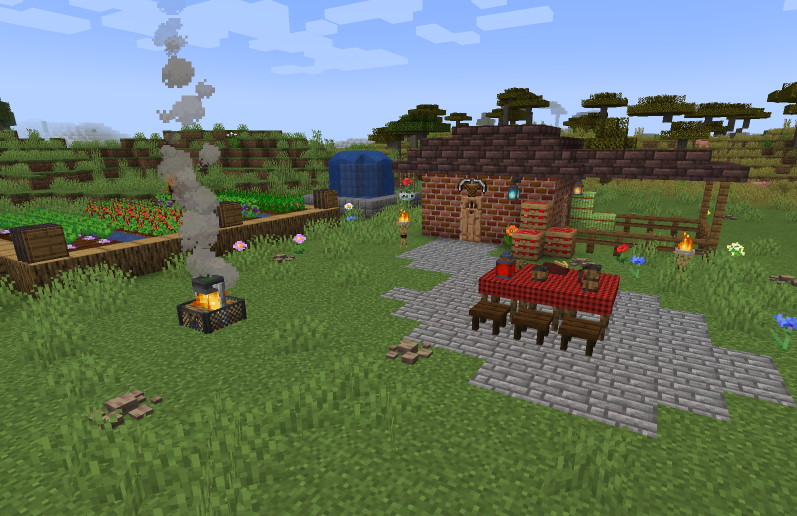
ValleyCraft is a farming, cooking, and nature overhaul mod with a heavy focus on exploration and discovery. It's inspired by Stardew Valley as well as Skyward Sword, Breath of the Wild, and Don't Starve; adding everything from Sickles to Scarecrows and Rope Bridges, as well as over 90 new cooking recipes. Some dishes will even give special effects such as extra hearts or increased strength for a while after eating or drinking them! This mod also extensively changes world generation both above and underground, adding features such as cave vines, scalding sandstone, ice caverns, and much much more. For an in depth look at all of the new crops, worldgen changes, tools, furniture, decorations, recipes, food items, and beyond, please check out the wiki, linked next to the downloads above~
Please note the wiki linked above is incredibly out of date and very inaccurate, it will be updated soon! Until then use REI for recipes and general information <3
THIS MOD IS BEING DISCONTINUED IN FAVOR OF A NEW, BETTER PROJECT COMING SOON.
I'm on Twitter! @LinkleModding
If you see this mod hosted on any site besides CurseForge or Modrinth, don't download it! I didn't approve it and it probably has a virus.
Want to support a disabled mod developer or buy them a cup of coffee?
My CA: $LonelyLofiHours
Comment installer ValleyCraft
With Millida Launcher
Install Millida Launcher
The launcher is free: download it at millida.net/launcher and sign in with any nickname.
Click “Install” on this page
The launcher opens and installs the mod for Minecraft 1.18.2 on Fabric or Quilt automatically.
Launch the game
A profile with it appears in the launcher: click “Play”.
Manually
Install Fabric or Quilt
The loader must match the game version of the mod file, for example Minecraft 1.18.2. After installing it, a separate profile appears in your launcher.
Download the file for your version
In the version list above, pick the file valley-craft-2.3.1-1.18.2.jar (4.5 MB) for your game version and loader.
Put it in the mods folder
The folder is inside .minecraft (Windows: %appdata%\.minecraft\mods). If it does not exist, create it.
Launch the loader profile
Open “Mods” in the main menu: ValleyCraft should be in the list.
Minecraft 1.18.2 runs on Java 17: with a different Java version the game may close right after launch.
Versions
Avec dépendances
| Minecraft | Loader | Fichier | Date | Actions |
|---|---|---|---|---|
| 1.18.2 | Fabric, Quilt | ValleyCraft 2.3.14.5 Mo |
FAQ
Which Minecraft versions does ValleyCraft work on?
Only Minecraft 1.18.2: there are no files for other versions.
Is ValleyCraft for Forge or Fabric?
There are files for Fabric: 1.18.2 and for Quilt: 1.18.2. There are no files for Forge or NeoForge: a mod for another loader will not start.
Does ValleyCraft need other mods?
The author lists no required dependencies: the Fabric or Quilt loader is enough.
Which Java does ValleyCraft need?
Minecraft 1.18.2 runs on Java 17. If the game closes right after launch, the usual cause is the wrong Java version in the profile settings.
Where can I download ValleyCraft safely?
On this page: the file valley-craft-2.3.1-1.18.2.jar (4.5 MB) is stored on Millida’s server, with no link shorteners. SHA-1 checksum: 5ef85a21dd58b913ada0b8edbdf4ca3bcf295bec.
Avis
Soyez le premier à noter ValleyCraft


