

Tiers Mod pour Minecraft 26.1
Tier Tagger officiel de PvPTiers. Prend en charge d'autres tierlists : MCTiers, Subtiers
 Fabric
 Quilt
QuiltTiers,
Official Display mod for PvPTiers. Also Supports other Tierlists: MCTiers and Subtiers
Mod showcase:
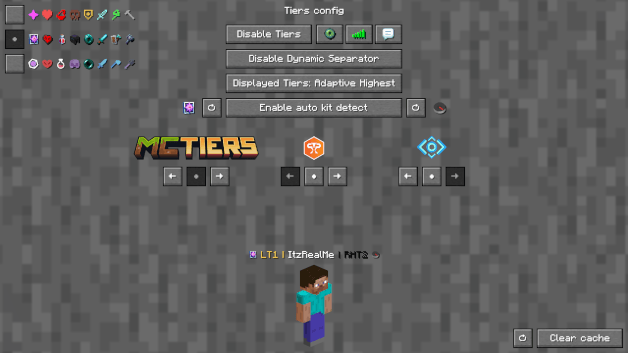
Switchable MCTiers, PvPTiers and Subtiers icons and colors Auto detect kit: press 'Y' to autodetect the current gamemode
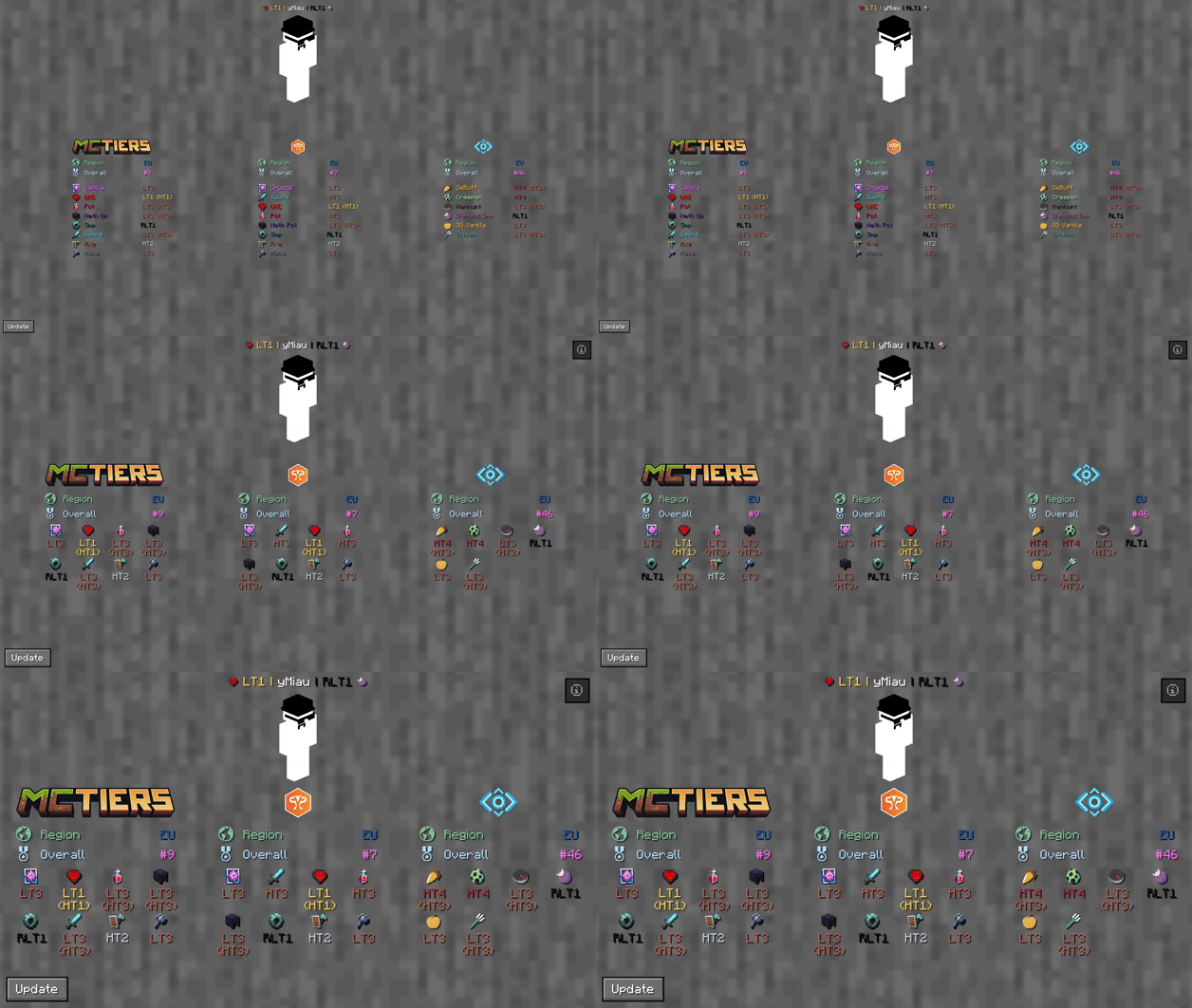
The profile search result screen with PvPTiers icons on different GUI scales
Tiers is still in beta. Report an issue
Mod features:
- Auto detect kit: press Y (editable) to auto-detect the gamemode you are playing to easily switch and see opponents tiers in that gamemode
- See nearest player stats: press H (editable) to open the closest player search result screen
- Search screen: see all tiers, peaks, regions, points, global rankings and skin with /tiers name
- Change gamemodes and their position: choose a gamemode for each ranking site and decide whether to display it on the left or right
- Cycle keybinds: press U and I (editable) to easily cycle between the right and left displayed gamemodes
- Change preset styles: you can change icons and colors presets in the config screen
- Display gamemodes: whether to display selected mode, adaptive highest or absolute highest
Screen config (ModMenu or /tiers config):
- Toggle Tiers toggles Tiers
- Toggle Icons toggles the icons next to the tiers
- Toggle Tab toggles Tiers on the tablist
- Toggle Chat toggles Tiers in chat
- Toggle Dynamic Separator decides if the separator | is the same color as the tier or gray
- Displayed Tier decides whether to display selected mode, adaptive highest or absolute highest
- Preview Switcher decides whether to preview the default profile (ItzRealMe) or your character
- Left and Right gamemode switcher switches between gamemodes of the selected provider
- Position Settings decides if the specific provider gamemodes are displayer on the right, left or neither
- Icon and color presets: you can switch between classic, PvPTiers and MCTiers styled icons
The config screen on 3 GUI scale
Why Tiers?
All sites in one mod:
Tiers is able to track and display all rankings from the official tierlist PvPTiers and variant lists MCTiers, Subtiers
Customizable icons:
With Tiers, you can customize gamemodes icons and text colors, as well as choosing where and what gamemode to display; want to manually modify the icons or tiers colors? Edit and add in your pack folder the default texture pack
Other:
Settings will be saved in your config folder and updated at runtime
The mod is client side (works on multiplayer)
Links:
- GitHub page
- Modrinth page
- Changelogs
- Report an issue
Comment installer Tiers
Install Millida Launcher
The launcher is free: download it at millida.net/launcher and sign in with any nickname.
Click “Install” on this page
The launcher opens and installs the mod for Minecraft 1.21.5–26.1 on Fabric or Quilt automatically.
Launch the game
A profile with it appears in the launcher: click “Play”.
Versions
Avec dépendances
| Minecraft | Loader | Fichier | Date | Actions |
|---|---|---|---|---|
| 26.1 | Fabric, Quilt | Tiers 0.8.2+26.1557 Ko | ||
| 1.21.5 | Fabric, Quilt | Tiers 0.4.0_1.21.51.3 Mo |
Avis
Soyez le premier à noter Tiers


