

TAB Mod pour Minecraft 26.3
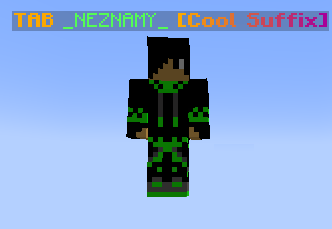
TAB est un plugin tout-en-un pour afficher des informations à divers endroits
 Fabric
 NeoForge
 Quilt
QuiltÀ propos du mod TAB
TAB is an all-in-one plugin for displaying information in various places, which aims to outperform all similar plugins in terms of features, compatibility and performance. The compact configuration allows you to get the plugin to work the way you want regardless of how simple or complex you want it to be or how experienced you are. The default configuration already contains useful values and examples to give you a better understanding and get you started quickly with instant results. The extensive wiki answers any of your questions.

Discord?
Official support by me is no longer provided to free users due to limited time and extreme inefficiency (see provided services for more info). However, you can join this fresh new community discord made by a nice person who promises to help everyone with all plugins, including TAB.
Before you consider requiring assistance, check out the wiki first. It will answer any questions you may have and is also constantly getting improved.
Comment installer TAB
With Millida Launcher
Install Millida Launcher
The launcher is free: download it at millida.net/launcher and sign in with any nickname.
Click “Install” on this page
The launcher opens and installs the mod for Minecraft 26.2–26.3 on Fabric, NeoForge or Quilt automatically.
Launch the game
A profile with it appears in the launcher: click “Play”.
Manually
Install Fabric, NeoForge or Quilt
The loader must match the game version of the mod file, for example Minecraft 26.3. After installing it, a separate profile appears in your launcher.
Download the file for your version
In the version list above, pick the file TAB.v6.2.0.jar (8.1 MB) for your game version and loader.
Put it in the mods folder
The folder is inside .minecraft (Windows: %appdata%\.minecraft\mods). If it does not exist, create it.
Launch the loader profile
Open “Mods” in the main menu: TAB should be in the list.
Versions
Avec dépendances
| Minecraft | Loader | Fichier | Date | Actions |
|---|---|---|---|---|
| 26.2 | Fabric, NeoForge, Quilt | 6.2.0 (26.3-26.2)8.1 Mo |
FAQ
Which Minecraft versions does TAB work on?
There are files for 26.3, 26.2. The newest is 26.3.
Is TAB for Forge or Fabric?
There are files for Fabric: 26.2–26.3, for NeoForge: 26.2–26.3 and for Quilt: 26.2–26.3. There are no files for Forge: a mod for another loader will not start.
Does TAB need other mods?
The author lists no required dependencies: the Fabric, NeoForge or Quilt loader is enough.
Where can I download TAB safely?
On this page: the file TAB.v6.2.0.jar (8.1 MB) is stored on Millida’s server, with no link shorteners. SHA-1 checksum: 0e5288cd0565e40fb40c54696e7f017eb55a964b.
Avis
Soyez le premier à noter TAB


