
Stellar View Mod pour Minecraft 1.20.1, 1.21.1
Profitez d'une vue stellaire du ciel
 Fabric
 NeoForge
 Forge
ForgeÀ propos du mod Stellar View
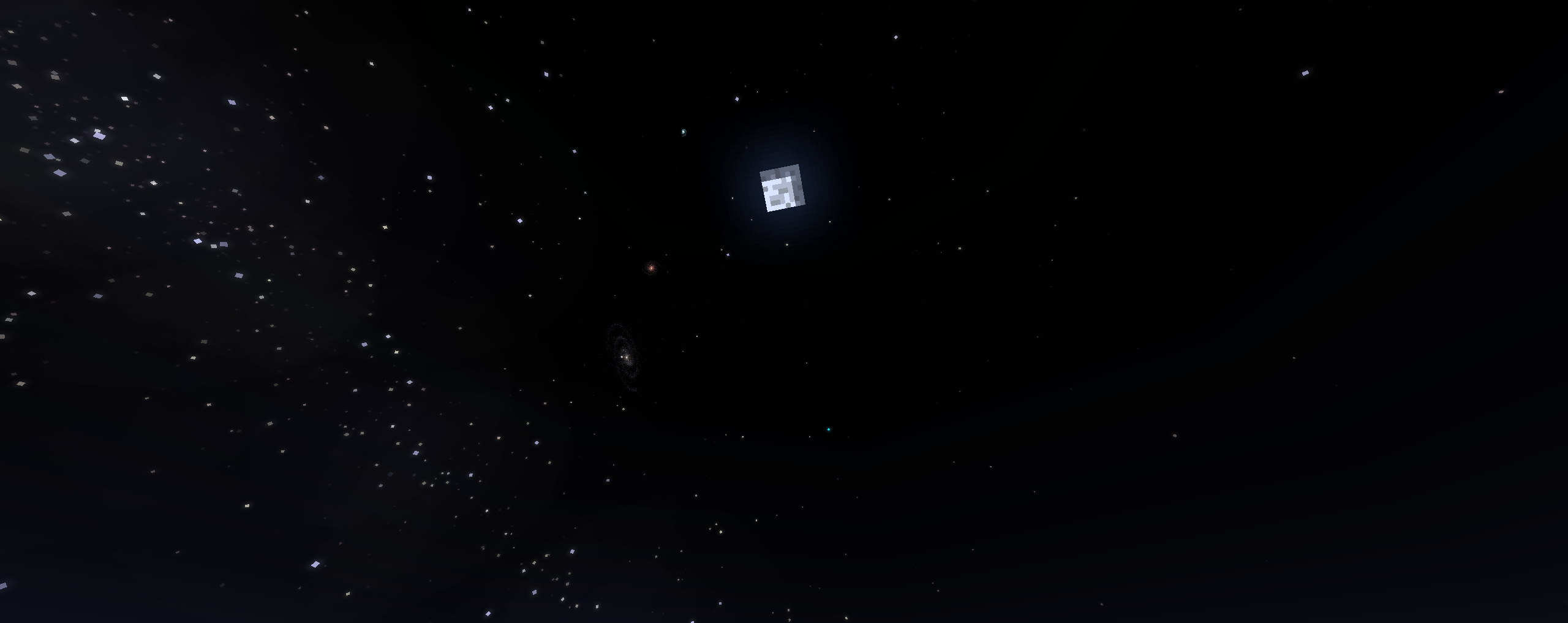
Stellar View helps your sky look just a bit better while keeping the Vanilla feeling.
This mod is purely Client-side and should not be installed on a Server to work. Which also means it will not physically change anything on the server-side and all changes it does make are purely visual.

If you want to use this mod with any shaderpacks, you must set the Static Sky config option to True!!!
For those of you who like to play on 1.12.2, some cool person made an unofficial 1.12.2 Stellar View backport.
Current Features
- Milky Way Galaxy
- Brighter Stars
- Independent Moon movement
- Light interference (Stars appear dimmer if you're standing near a light source)
- Location-based Sky rotation
- Supernovae
- Shooting Stars
- Meteor Showers
- Custom Skybox support
- Planets and apparent retrograde planetary motion
- Can be used as a dependency for other mods
Planned Features
- Sky events (Aurora Borealis, Comets)
Discord Server where you can ask for help, get more info about the mod and watch its creator go insane because he can't figure out why that one bug keeps on appearing over and over again... Seriously, why does Minecraft Worldgen make no sense!?
Comment installer Stellar View
With Millida Launcher
Install Millida Launcher
The launcher is free: download it at millida.net/launcher and sign in with any nickname.
Click “Install” on this page
The launcher opens and installs the mod for Minecraft 1.20.1–1.21.1 on Fabric, Forge or NeoForge automatically.
Launch the game
A profile with it appears in the launcher: click “Play”.
Manually
Install Fabric, Forge or NeoForge
The loader must match the game version of the mod file, for example Minecraft 1.21.1. After installing it, a separate profile appears in your launcher.
Download the file for your version
In the version list above, pick the file Stellar.View-1.21.1-0.5.3-Fabric.jar (1.2 MB) for your game version and loader.
Put it in the mods folder
The folder is inside .minecraft (Windows: %appdata%\.minecraft\mods). If it does not exist, create it.
Launch the loader profile
Open “Mods” in the main menu: Stellar View should be in the list.
Minecraft 1.21.1 runs on Java 21: with a different Java version the game may close right after launch.
Versions
Avec dépendances
| Minecraft | Loader | Fichier | Date | Actions |
|---|---|---|---|---|
| 1.21.1 | Fabric | v0.5.31.2 Mo | ||
| 1.21.1 | NeoForge | v0.5.3553 Ko | ||
| 1.20.1 | Forge | v0.5.3559 Ko 2 |
FAQ
Which Minecraft versions does Stellar View work on?
There are files for 1.21.1, 1.20.1. The newest is 1.21.1.
Is Stellar View for Forge or Fabric?
There are files for Fabric: 1.21.1, for Forge: 1.20.1 and for NeoForge: 1.21.1.
Does Stellar View need other mods?
The author lists no required dependencies: the Fabric, Forge or NeoForge loader is enough.
Which Java does Stellar View need?
Minecraft 1.21.1 runs on Java 21. If the game closes right after launch, the usual cause is the wrong Java version in the profile settings.
Where can I download Stellar View safely?
On this page: the file Stellar.View-1.21.1-0.5.3-Fabric.jar (1.2 MB) is stored on Millida’s server, with no link shorteners. SHA-1 checksum: c1562f9746a7bb9cb1cb3cb045ba1c2ab504fefb.
Avis
Soyez le premier à noter Stellar View


