

Status Effect Bars Mod pour Minecraft 26.2
Ajoute des barres personnalisables à l'affichage des effets de statut pour montrer la durée restante des effets.
 Fabric
 Quilt
QuiltÀ propos du mod Status Effect Bars
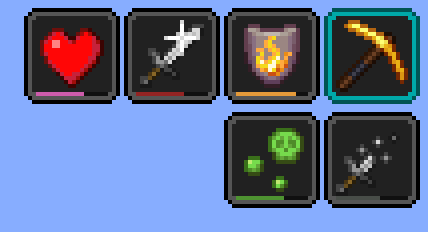
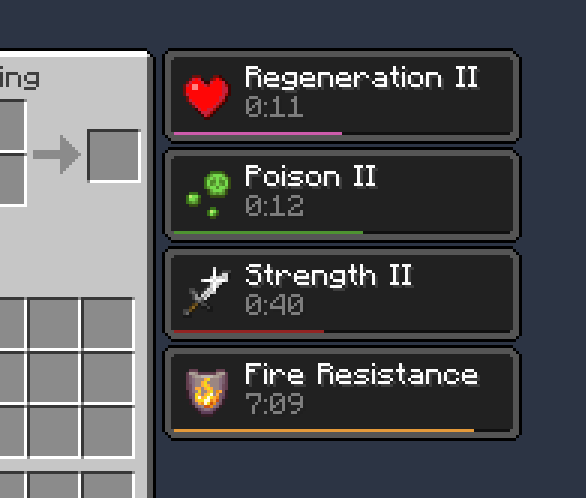
Un mod Fabric côté client qui ajoute de petites barres personnalisables à l'overlay des effets de statut et dans l'inventaire pour afficher la durée restante des effets.
Fonctionnalités :

- De jolies petites barres
- Écran de configuration pour modifier les couleurs et la position des barres
- Les barres peuvent être masquées automatiquement dans certains cas précis pour réduire l'encombrement (par exemple les effets de balise et les effets de très longue durée)
Nécessite [Cloth Config]. L'écran de configuration est accessible via Mod Menu.
Crédits
- Potentiellement inspiré du HUD des effets actifs de SkyUI
- Écran de configuration propulsé par [Cloth Config]
- Traduction ptbr par FITFC
Liens : CurseForge · GitHub · Modrinth
[Cloth Config] : https://modrinth.com/mod/cloth-config

Comment installer Status Effect Bars
With Millida Launcher
Install Millida Launcher
The launcher is free: download it at millida.net/launcher and sign in with any nickname.
Click “Install” on this page
The launcher opens and installs the mod for Minecraft 1.21.11–26.2 on Fabric or Quilt automatically.
Launch the game
A profile with it appears in the launcher: click “Play”.
Manually
Install Fabric or Quilt
The loader must match the game version of the mod file, for example Minecraft 26.2. After installing it, a separate profile appears in your launcher.
Download the file for your version
In the version list above, pick the file status-effect-bars-1.0.12.jar (44 KB) for your game version and loader.
Put it in the mods folder
The folder is inside .minecraft (Windows: %appdata%\.minecraft\mods). If it does not exist, create it.
Launch the loader profile
Open “Mods” in the main menu: Status Effect Bars should be in the list.
Status Effect Bars works on the player’s side only: there is no need to install it on a server.
Versions
Avec dépendances
| Minecraft | Loader | Fichier | Actions |
|---|---|---|---|
| 26.2 | Fabric, Quilt | 26.243.9 Ko 16 | |
| 26.1 | Fabric, Quilt | 26.147.4 Ko 5 | |
| 1.21.11 | Fabric, Quilt | 1.21.1146.6 Ko 59 |
FAQ
Which Minecraft versions does Status Effect Bars work on?
There are files for 26.2, 26.1.2, 26.1.1, 26.1, 1.21.11. The newest is 26.2.
Is Status Effect Bars for Forge or Fabric?
There are files for Fabric: 1.21.11–26.2 and for Quilt: 1.21.11–26.2. There are no files for Forge or NeoForge: a mod for another loader will not start.
Does Status Effect Bars need other mods?
The author lists no required dependencies: the Fabric or Quilt loader is enough.
Do I need to install Status Effect Bars on a server?
No. Status Effect Bars works on the player’s side only: there is no need to install it on a server.
Where can I download Status Effect Bars safely?
On this page: the file status-effect-bars-1.0.12.jar (44 KB) is stored on Millida’s server, with no link shorteners. SHA-1 checksum: f29719c3101ebe009dae76bca5215cf7482f8b9c.
Avis
Soyez le premier à noter Status Effect Bars


