
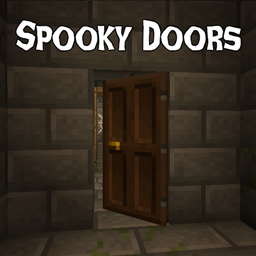
Spooky Doors Mod pour Minecraft 1.21.1
Des portes, mais elles font peur comme dans les jeux d'horreur. Prend désormais en charge toutes les portes !
 NeoForge
 Forge
 Fabric
À propos du mod Spooky Doors
This mod makes doors spooky, imitating the way that doors behave in horror games like Amnesia or Outlast. This means you can peek through doors by opening them halfway, slam them shut if you get scared, and enjoy an orchestra of creaking sounds while you do so.
This mod requires Balm, which must be installed alongside the mod.
This mod was made for SpookyJam 2024.
Note that only 1.20.1, 1.21.1 and 26.1+ are supported. In older versions, spooky doors are limited to separate Spooky Door items instead of affecting all doors.
- New: Now affects all doors! Use Honeycomb or Ghast Tear to toggle.
- Peek doors by dragging your mouse to open them slowly
- Slam doors shut or open by dragging your mouse quickly
- Run into doors that are ajar to open or close them
- Scary door sounds when doing so
Comment installer Spooky Doors
With Millida Launcher
Install Millida Launcher
The launcher is free: download it at millida.net/launcher and sign in with any nickname.
Click “Install” on this page
The launcher opens and installs the mod for Minecraft 1.21.1 on Fabric, Forge or NeoForge automatically.
Launch the game
A profile with it appears in the launcher: click “Play”.
Manually
Install Fabric, Forge or NeoForge
The loader must match the game version of the mod file, for example Minecraft 1.21.1. After installing it, a separate profile appears in your launcher.
Download the file for your version
In the version list above, pick the file spookydoors-neoforge-1.21.1-21.1.14.jar (144 KB) for your game version and loader.
Put it in the mods folder
The folder is inside .minecraft (Windows: %appdata%\.minecraft\mods). If it does not exist, create it.
Launch the loader profile
Open “Mods” in the main menu: Spooky Doors should be in the list.
Minecraft 1.21.1 runs on Java 21: with a different Java version the game may close right after launch.
Versions
Avec dépendances
| Minecraft | Loader | Fichier | Date | Actions |
|---|---|---|---|---|
| 1.21.1 | NeoForge | spookydoors-neoforge-1.21.1-21.1.14.jar144 Ko | ||
| 1.21.1 | Forge | spookydoors-forge-1.21.1-21.1.14.jar143 Ko 3 | ||
| 1.21.1 | Fabric | spookydoors-fabric-1.21.1-21.1.14.jar159 Ko 4 |
FAQ
Which Minecraft versions does Spooky Doors work on?
Only Minecraft 1.21.1: there are no files for other versions.
Is Spooky Doors for Forge or Fabric?
There are files for Fabric: 1.21.1, for Forge: 1.21.1 and for NeoForge: 1.21.1.
Does Spooky Doors need other mods?
The author lists no required dependencies: the Fabric, Forge or NeoForge loader is enough.
Which Java does Spooky Doors need?
Minecraft 1.21.1 runs on Java 21. If the game closes right after launch, the usual cause is the wrong Java version in the profile settings.
Where can I download Spooky Doors safely?
On this page: the file spookydoors-neoforge-1.21.1-21.1.14.jar (144 KB) is stored on Millida’s server, with no link shorteners. SHA-1 checksum: bc9be6837135278a57482959dc311f89b5ad411e.
Avis
Soyez le premier à noter Spooky Doors


