

 Fabric
 NeoForge
 Forge
À propos du mod Sodium Options Mod Compat

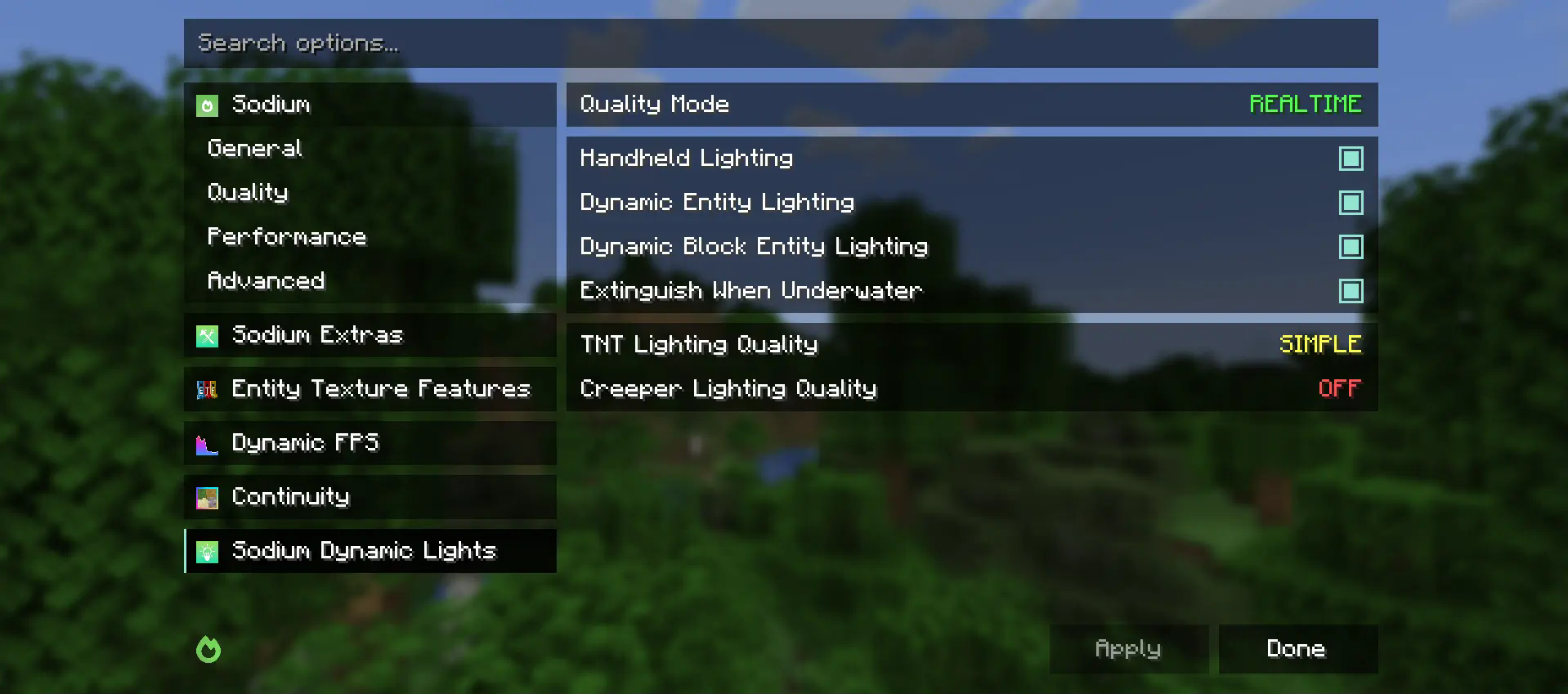
Sodium Options Mod Compat ajoute des paramètres vidéo Sodium pour divers mods qui n'en ont pas.
Actuellement, les mods suivants sont compatibles :
- Entity Texture Features
- Entity Model Features
- DynamicFPS
- Continuity (nativement sur Fabric et via Connector sur Forge)
Ce mod est en partie un portage d'EmbeddiumUI, avec une prise en charge supplémentaire de mods, et porté pour utiliser l'API multiplateforme Sodium Options afin de prendre en charge les versions suivantes :
- Embeddium sur Forge
- Fabric Sodium 0.5 sur 1.20.1
- Fabric/NeoForge Sodium 0.6 sur 1.21.1
Si vous avez une suggestion pour un mod lié au rendu que vous aimeriez voir ajouté aux paramètres vidéo Sodium, veuillez ouvrir une Github Issue pour une demande de fonctionnalité.
Comment installer Sodium Options Mod Compat
With Millida Launcher
Install Millida Launcher
The launcher is free: download it at millida.net/launcher and sign in with any nickname.
Click “Install” on this page
The launcher opens and installs the mod for Minecraft 1.20–1.21.4 on Fabric, Forge or NeoForge automatically, together with its dependencies: Sodium Options API, Fabric API.
Launch the game
A profile with it appears in the launcher: click “Play”.
Manually
Install Fabric, Forge or NeoForge
The loader must match the game version of the mod file, for example Minecraft 1.21.4. After installing it, a separate profile appears in your launcher.
Download the file for your version
In the version list above, pick the file sodiumoptionsmodcompat-fabric-1.0.0-1.21.4.jar (846 KB) for your game version and loader.
Put it in the mods folder
The folder is inside .minecraft (Windows: %appdata%\.minecraft\mods). If it does not exist, create it. Required dependencies go there too: Sodium Options API, Fabric API.
Launch the loader profile
Open “Mods” in the main menu: Sodium Options Mod Compat should be in the list.
Sodium Options Mod Compat works on the player’s side only: there is no need to install it on a server.
Minecraft 1.21.4 runs on Java 21: with a different Java version the game may close right after launch.
Versions
Avec dépendances
| Minecraft | Loader | Fichier | Date | Actions |
|---|---|---|---|---|
| 1.21.1 | Fabric | 1.21.1832 Ko 3 | ||
| 1.20.1 | Fabric | 1.20.1591 Ko | ||
| 1.21.1 | NeoForge | 1.21.1176 Ko 36 | ||
| 1.20.1 | Forge | 1.20.1177 Ko 45 | ||
| 1.21.4 | Fabric | 1.21.4846 Ko 7 | ||
| 1.21.1 | NeoForge | 1.21.1177 Ko 2 | ||
| 1.20.1 | Fabric | 1.20.1592 Ko | ||
| 1.21.4 | NeoForge | 1.21.4177 Ko 1 |
Ce qu'il faut pour l'exécuter
- Sodium Options APIobligatoire
- Fabric APIobligatoire
FAQ
Which Minecraft versions does Sodium Options Mod Compat work on?
There are files for 1.21.4, 1.21.1, 1.20.1, 1.20. The newest is 1.21.4.
Is Sodium Options Mod Compat for Forge or Fabric?
There are files for Fabric: 1.20–1.21.4, for Forge: 1.20–1.20.1 and for NeoForge: 1.21.1–1.21.4.
What does Sodium Options Mod Compat need to work?
Required: Sodium Options API, Fabric API. Without them the mod will not start: dependencies go into the same mods folder.
Do I need to install Sodium Options Mod Compat on a server?
No. Sodium Options Mod Compat works on the player’s side only: there is no need to install it on a server.
Which Java does Sodium Options Mod Compat need?
Minecraft 1.21.4 runs on Java 21. If the game closes right after launch, the usual cause is the wrong Java version in the profile settings.
Where can I download Sodium Options Mod Compat safely?
On this page: the file sodiumoptionsmodcompat-fabric-1.0.0-1.21.4.jar (846 KB) is stored on Millida’s server, with no link shorteners. SHA-1 checksum: 9c5ab3b6ba0e096567b60b0c5c74b8e570205da9.
Avis
Soyez le premier à noter Sodium Options Mod Compat


