

Smooth Swapping Mod pour Minecraft 1.18.2, 26.3
Déplace les objets en douceur dans les inventaires
 NeoForge
 Fabric
 Quilt
Quilt Forge
ForgeSmooth Swapping
À propos
Smooth Swapping est un mod côté client qui anime le déplacement des objets à l'intérieur des inventaires.
- Il est disponible pour Fabric et Forge (depuis la version Minecraft 1.19.4)
- Bien qu'il soit écrit avec Architectury, il n'a pas besoin de l'API Architectury, ni pour Forge ni pour Fabric
- Si vous utilisez la version Fabric, vous avez besoin de la Fabric API et vous aurez besoin de ModMenu pour pouvoir accéder au menu des paramètres
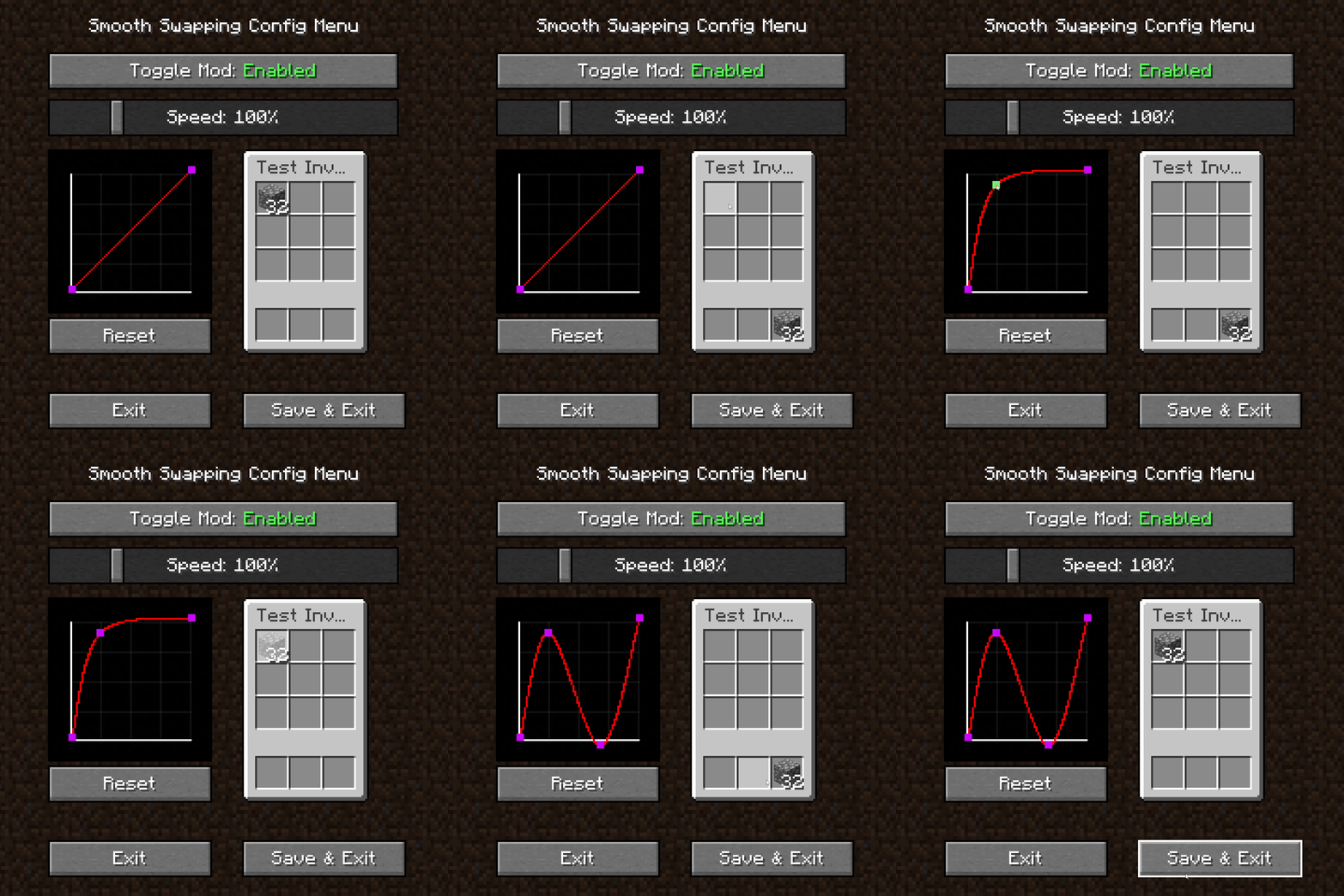
Animation fluide des objets à l'intérieur d'un inventaire
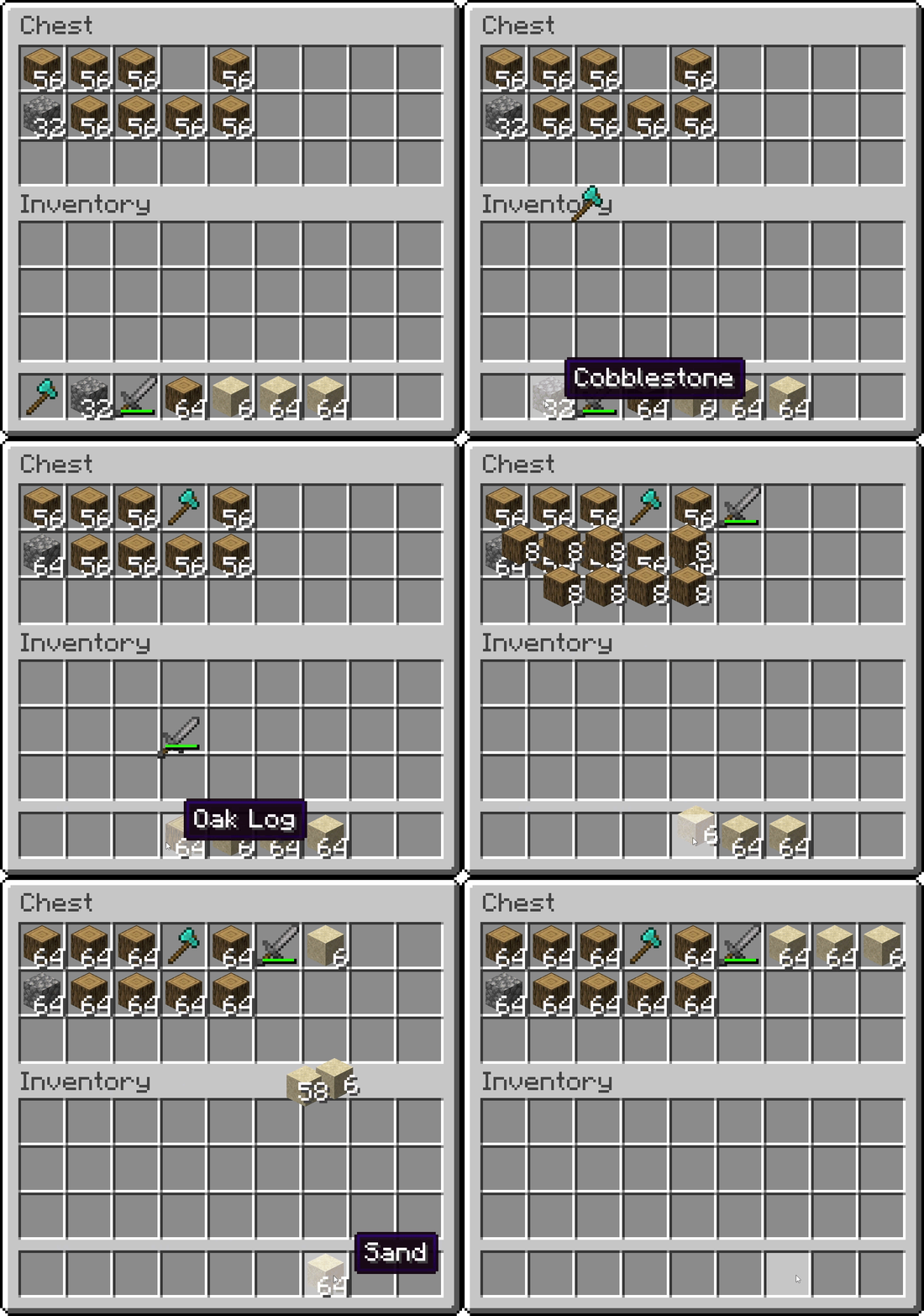
Menu des paramètres de Smooth Swapping
- Bouton à basculer pour activer et désactiver le mod
- Curseur pour ajuster la vitesse de l'animation
- Petit inventaire pour tester votre animation
- Graphique pour modifier la courbe de l'animation
- Faites un clic droit avec votre souris sur un espace vide pour créer un nouveau point de courbe
- Faites un clic gauche et glissez un point pour le déplacer. Le premier et le dernier point ne peuvent toutefois pas être déplacés
- Faites un clic droit sur un point pour le supprimer
Comment installer Smooth Swapping
With Millida Launcher
Install Millida Launcher
The launcher is free: download it at millida.net/launcher and sign in with any nickname.
Click “Install” on this page
The launcher opens and installs the mod for Minecraft 1.18–26.3 on Fabric, Forge, NeoForge or Quilt automatically.
Launch the game
A profile with it appears in the launcher: click “Play”.
Manually
Install Fabric, Forge, NeoForge or Quilt
The loader must match the game version of the mod file, for example Minecraft 26.3. After installing it, a separate profile appears in your launcher.
Download the file for your version
In the version list above, pick the file smoothswapping-0.9.11-26.3-neoforge.jar (66 KB) for your game version and loader.
Put it in the mods folder
The folder is inside .minecraft (Windows: %appdata%\.minecraft\mods). If it does not exist, create it.
Launch the loader profile
Open “Mods” in the main menu: Smooth Swapping should be in the list.
Versions
Avec dépendances
| Minecraft | Loader | Fichier | Date | Actions |
|---|---|---|---|---|
| 26.3 | NeoForge | [NeoForge 26.3] v0.9.1166.1 Ko 21 | ||
| 26.3 | Fabric, Quilt | [Fabric 26.3] v0.9.1166 Ko 504 | ||
| 1.18.1 | Forge | [Forge 1.18.2] v0.9.1.159.9 Ko 13 |
Avis
Soyez le premier à noter Smooth Swapping


