
 NeoForge
 Fabric
 Quilt
Quilt Forge
ForgeSkinShifter
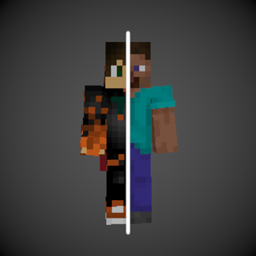
SkinShifter lets you change your Player Skin in game! (Don't worry- you won't change your actual skin, it just renders differently.)
Getting Started
This mod is intended to be used in modpacks or as library for other mods. You can change your skin by using the command /skinshifter set @s xyz, where xyz is the name or uuid of the player you want to morph into.
If you're a coder, you can use the following methods:
SkinShifter.setSkin(serverPlayer, playerUuidForSkin); // Sets the current skin SkinShifter.getCurrentSkin(serverPlayer); // returns the UUID of owner of the current skin. Might be the own UUID!
To change config values, you can do the following:
class Test { public static void initialize() { SkinShifter.CONFIG.changeCape = true; SkinShifter.CONFIG.changeNameTag = true; // required to save the changes into the config file SkinShifter.CONFIG.save(); // when changing the config after the first player has joined, use: // SkinShifter.CONFIG.sendToAllPlayers(serverLevel); } }
If you'd like to support me and the development of my mods, I recommend trying out BisectHosting. Use the code "woodwalkers" to get 25% off your first month of a gaming server for new customers. They offer 24/7 support and lightning-fast response times, ensuring you're in great hands and providing exceptional assistance for all your gaming needs.
License
SkinShifter is licensed under Apache 2.0.
Comment installer SkinShifter
With Millida Launcher
Install Millida Launcher
The launcher is free: download it at millida.net/launcher and sign in with any nickname.
Click “Install” on this page
The launcher opens and installs the mod for Minecraft 1.20.4–26.2 on Fabric, Forge, NeoForge or Quilt automatically.
Launch the game
A profile with it appears in the launcher: click “Play”.
Manually
Install Fabric, Forge, NeoForge or Quilt
The loader must match the game version of the mod file, for example Minecraft 26.2. After installing it, a separate profile appears in your launcher.
Download the file for your version
In the version list above, pick the file skinshifter-neoforge-3.2.0.jar (43 KB) for your game version and loader.
Put it in the mods folder
The folder is inside .minecraft (Windows: %appdata%\.minecraft\mods). If it does not exist, create it.
Launch the loader profile
Open “Mods” in the main menu: SkinShifter should be in the list.
Versions
Avec dépendances
| Minecraft | Loader | Fichier | Date | Actions |
|---|---|---|---|---|
| 26.2 | NeoForge | neoforge-3.2.043 Ko | ||
| 26.2 | Fabric, Quilt | fabric-3.2.041.4 Ko 3 | ||
| 1.20.4 | Forge | 1.20.4-forge-1.330.8 Ko 1 |
Avis
Soyez le premier à noter SkinShifter


