
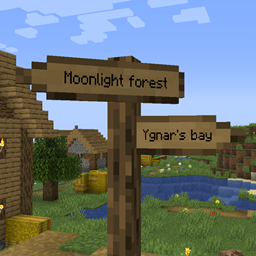
Signpost Mod pour Minecraft 1.12.2, 26.2
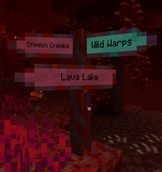
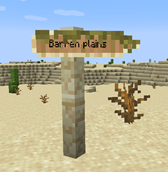
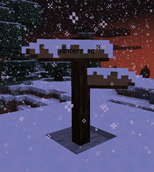
Panneaux indicateurs pour la téléportation et la décoration
 Fabric
 NeoForge
 Forge
ForgeÀ propos du mod Signpost
Septembre 2026 : versions 2.04.0/2.04.1 publiées :
- Portage vers 1.21.1, 1.21.11, 26.1.2, 26.2 et 26.3.
- Les types de matériaux des panneaux indicateurs sont désormais gérés via des data packs
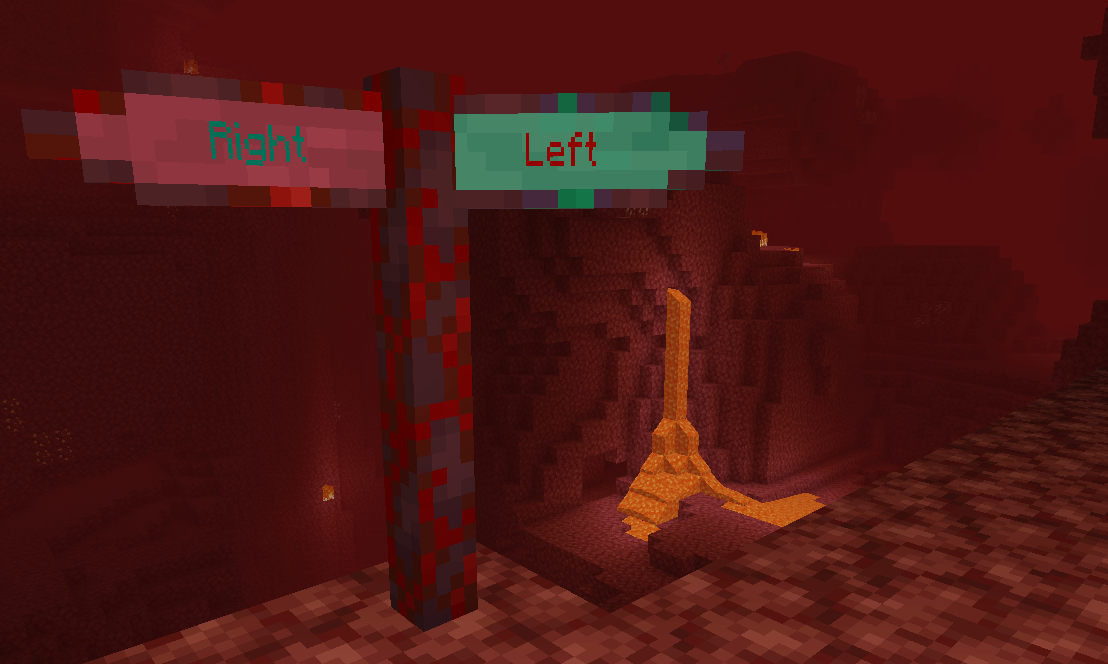
Inclut l'intégration dans Antique Atlas (version >= 2.01.0) ! Pour les versions plus anciennes, consultez le mod Signposts de harceroi (1.7.10) ou Atlas Extras de Rikshy (1.12). Prend en charge les villages de Repurposed Structures. Prend également en charge le mod Waystones (sauf 1.17).
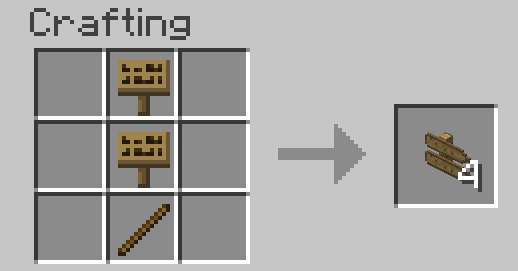
Pour commencer en survie : il suffit de fabriquer un panneau vanilla classique. Toutes les recettes devraient ensuite être ajoutées à votre livre de recettes au fil du temps.
Comment l'utiliser :
- Waystones
- Panneaux indicateurs
- Commandes
- Génération du monde
- Configuration
Localisation zhcn par TartaricAcid (version 1.) et SettingDust (version 2.), localisation ruru par Aqelius (version 1.) et lineisover (version 2.), localisations frfr, eses, ptbr, itit, plpl, ukua, trtr, jajp, kokr, zhtw et svse par IA (>= version 2.04.1-26.3).
L'IA est également utilisée pour porter le projet vers de nouvelles versions de Minecraft.
Veuillez sauvegarder vos cartes, signaler tout bug et amusez-vous :D
Vous pouvez inclure ce mod dans des modpacks.
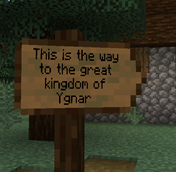
Comment installer Signpost
With Millida Launcher
Install Millida Launcher
The launcher is free: download it at millida.net/launcher and sign in with any nickname.
Click “Install” on this page
The launcher opens and installs the mod for Minecraft 1.7.10–26.2 on Fabric, Forge or NeoForge automatically.
Launch the game
A profile with it appears in the launcher: click “Play”.
Manually
Install Fabric, Forge or NeoForge
The loader must match the game version of the mod file, for example Minecraft 26.2. After installing it, a separate profile appears in your launcher.
Download the file for your version
In the version list above, pick the file signpost-fabric-26.2-2.04.1.jar (1.2 MB) for your game version and loader.
Put it in the mods folder
The folder is inside .minecraft (Windows: %appdata%\.minecraft\mods). If it does not exist, create it.
Launch the loader profile
Open “Mods” in the main menu: Signpost should be in the list.
Versions
Avec dépendances
| Minecraft | Loader | Fichier | Date | Actions |
|---|---|---|---|---|
| 26.2 | Fabric | signpost-fabric-26.2-2.04.1.jar1.2 Mo 1 | ||
| 26.2 | NeoForge | signpost-neoforge-26.2-2.04.1.jar1.2 Mo | ||
| 26.2 | Forge | signpost-forge-26.2-2.04.1.jar1.2 Mo 1 | ||
| 1.15.2 | Forge | Signpost 1.15.2 2.00.1781 Ko | ||
| 1.12.2 | — | signpost-1.12.2-1.08.5.jar443 Ko | ||
| 1.12.2 | — | signpost-1.12.2-1.08.4.jar443 Ko | ||
| 1.7.10 | — | signpost-1.7.10-1.02.189.3 Ko |
FAQ
Which Minecraft versions does Signpost work on?
There are files for 26.2, 1.15.2, 1.12.2, 1.7.10. The newest is 26.2.
Is Signpost for Forge or Fabric?
There are files for Fabric: 26.2, for Forge: 1.15.2–26.2 and for NeoForge: 26.2.
Does Signpost need other mods?
The author lists no required dependencies: the Fabric, Forge or NeoForge loader is enough.
Where can I download Signpost safely?
On this page: the file signpost-fabric-26.2-2.04.1.jar (1.2 MB) is stored on Millida’s server, with no link shorteners. SHA-1 checksum: cb8feecb4279f72582635446975feadc0469a527.
Avis
Soyez le premier à noter Signpost


