
Shrink. Mod pour Minecraft 1.16.5, 26.3
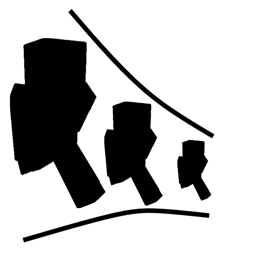
Shrink est un petit mod pour Minecraft qui permet aux joueurs de modifier la taille de leur personnage.
 Fabric
 NeoForge
 Forge
ForgeÀ propos du mod Shrink.
Shrink est un petit mod qui vous permet de modifier la taille de votre joueur.
- En rétrécissant, vous accédez à des endroits normalement inaccessibles sans casser de blocs.
- Le mod introduit un seul objet appelé le Personal Shrinking Device.
- Lorsque vous faites un shift-clic droit avec cet appareil, votre joueur rétrécit comme par magie jusqu'à environ un quart de bloc.
- Le Personal Shrinking Device nécessite de l'énergie provenant de n'importe quelle source RF/Forge Energy, bien que vous puissiez désactiver cette fonctionnalité dans le fichier de configuration.

Cas d'utilisation
- Imaginez-vous infiltrer des passages secrets, explorer de minuscules recoins, ou même vous cacher des mobs en tant qu'aventurier minuscule.
- Besoin de vous faufiler dans un passage étroit ? Rétrécissez ! - Envie de découvrir le monde du point de vue d'un insecte ? Rétrécissez !
- Fatigué de dominer tout le monde ? Rétrécissez !
- Même petit, vous restez redoutable. Votre minuscule personne peut manier de puissantes armes et armures.
- Soyez prudent : certains mobs pourraient ne pas apprécier votre nouvelle compacité.
Comment installer Shrink.
With Millida Launcher
Install Millida Launcher
The launcher is free: download it at millida.net/launcher and sign in with any nickname.
Click “Install” on this page
The launcher opens and installs the mod for Minecraft 1.16.4–26.3 on Fabric, Forge or NeoForge automatically.
Launch the game
A profile with it appears in the launcher: click “Play”.
Manually
Install Fabric, Forge or NeoForge
The loader must match the game version of the mod file, for example Minecraft 26.3. After installing it, a separate profile appears in your launcher.
Download the file for your version
In the version list above, pick the file shrink-fabric-26.3-2.1.2.jar (56 KB) for your game version and loader.
Put it in the mods folder
The folder is inside .minecraft (Windows: %appdata%\.minecraft\mods). If it does not exist, create it.
Launch the loader profile
Open “Mods” in the main menu: Shrink. should be in the list.
Versions
Avec dépendances
| Minecraft | Loader | Fichier | Date | Actions |
|---|---|---|---|---|
| 26.3 | Fabric | 26.3-2.1.2 [Fabric]55.9 Ko 70 | ||
| 26.3 | NeoForge | 26.3-2.1.2 [NeoForge]56.4 Ko 2 | ||
| 1.20.4 | Forge | 1.20.4-2.0.0.40 [Forge]54.9 Ko 6 | ||
| 1.16.5 | — | Shrink-1.16.4-1.1.3.jar70.8 Ko 3 | ||
| 1.16.5 | Forge | Shrink-1.16.4-1.1.2.jar68.1 Ko |
FAQ
Which Minecraft versions does Shrink. work on?
There are files for 26.3, 1.20.4, 1.16.5, 1.16.4. The newest is 26.3.
Is Shrink. for Forge or Fabric?
There are files for Fabric: 26.3, for Forge: 1.16.5–1.20.4 and for NeoForge: 26.3.
Does Shrink. need other mods?
The author lists no required dependencies: the Fabric, Forge or NeoForge loader is enough.
Where can I download Shrink. safely?
On this page: the file shrink-fabric-26.3-2.1.2.jar (56 KB) is stored on Millida’s server, with no link shorteners. SHA-1 checksum: 9150e10e80482b4f24e825ae191e04bf7e8a5258.
Avis
Soyez le premier à noter Shrink.


