

Saro´s Construction Mod pour Minecraft 1.20.1, 1.21.1
Ajoute des barrières de chantier, des cônes, des échafaudages et du matériel de chantier interactif pour construire des zones de construction réalistes.
 NeoForge
 Fabric
 Forge
ForgeÀ propos du mod Saro´s Construction
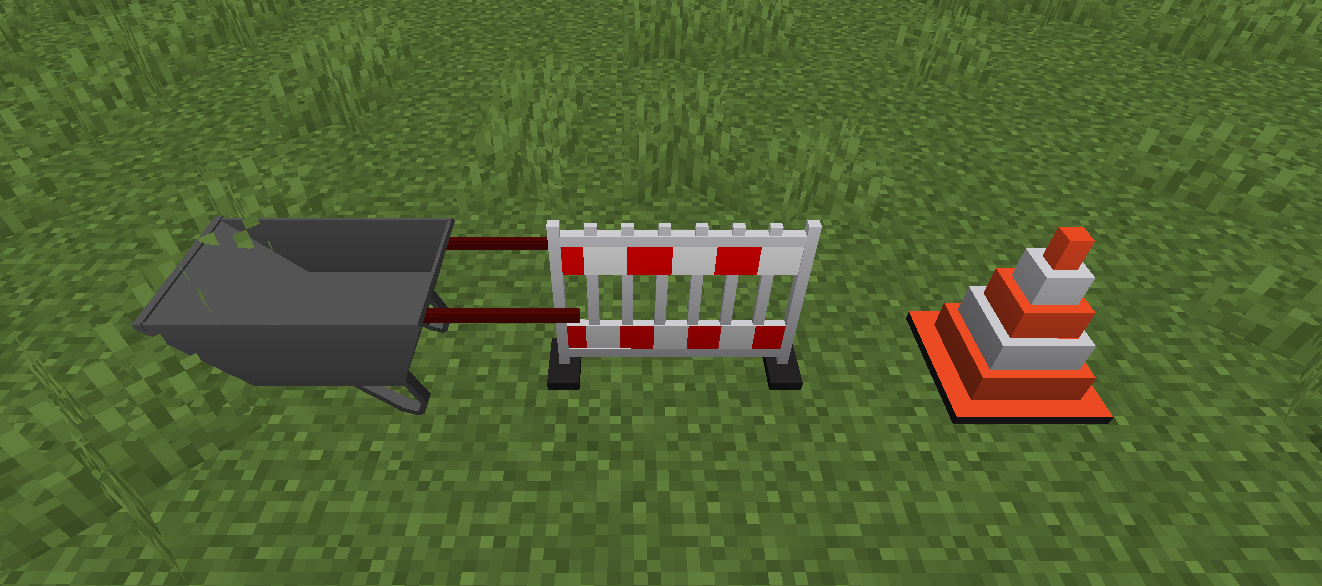
The Saro's Construction Mod adds a variety of items tailored for creating realistic construction sites in Minecraft. These items include decorative elements and functional construction blocks.
Decorative Elements 🎨
- Various blocks and items designed to enhance your construction site aesthetics.
Advanced Construction Equipment 🛠️
- Interactive Wheelbarrow: Now features 3D item rendering, auto-pickup functionality (works like a hopper!), and explosion protection. It functions seamlessly as both a stationary block and a pushable entity.
- Functional blocks and items with construction-related utilities.
Community Feedback 📢
- Have a suggestion or found a bug? Reach out to us join our Discord server.
Blocks
Version Support & Features
Port requests are welcome, but please understand that maintaining support for all versions simultaneously is very time-consuming.
- Forge 1.20.1 ✅ (Latest Features)
- Forge 1.21.1 ✅ (Latest Features)
- Forge 1.21 ✅
- Forge 1.20.6 ✅
- Forge 1.20.4 ✅
- Forge 1.19.4 ✅
- Forge 1.19.2 ✅
- Forge 1.18.2 ✅
- Forge 1.16.5 ✅
- And More
Connect with us on Discord and be part of the Saro's Construction Mod community!
Project Support & Usage
Hosting: For the best performance, I recommend using BisectHosting linked in the banner.
Modpacks: You are free to include my work in any modpack. Please ensure proper credit is given by providing a link to this project page.
Comment installer Saro´s Construction
With Millida Launcher
Install Millida Launcher
The launcher is free: download it at millida.net/launcher and sign in with any nickname.
Click “Install” on this page
The launcher opens and installs the mod for Minecraft 1.20.1–26.3 on Fabric, Forge or NeoForge automatically.
Launch the game
A profile with it appears in the launcher: click “Play”.
Manually
Install Fabric, Forge or NeoForge
The loader must match the game version of the mod file, for example Minecraft 26.3. After installing it, a separate profile appears in your launcher.
Download the file for your version
In the version list above, pick the file Saros-Construction-NeoForge-26.3-2.7.jar (219 KB) for your game version and loader.
Put it in the mods folder
The folder is inside .minecraft (Windows: %appdata%\.minecraft\mods). If it does not exist, create it.
Launch the loader profile
Open “Mods” in the main menu: Saro´s Construction should be in the list.
Versions
Avec dépendances
| Minecraft | Loader | Fichier | Date | Actions |
|---|---|---|---|---|
| 26.3 | NeoForge | Construction 2.7219 Ko | ||
| 26.3 | Fabric | Construction 2.6217 Ko 1 | ||
| 26.3 | Fabric | Construction 2.5 (Beta)208 Ko | ||
| 1.21.1 | Forge | Saro's Construction Mod 2.1 (Forge)257 Ko | ||
| 1.20.1 | Forge | Saro´s Construction 1.6.2184 Ko |
FAQ
Which Minecraft versions does Saro´s Construction work on?
There are files for 26.3, 1.21.1, 1.20.1. The newest is 26.3.
Is Saro´s Construction for Forge or Fabric?
There are files for Fabric: 26.3, for Forge: 1.20.1–1.21.1 and for NeoForge: 26.3.
Does Saro´s Construction need other mods?
The author lists no required dependencies: the Fabric, Forge or NeoForge loader is enough.
Where can I download Saro´s Construction safely?
On this page: the file Saros-Construction-NeoForge-26.3-2.7.jar (219 KB) is stored on Millida’s server, with no link shorteners. SHA-1 checksum: 32175ddce40cd621ed808dd09f372f54094b2587.
Avis
Soyez le premier à noter Saro´s Construction


