
Rock Candy Mod pour Minecraft 1.20.1, 1.12.2
Un mod de nourriture souterraine
 NeoForge
 Forge
ForgeÀ propos du mod Rock Candy
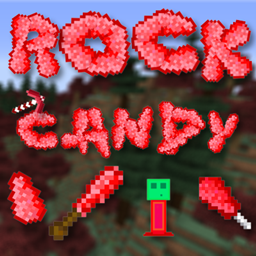
This is my first attempt to create a mod. I made this mod for my friends and I for the fact we always starve while mining with this mod you can mine blocks with edible drops. I also Made completely configurable for Ore Spawn. If you ever have starved before while mining then this mod is for you. This Mod Adds:
1.10.2-1.11.2: Candy Ore - Which its spawn can be adjusted via the configs
Raw Candy - Mined From Candy Ore (Edible Ore Drops)
Rock Candy - A upgraded Form of Raw Candy that adds double Food and Saturation of the Raw Candy
(Requires Raw Candy + Stick) Also Supports Tinkers Stone Rods (Raw Candy + Stone Rod)
1.12.2:
Candy Ore - Which its spawn can be adjusted via the configs
Raw Candy - Mined From Candy Ore (Edible Ore Drops)
Rock Candy - A upgraded Form of Raw Candy that adds double Food and Saturation of the Raw Candy
(Requires Raw Candy + Stick)
Hardened Rock Candy sword - Can be created by coating a diamond sword with the hard sharp rock candy
1.14+ Everlasting Gobstopper Auto-Feed can be toggled on and off with a key set in controls (Default: Z) Tasteless Candy - Created by throwing Hardened Candy into water.
MOD SHOWCASE
Permission: Feel Free to Add This in Any Mod Pack, If you are using it id love a comment on what pack I am always interested in checking out new ModPacks
Comment installer Rock Candy
With Millida Launcher
Install Millida Launcher
The launcher is free: download it at millida.net/launcher and sign in with any nickname.
Click “Install” on this page
The launcher opens and installs the mod for Minecraft 1.7.2–26.1.2 on Forge or NeoForge automatically.
Launch the game
A profile with it appears in the launcher: click “Play”.
Manually
Install Forge or NeoForge
The loader must match the game version of the mod file, for example Minecraft 26.1.2. After installing it, a separate profile appears in your launcher.
Download the file for your version
In the version list above, pick the file rockcandy-1.0.3-26.1.2.jar (138 KB) for your game version and loader.
Put it in the mods folder
The folder is inside .minecraft (Windows: %appdata%\.minecraft\mods). If it does not exist, create it.
Launch the loader profile
Open “Mods” in the main menu: Rock Candy should be in the list.
Versions
Avec dépendances
| Minecraft | Loader | Fichier | Date | Actions |
|---|---|---|---|---|
| 26.1 | NeoForge | rockcandy-1.0.3-26.1.2.jar138 Ko | ||
| 1.20.1 | NeoForge, Forge | rockcandy-1.20.1-1.0.1.jar137 Ko | ||
| 1.16.1 | — | rockcandy-1.16-1.0.2.jar106 Ko | ||
| 1.14.4 | Forge | rockcandy-1.14.4-1.1.3.jar106 Ko | ||
| 1.12.2 | — | RockCandy-1.12.2-3.0.0.jar115 Ko | ||
| 1.7.2 | — | Rock Candy-1.7.2-0.0.1a.jar19.8 Ko |
FAQ
Which Minecraft versions does Rock Candy work on?
There are files for 1.7.2–26.1.2, 8 versions in total. The newest is 26.1.2.
Is Rock Candy for Forge or Fabric?
There are files for Forge: 1.14.4–1.20.1 and for NeoForge: 1.20.1–26.1.2. There are no files for Fabric: a mod for another loader will not start.
Does Rock Candy need other mods?
The author lists no required dependencies: the Forge or NeoForge loader is enough.
Where can I download Rock Candy safely?
On this page: the file rockcandy-1.0.3-26.1.2.jar (138 KB) is stored on Millida’s server, with no link shorteners. SHA-1 checksum: 2c06230e5a730a9cad14637c50d26dd94191ef24.
Avis
Soyez le premier à noter Rock Candy


