
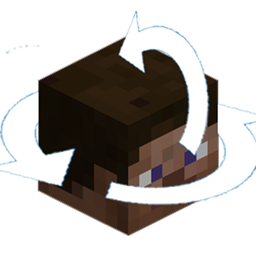
Perspective Mod Redux pour Minecraft 1.12.2, 1.16.5
Caméra à rotation à 360 degrés en mode troisième personne
 Fabric
 Forge
ForgeÀ propos du mod Perspective Mod Redux
This mod adds a 360 degree third person rotation mode. Originally a port of Perspective Mod by Canelex based off of the 1.7.10 version, but has since materialized itself into its own original code.
If you need a version for a specific Minecraft version, please check the Files Tab before asking!
1.8.9 Users: Use Optifine L5 or newer (e.g. preview versions).
Regarding Forge 1.17/1.18 and the future of the project: I'm unhappy with the way I currently have things structured and will eventually™️ have the mod restructured and moved to a new repository. Requested features will finally be added and a single config format will be used. That does mean that 1.0.0 will not be backwards compatible with configs from older versions, but it's only a handful of options, it isn't that big of a deal.
Default Keybind: F4
Mod review for original:
Comment installer Perspective Mod Redux
With Millida Launcher
Install Millida Launcher
The launcher is free: download it at millida.net/launcher and sign in with any nickname.
Click “Install” on this page
The launcher opens and installs the mod for Minecraft 1.11.2–1.16.5 on Fabric or Forge automatically.
Launch the game
A profile with it appears in the launcher: click “Play”.
Manually
Install Fabric or Forge
The loader must match the game version of the mod file, for example Minecraft 1.16.5. After installing it, a separate profile appears in your launcher.
Download the file for your version
In the version list above, pick the file PerspectiveModRedux-1.16.x-0.0.5_01.jar (571 KB) for your game version and loader.
Put it in the mods folder
The folder is inside .minecraft (Windows: %appdata%\.minecraft\mods). If it does not exist, create it.
Launch the loader profile
Open “Mods” in the main menu: Perspective Mod Redux should be in the list.
Minecraft 1.16.5 runs on Java 8: with a different Java version the game may close right after launch.
Versions
Avec dépendances
| Minecraft | Loader | Fichier | Date | Actions |
|---|---|---|---|---|
| 1.16.3 | Fabric | [1.16.2-5 Fabric] Perspective Mod Redux v0.0.5_01571 Ko 23 | ||
| 1.15.2 | Forge | [1.15.2 Forge] Perspective Mod Redux v0.0.510.4 Ko | ||
| 1.12.2 | Forge | [1.12.2] Perspective Mod Redux v0.0.5958 Ko 1 | ||
| 1.16.1 | Forge | [1.16.1 Forge] Perspective Mod Redux v0.0.510.4 Ko | ||
| 1.11.2 | — | [1.11.2] Perspective Mod Redux v0.0.136 Ko |
FAQ
Which Minecraft versions does Perspective Mod Redux work on?
There are files for 1.11.2–1.16.5, 8 versions in total. The newest is 1.16.5.
Is Perspective Mod Redux for Forge or Fabric?
There are files for Fabric: 1.16.2–1.16.5 and for Forge: 1.12.2–1.16.1. There are no files for NeoForge: a mod for another loader will not start.
Does Perspective Mod Redux need other mods?
The author lists no required dependencies: the Fabric or Forge loader is enough.
Which Java does Perspective Mod Redux need?
Minecraft 1.16.5 runs on Java 8. If the game closes right after launch, the usual cause is the wrong Java version in the profile settings.
Where can I download Perspective Mod Redux safely?
On this page: the file PerspectiveModRedux-1.16.x-0.0.5_01.jar (571 KB) is stored on Millida’s server, with no link shorteners. SHA-1 checksum: 89b53d8f1043c4f4acd9f5a39823352627b33146.
Avis
Soyez le premier à noter Perspective Mod Redux


