
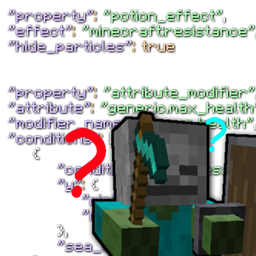
Mobs Properties Randomness Mod pour Minecraft 1.20.1, 1.21.1
Randomise les propriétés des créatures. Ajoutez des effets de potion, appliquez des modificateurs d'attributs, ajoutez de l'équipement et plus encore !
 NeoForge
 Forge
ForgeSummary
Mobs Properties Randomness lets you add/change many properties to mobs on spawn, and, with events, when other stuff happens, such as on attack, on tick or on death with data packs.
This mod requires InsaneLib
As of 5.0.0 and up the mod (and its dependencies) now work server side only, so with MPR server you can connect with a vanilla client.
The mod
The mod does nothing on its own, you have to make a data pack: click here to get started (please note this is for latest version, click here for a list of versions) You can also find a video tutorial playlist below.
Some stuff you can do:
- Potion Effects
- Attribute Modifiers
- Equipment
- Effect immunity
- NBT
- Events (attack, kill, target change)
- Presets (for creating stuff like bosses)
Links
Getting Started
Check the sidebar for Discord and other links -->
Credits
Thanks for part of the logo to Smabblis
Comment installer Mobs Properties Randomness
With Millida Launcher
Install Millida Launcher
The launcher is free: download it at millida.net/launcher and sign in with any nickname.
Click “Install” on this page
The launcher opens and installs the mod for Minecraft 1.12–1.21.1 on Forge or NeoForge automatically.
Launch the game
A profile with it appears in the launcher: click “Play”.
Manually
Install Forge or NeoForge
The loader must match the game version of the mod file, for example Minecraft 1.21.1. After installing it, a separate profile appears in your launcher.
Download the file for your version
In the version list above, pick the file mobspropertiesrandomness-6.1.10.0.jar (381 KB) for your game version and loader.
Put it in the mods folder
The folder is inside .minecraft (Windows: %appdata%\.minecraft\mods). If it does not exist, create it.
Launch the loader profile
Open “Mods” in the main menu: Mobs Properties Randomness should be in the list.
Minecraft 1.21.1 runs on Java 21: with a different Java version the game may close right after launch.
Versions
Avec dépendances
| Minecraft | Loader | Fichier | Date | Actions |
|---|---|---|---|---|
| 1.21.1 | NeoForge | 6.1.10.0381 Ko 1 | ||
| 1.21.1 | NeoForge | 6.1.1.0-beta365 Ko | ||
| 1.21.1 | NeoForge | 6.1.0.0-alpha364 Ko | ||
| 1.20.1 | Forge | 5.1.7.3376 Ko 2 | ||
| 1.20.1 | Forge | 5.1.0.2-beta364 Ko | ||
| 1.20.1 | Forge | 5.0.7-alpha333 Ko | ||
| 1.12.1 | — | [1.12.x] Mobs Properties Randomness 2.3.064.5 Ko | ||
| 1.12.1 | — | [1.12.x] Mobs Properties Randomness 2.1.048.8 Ko |
FAQ
Which Minecraft versions does Mobs Properties Randomness work on?
There are files for 1.21.1, 1.20.1, 1.12.2, 1.12.1, 1.12. The newest is 1.21.1.
Is Mobs Properties Randomness for Forge or Fabric?
There are files for Forge: 1.20.1 and for NeoForge: 1.21.1. There are no files for Fabric: a mod for another loader will not start.
Does Mobs Properties Randomness need other mods?
The author lists no required dependencies: the Forge or NeoForge loader is enough.
Which Java does Mobs Properties Randomness need?
Minecraft 1.21.1 runs on Java 21. If the game closes right after launch, the usual cause is the wrong Java version in the profile settings.
Where can I download Mobs Properties Randomness safely?
On this page: the file mobspropertiesrandomness-6.1.10.0.jar (381 KB) is stored on Millida’s server, with no link shorteners. SHA-1 checksum: 8ea18160ba8b713e0897a64ba0b3ba040d5efe80.
Avis
Soyez le premier à noter Mobs Properties Randomness


