
Missing Wilds Mod pour Minecraft 1.20.1, 1.21.1
Ajoute les fonctionnalités laissées de côté dans la Wild Update.
 Fabric
 NeoForge
 Quilt
QuiltÀ propos du mod Missing Wilds
Adding what was missing from the wild update into the game!
This mod runs on fabric and quilt, and forge.
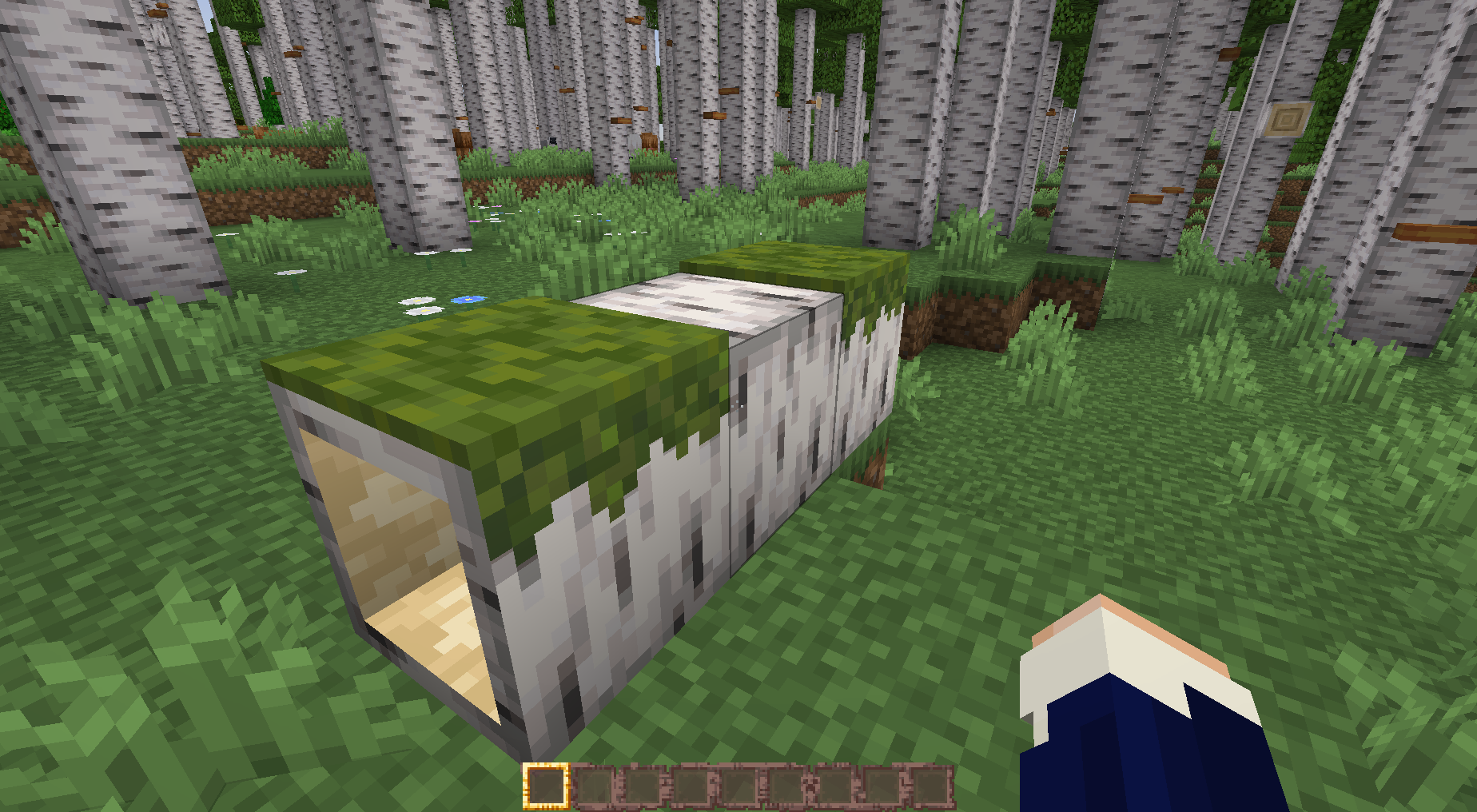
Missing Wilds adds the features scrapped / removed from the wild update. These features include:
- Better Birch Biomes, with taller trees decorated with polypores and fallen logs scattered throughout.
- Fallen Logs, which are hollow and can be crawled through, and can be made out of any logs.
- Polypore Mushrooms, which grow on the sides of the birch trees. They can even be cooked and eaten.
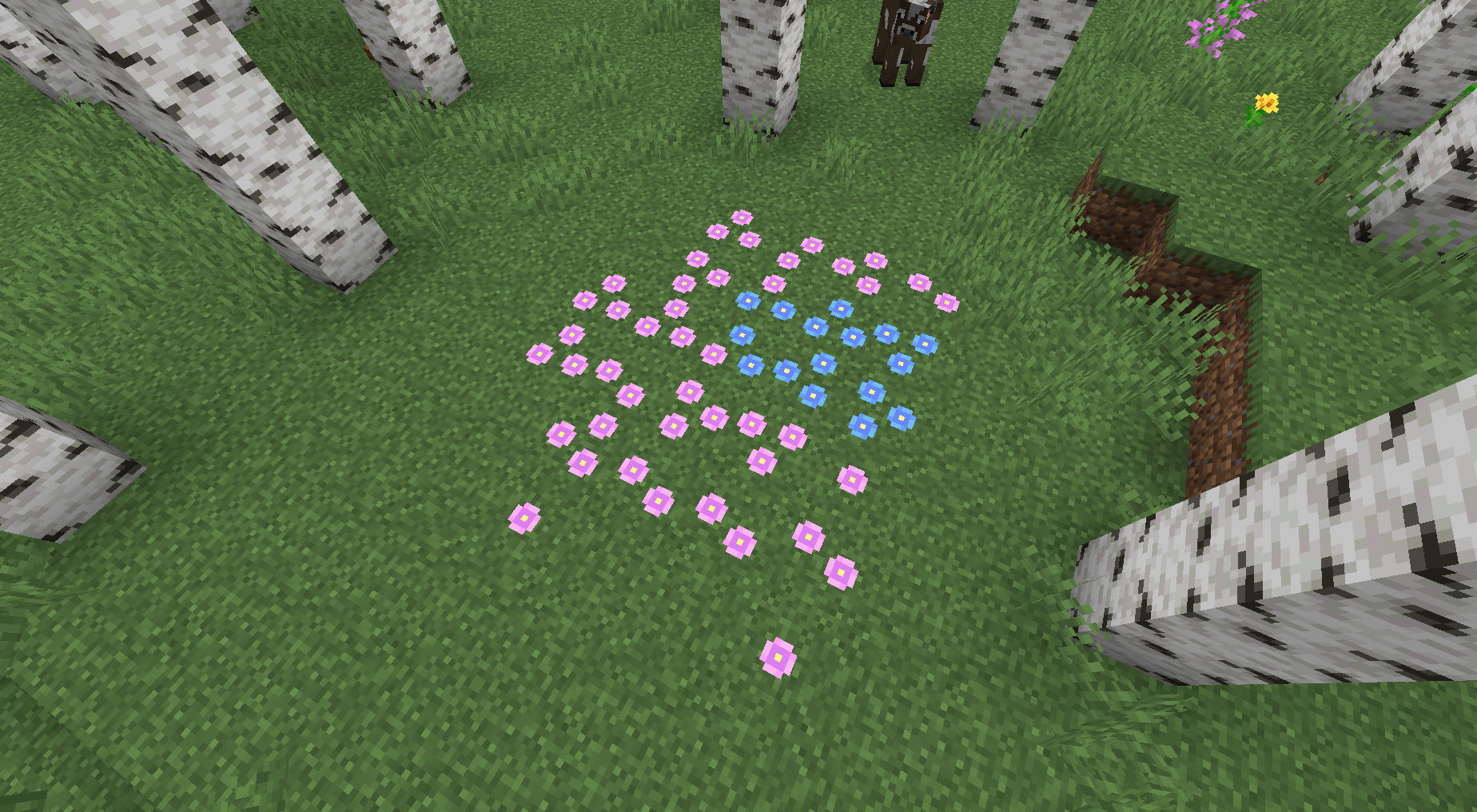
- Forget Me Not flowers which grow in patches throughout the birch forest.
- Tall Sweetspire flowers that are found throughout the birch forest.
- Fireflies, which can be collected in jars for beautiful lighting and ambience.
- Jars which can store fireflies, food, and even more in future updates.
Missing Wilds has some built-in mod support adding fallen logs from other mods logs. Some of the supported mods are:
- Traverse
- Oh The Biomes You'll Go Refabricated
- Blockus
- Promenade
- Charm
- Biome Makeover
- Ecologics
- Aether
- Biomes O' Plenty
- You can suggest more mods to support on github, or the discord.
A list of the mod compatability with the features added by it can be found here
Comment installer Missing Wilds
With Millida Launcher
Install Millida Launcher
The launcher is free: download it at millida.net/launcher and sign in with any nickname.
Click “Install” on this page
The launcher opens and installs the mod for Minecraft 1.20–1.21.1 on Fabric, NeoForge or Quilt automatically.
Launch the game
A profile with it appears in the launcher: click “Play”.
Manually
Install Fabric, NeoForge or Quilt
The loader must match the game version of the mod file, for example Minecraft 1.21.1. After installing it, a separate profile appears in your launcher.
Download the file for your version
In the version list above, pick the file MissingWilds-fabric-1.4.0+beta+1.21.1.jar (678 KB) for your game version and loader.
Put it in the mods folder
The folder is inside .minecraft (Windows: %appdata%\.minecraft\mods). If it does not exist, create it.
Launch the loader profile
Open “Mods” in the main menu: Missing Wilds should be in the list.
Minecraft 1.21.1 runs on Java 21: with a different Java version the game may close right after launch.
Versions
Avec dépendances
| Minecraft | Loader | Fichier | Date | Actions |
|---|---|---|---|---|
| 1.21.1 | Fabric | Missing Wilds Fabric 1.4.0+beta+1.21.1678 Ko | ||
| 1.21.1 | NeoForge | Missing Wilds NeoForge1.4.0+beta+1.21.1634 Ko | ||
| 1.21 | Fabric | Missing Wilds Fabric 1.3.3+1.21531 Ko | ||
| 1.21 | NeoForge | Missing Wilds NeoForge 1.3.2+1.21504 Ko | ||
| 1.20.1 | Quilt | Missing Wilds Quilt 1.2.1+1.20.1455 Ko | ||
| 1.20.2 | Quilt | Missing Wilds v1.2.0+1.20 Beta 7 - Quilt498 Ko |
FAQ
Which Minecraft versions does Missing Wilds work on?
There are files for 1.21.1, 1.21, 1.20.2, 1.20.1, 1.20. The newest is 1.21.1.
Is Missing Wilds for Forge or Fabric?
There are files for Fabric: 1.21–1.21.1, for NeoForge: 1.21–1.21.1 and for Quilt: 1.20–1.20.2. There are no files for Forge: a mod for another loader will not start.
Does Missing Wilds need other mods?
The author lists no required dependencies: the Fabric, NeoForge or Quilt loader is enough.
Which Java does Missing Wilds need?
Minecraft 1.21.1 runs on Java 21. If the game closes right after launch, the usual cause is the wrong Java version in the profile settings.
Where can I download Missing Wilds safely?
On this page: the file MissingWilds-fabric-1.4.0+beta+1.21.1.jar (678 KB) is stored on Millida’s server, with no link shorteners. SHA-1 checksum: d089f1ef092cc79570560d147ff31f0c5235cf35.
Avis
Soyez le premier à noter Missing Wilds


