

Medieval Buildings Mod pour Minecraft 1.20.1, 1.21.1
Ajoutez de passionnants bâtiments médiévaux avec des ennemis cachés et des trésors au monde !
 NeoForge
 Fabric
 Forge
ForgeÀ propos du mod Medieval Buildings
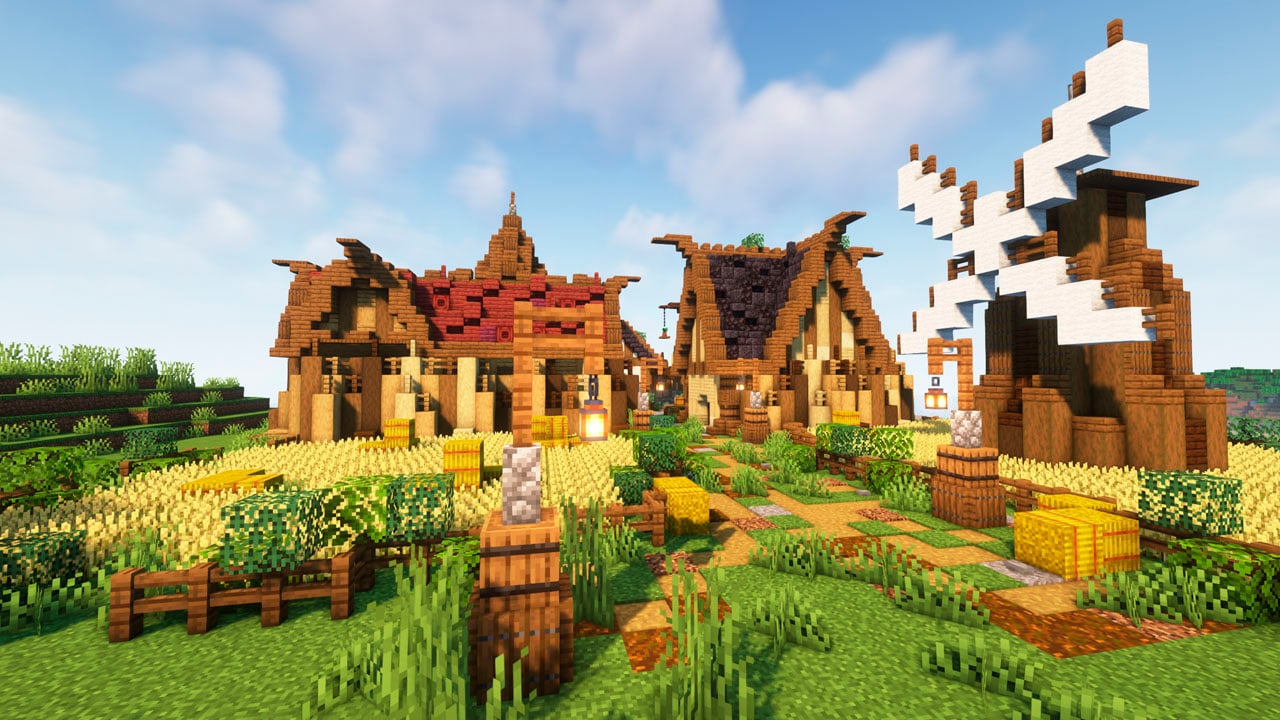
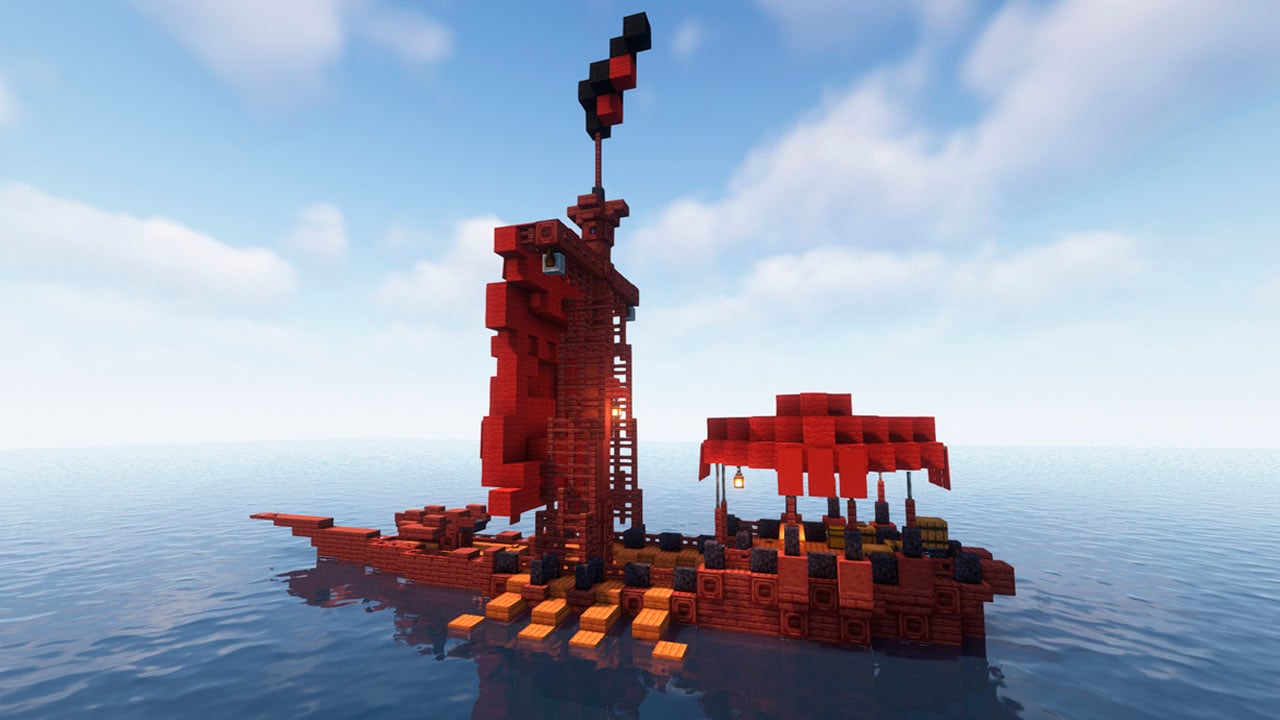
Medieval Buildings adds different medieval constructions with the aim of improving the adventure of the games. These will be made up of "vanilla" blocks, and are perfectly compatible with the default gaming experience.
In addition, its interiors will be full of treasures, enemies, or even villagers! since it also adds some towns and epic houses. There is much more on the way! We want to make this an essential mod in medieval games.
Medieval Buildings [Nether Edition] - NOW AVAILABLE! -> Click Here!
Medieval Buildings [End Edition] -> Click Here!

Do you need a server to play with your friends?
For exceptional server hosting services, look no further than BisectHosting. Of course, you can install all the mods or modpacks you want, and their support team is always available to help you.
With the code "Lupin" you will get a 25% discount! Click here!
In short, this modpack is ideal for any adventure and construction lover. But it will fit even better in a medieval world, with mods and add-ons from the past, and thus live an unforgettable gaming experience. The buildings are full of enemies, but also traps or valuable treasures, so visiting them can be of great help at some points in the game, although in others it can mean death...

Is it compatible with other mods that add structures?
### Without a doubt, it is perfectly compatible with any other mod, both structures and biomes. Although in the latter, they will only appear in biomes with characteristics similar to those initially established.
Where can the new structures be found?
### Some of them can appear in any biome in the game, such as towers. While others, such as large towns, will only appear in the grasslands (to avoid deformations of the terrain). Of course, ships will appear in the oceans.
Does it work on servers?
### Sure! Remember that the best way to play with mods and friends is with BisectHosting, and by clicking on this link you can get a 25% discount.
Can this mod be used in modpacks?
### Of course! As long as it is published only on Modrinth or CurseForge. Uploading it to any other platform would be violating our rights and is not allowed at all.
However, we are really grateful if you consider adding it to your Modrinth or CurseForge modpack. If you need any small changes or have any questions, contact us!
Comment installer Medieval Buildings
With Millida Launcher
Install Millida Launcher
The launcher is free: download it at millida.net/launcher and sign in with any nickname.
Click “Install” on this page
The launcher opens and installs the mod for Minecraft 1.20–26.1.2 on Fabric, Forge or NeoForge automatically.
Launch the game
A profile with it appears in the launcher: click “Play”.
Manually
Install Fabric, Forge or NeoForge
The loader must match the game version of the mod file, for example Minecraft 26.1.2. After installing it, a separate profile appears in your launcher.
Download the file for your version
In the version list above, pick the file medieval_buildings-neoforge-26.1.2-1.2.0.jar (212 KB) for your game version and loader.
Put it in the mods folder
The folder is inside .minecraft (Windows: %appdata%\.minecraft\mods). If it does not exist, create it.
Launch the loader profile
Open “Mods” in the main menu: Medieval Buildings should be in the list.
On a server
A server on Fabric, Forge or NeoForge
The mod only works on a server with the same loader and game version, for example 26.1.2.
File goes into the server’s mods folder
Stop the server, put the mod file into the mods folder and start the server again.
Use the “To server” button
On Millida Hosting, the button at the top of the page uploads the file to your server and restarts it for you.
Versions
Avec dépendances
| Minecraft | Loader | Fichier | Date | Actions |
|---|---|---|---|---|
| 26.1.2 | NeoForge | 26.1.2212 Ko 1 | ||
| 26.1.2 | Fabric | 26.1.2213 Ko 1 | ||
| 26.1.2 | Forge | 26.1.2212 Ko | ||
| 1.20.4 | Forge | 1.20.4306 Ko 4 | ||
| 1.20.4 | Fabric | 1.20.4124 Ko 3 | ||
| 1.21.11 | NeoForge | 1.21.11208 Ko 1 | ||
| 26.1.1 | Fabric | 26.1.1365 Ko 2 | ||
| 1.21.1 | NeoForge | 1.21.1210 Ko 2 |
Ce qu'il faut pour l'exécuter
- Dependencyfacultatif
- Dependencyfacultatif
Contenu qui en dépend
FAQ
Is Medieval Buildings for Forge or Fabric?
There are files for Fabric: 1.20–26.1.2, for Forge: 1.20–26.1.2 and for NeoForge: 1.21–26.1.2.
Does Medieval Buildings need other mods?
The author lists no required dependencies: the Fabric, Forge or NeoForge loader is enough.
Where can I download Medieval Buildings safely?
On this page: the file medieval_buildings-neoforge-26.1.2-1.2.0.jar (212 KB) is stored on Millida’s server, with no link shorteners. SHA-1 checksum: d366ed3ff211b1461ee0233472849de939df837e.
Avis
Soyez le premier à noter Medieval Buildings


