

Mas Effects Mod pour Minecraft 1.21.1, 1.21
Un mod axé sur l'amélioration visuelle du PVP de Minecraft ! Onde de choc de la masse, particules de totem personnalisées et plus encore !
- téléchargements
- 30 téléchargements
- vues
- 67 vues
- Mis à jour
- Mis à jour 05.10.2026
- 1.21 — 1.21.11
 Fabric
- Client
Mas Effects is a fabric mod that enhances PvP visually (Mainly focused on Mace PvP)
Trailer (Mas Effects 2.0):
Trailer (Mas Effects 1.0):
The mod has the following features:
- Mace Smash Shockwave
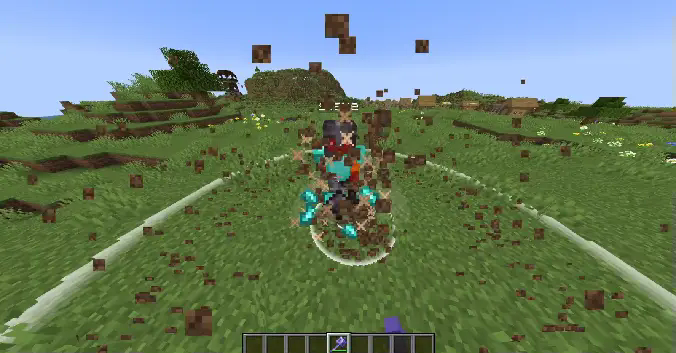
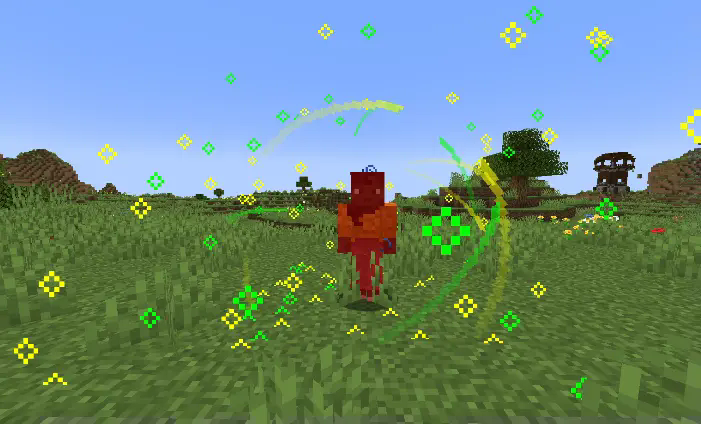
- Custom Totem Effect
- Change Hitbox Opacity and Colors
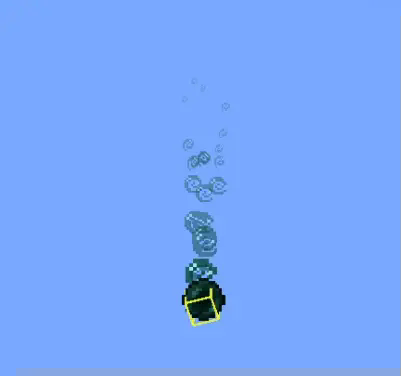
- Ender Pearl trail effect
- Player Death Effect
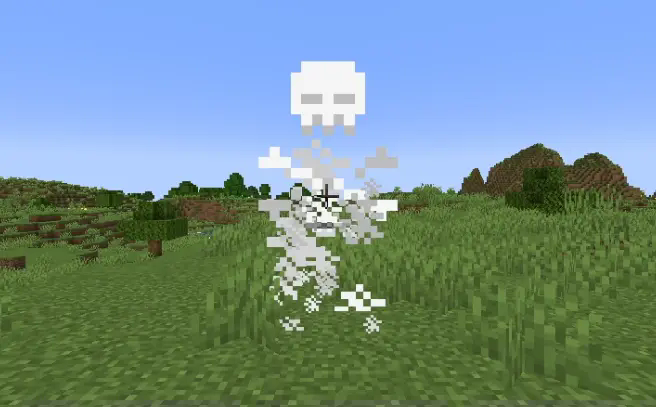
What the mod's configuration allows you to change:
- Mace shockwave opacity and size
- Totem effect opacity
- Hitbox opacity and colors
- Ender Pearl trail opacity
Additionaly, Red Effects adds some other effects that didn't make it to the main mod, you can check it here!
Red Effetcs Mod (Sequel)

Comment installer Mas Effects
With Millida Launcher
Install Millida Launcher
The launcher is free: download it at millida.net/launcher and sign in with any nickname.
Click “Install” on this page
The launcher opens and installs the mod for Minecraft 1.21–1.21.11 on Fabric automatically, together with its dependencies: Cloth Config API, Mod Menu.
Launch the game
A profile with it appears in the launcher: click “Play”.
Manually
Install Fabric
The loader must match the game version of the mod file, for example Minecraft 1.21.11. After installing it, a separate profile appears in your launcher.
Download the file for your version
In the version list above, pick the file MasEffects 1.21.11.jar (638 KB) for your game version.
Put it in the mods folder
The folder is inside .minecraft (Windows: %appdata%\.minecraft\mods). If it does not exist, create it. Required dependencies go there too: Cloth Config API, Mod Menu.
Launch the loader profile
Open “Mods” in the main menu: Mas Effects should be in the list.
Mas Effects works on the player’s side only: there is no need to install it on a server.
Minecraft 1.21.11 runs on Java 21: with a different Java version the game may close right after launch.
Versions
Avec dépendances
| Minecraft | Loader | Fichier | Date | Actions |
|---|---|---|---|---|
| 1.21.11 | Fabric | 1.21.11638 Ko 26 | ||
| 1.21.10 | Fabric | 1.21.10638 Ko | ||
| 1.21.1 | Fabric | 1.21.1617 Ko 3 | ||
| 1.21.5 | Fabric | 1.21.5618 Ko | ||
| 1.21 | Fabric | 1.21617 Ko 1 | ||
| 1.21.4 | Fabric | 1.21.4618 Ko |
Ce qu'il faut pour l'exécuter
- Cloth Config APIobligatoire
- Mod Menuobligatoire
FAQ
Which Minecraft versions does Mas Effects work on?
There are files for 1.21.11, 1.21.10, 1.21.5, 1.21.4, 1.21.1, 1.21. The newest is 1.21.11.
What does Mas Effects need to work?
Required: Cloth Config API, Mod Menu. Without them the mod will not start: dependencies go into the same mods folder.
Do I need to install Mas Effects on a server?
No. Mas Effects works on the player’s side only: there is no need to install it on a server.
Which Java does Mas Effects need?
Minecraft 1.21.11 runs on Java 21. If the game closes right after launch, the usual cause is the wrong Java version in the profile settings.
Where can I download Mas Effects safely?
On this page: the file MasEffects 1.21.11.jar (638 KB) is stored on Millida’s server, with no link shorteners. SHA-1 checksum: 20538153c7e633fb2d9474bafd3ea6447a3e2f5b.
Avis
Soyez le premier à noter Mas Effects


