
Magical Forest Mod pour Minecraft 1.19.2
[Forge/Fabric] Ce mod ramène le biome Magical Forest de Thaumcraft dans votre monde moddé !
 NeoForge
 Forge
Forge Fabric
Magical Forest
Magical Forest is a mod which brings back Magical Forest biome from Thaumcraft into 1.15.2+ modded or vanilla worlds. Available both for Forge and Fabric.
About
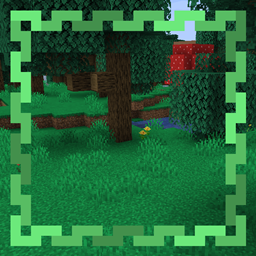
Magical Forest biome s a green-cyan biome with a lot of big mushrooms and trees, a lot of caves with ores. You can find villages and other vanilla (and modded) structures if you like adventures or want to live in this biome and make farms. Since this mod is for 1.15.2+ versions of Minecraft: you can find passive bees with a 5% chance in this biome and use them in your own goals.
Requires Blueprint (Abnormals Core) for 1.16.5 version of this mod.
Requires TerraBlender for 1.18+ versions of this mod. Fabric version requires TerraBlender (Fabric) and Cloth Config API for 1.18+ versions of this mod.
Compatibility
You can easily add or remove this mod into your vanilla or modded worlds. This mod uses vanilla generator to generate the biome, so if you remove the mod, your world won't be corrupted, biome will be changed into another one from vanilla or other mods. Also this mod have compatibility with BOP (Biomes O' Plenty), TerraForged, Traverse and probably other biome/generator mods. (Create an issue if this mod requires an integration)
In case you need help using this mod or want to talk with me, join my Discord server.
Modpack Usage:
You can use this mod in any modpack on CurseForge/Technic Launcher/FTB Launcher/ATLauncher. (MIT License)
If you want sigh to repost - provide a CurseForge link to download this mod, but you need to know, that mod reposting is not a good thing.
Screenshots
Default Magical Forest Biome
Comment installer Magical Forest
With Millida Launcher
Install Millida Launcher
The launcher is free: download it at millida.net/launcher and sign in with any nickname.
Click “Install” on this page
The launcher opens and installs the mod for Minecraft 1.15.2–1.19.2 on Fabric, Forge or NeoForge automatically.
Launch the game
A profile with it appears in the launcher: click “Play”.
Manually
Install Fabric, Forge or NeoForge
The loader must match the game version of the mod file, for example Minecraft 1.19.2. After installing it, a separate profile appears in your launcher.
Download the file for your version
In the version list above, pick the file MagicalForest-forge-1.19-2.1.0.jar (48 KB) for your game version and loader.
Put it in the mods folder
The folder is inside .minecraft (Windows: %appdata%\.minecraft\mods). If it does not exist, create it.
Launch the loader profile
Open “Mods” in the main menu: Magical Forest should be in the list.
Minecraft 1.19.2 runs on Java 17: with a different Java version the game may close right after launch.
Versions
Avec dépendances
| Minecraft | Loader | Fichier | Date | Actions |
|---|---|---|---|---|
| 1.19.2 | NeoForge, Forge | [Forge] v2.1.0 for MC 1.19.x48.3 Ko | ||
| 1.19.2 | Fabric | [Fabric] v2.1.0 for MC 1.19.x51.9 Ko | ||
| 1.15.2 | Forge | [Forge] v1.0.0 for MC 1.15.213.5 Ko |
Avis
Soyez le premier à noter Magical Forest


