

Lil' Wings Mod pour Minecraft 1.19.2
Un mod de papillons pour satisfaire vos envies de papillons !
 Forge
Forge Fabric
À propos du mod Lil' Wings
Lil' Wings est un mod pour Minecraft 1.18.2 Forge et Fabric. Il cherche à ajouter de nouveaux types de papillons à votre monde qui peuvent vous aider dans de nombreuses situations !
Ce mod ajoute 12 nouveaux papillons, plus de 50 nouveaux objets et une poignée de blocs qui égayent votre monde avec du nouveau contenu lié aux papillons avec lequel jouer.
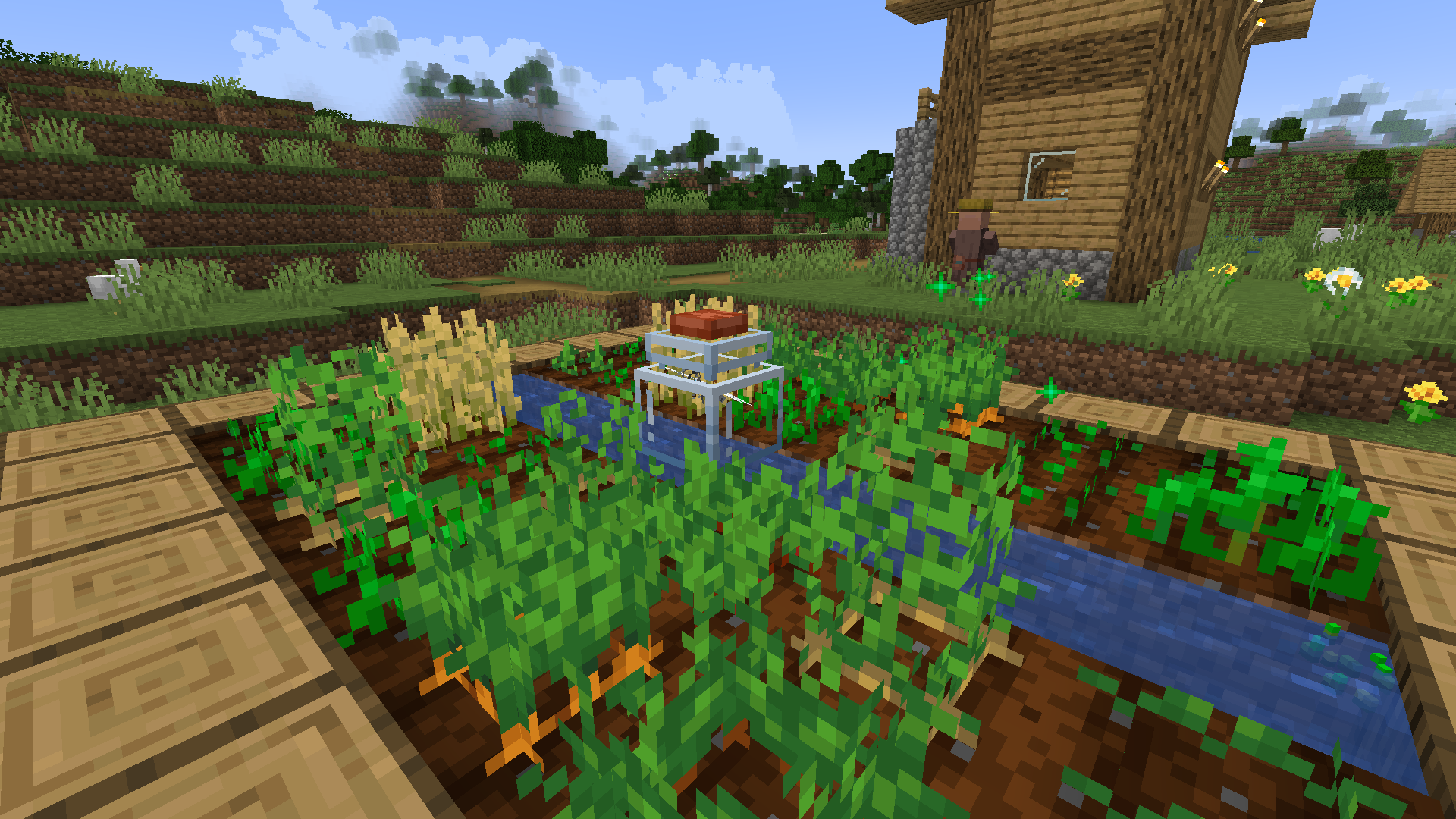
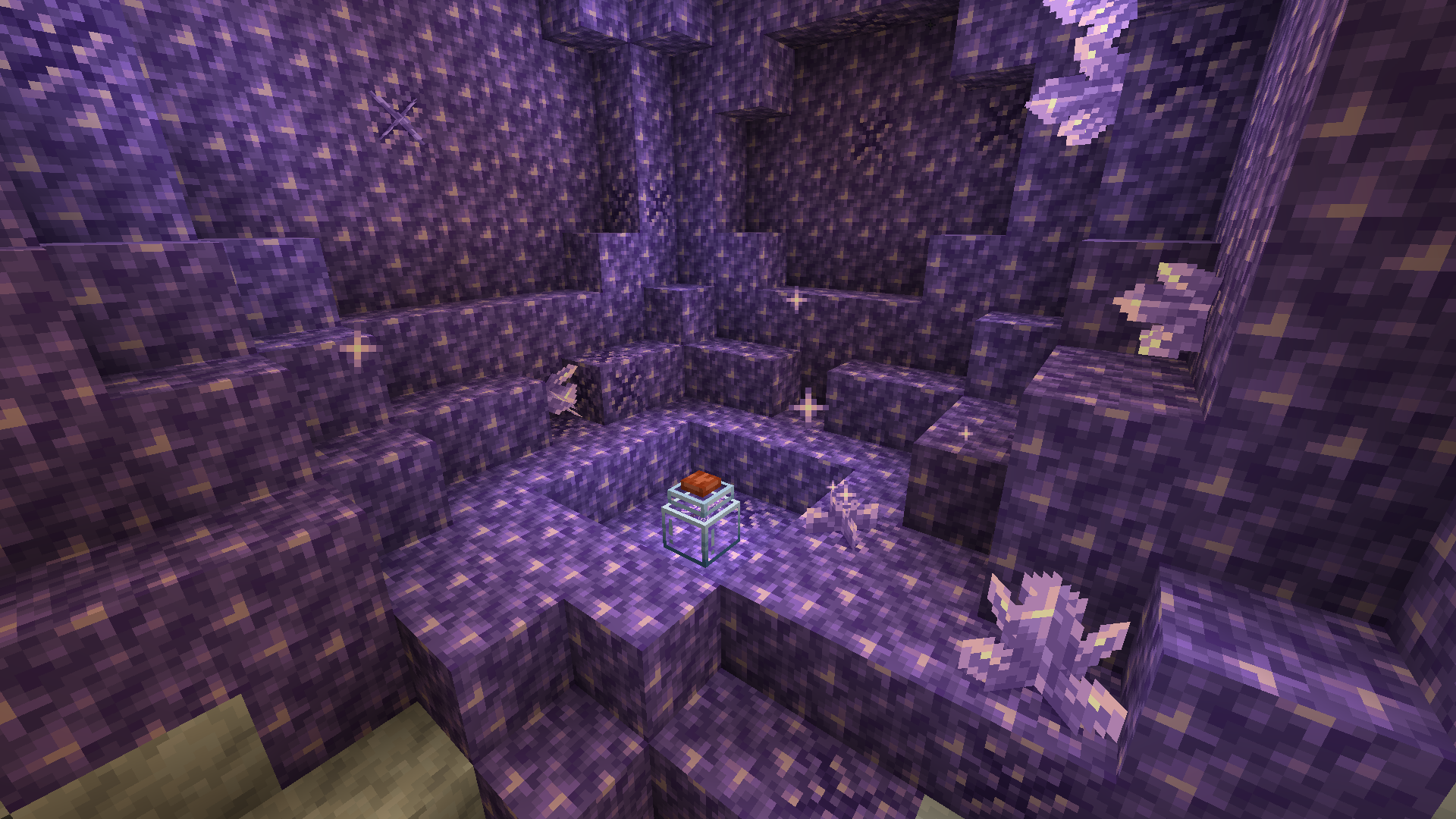
Chaque papillon a une fonction unique lorsqu'il est capturé et placé dans un bocal en verre. Les bocaux en verre peuvent être placés dans le monde en faisant simplement un clic droit avec un pot en verre sur le sol en maintenant la touche majuscule. Vous pouvez libérer un papillon dans un bocal en faisant un clic droit dessus avec un filet, puis un clic droit sur un bocal en verre avec le filet rempli. Ils vous aideront en effectuant des actions spéciales à l'intérieur des bocaux, allant de la transformation de blocs à la récupération d'objets, ou encore aux soins des joueurs alentour. Plus d'informations sur chaque papillon sont disponibles dans "The Great Butter Book" une fois Patchouli installé
Cette merveilleuse vidéo de SirColor montre toutes les fonctionnalités de Lil'Wings
Comment installer Lil' Wings
With Millida Launcher
Install Millida Launcher
The launcher is free: download it at millida.net/launcher and sign in with any nickname.
Click “Install” on this page
The launcher opens and installs the mod for Minecraft 1.19.2 on Fabric or Forge automatically.
Launch the game
A profile with it appears in the launcher: click “Play”.
Manually
Install Fabric or Forge
The loader must match the game version of the mod file, for example Minecraft 1.19.2. After installing it, a separate profile appears in your launcher.
Download the file for your version
In the version list above, pick the file lilwings-forge-1.19.2-1.2.3.jar (366 KB) for your game version and loader.
Put it in the mods folder
The folder is inside .minecraft (Windows: %appdata%\.minecraft\mods). If it does not exist, create it.
Launch the loader profile
Open “Mods” in the main menu: Lil' Wings should be in the list.
Minecraft 1.19.2 runs on Java 17: with a different Java version the game may close right after launch.
Versions
Avec dépendances
| Minecraft | Loader | Fichier | Date | Actions |
|---|---|---|---|---|
| 1.19.2 | Forge | lilwings-forge-1.19.2-1.2.3.jar366 Ko | ||
| 1.19.2 | Fabric | lilwings-fabric-1.19.2-1.2.3.jar477 Ko |
FAQ
Which Minecraft versions does Lil' Wings work on?
Only Minecraft 1.19.2: there are no files for other versions.
Is Lil' Wings for Forge or Fabric?
There are files for Fabric: 1.19.2 and for Forge: 1.19.2. There are no files for NeoForge: a mod for another loader will not start.
Does Lil' Wings need other mods?
The author lists no required dependencies: the Fabric or Forge loader is enough.
Which Java does Lil' Wings need?
Minecraft 1.19.2 runs on Java 17. If the game closes right after launch, the usual cause is the wrong Java version in the profile settings.
Where can I download Lil' Wings safely?
On this page: the file lilwings-forge-1.19.2-1.2.3.jar (366 KB) is stored on Millida’s server, with no link shorteners. SHA-1 checksum: 0c7a5737c04bf31e42a4cf8bc36803720576cfd3.
Avis
Soyez le premier à noter Lil' Wings


