

Kev's Attributes Panel Mod pour Minecraft 1.20.1, 1.21.1
Ajoute un panneau d'attributs !
 NeoForge
 Forge
 Fabric
À propos du mod Kev's Attributes Panel
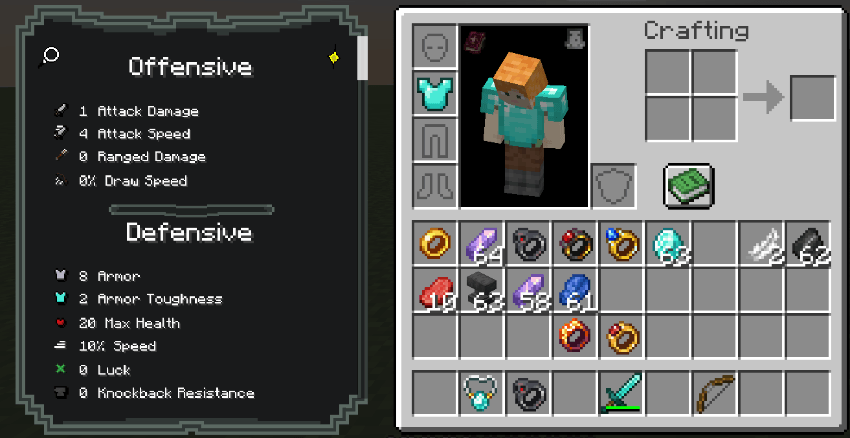
A simple mod that adds an attribute panel
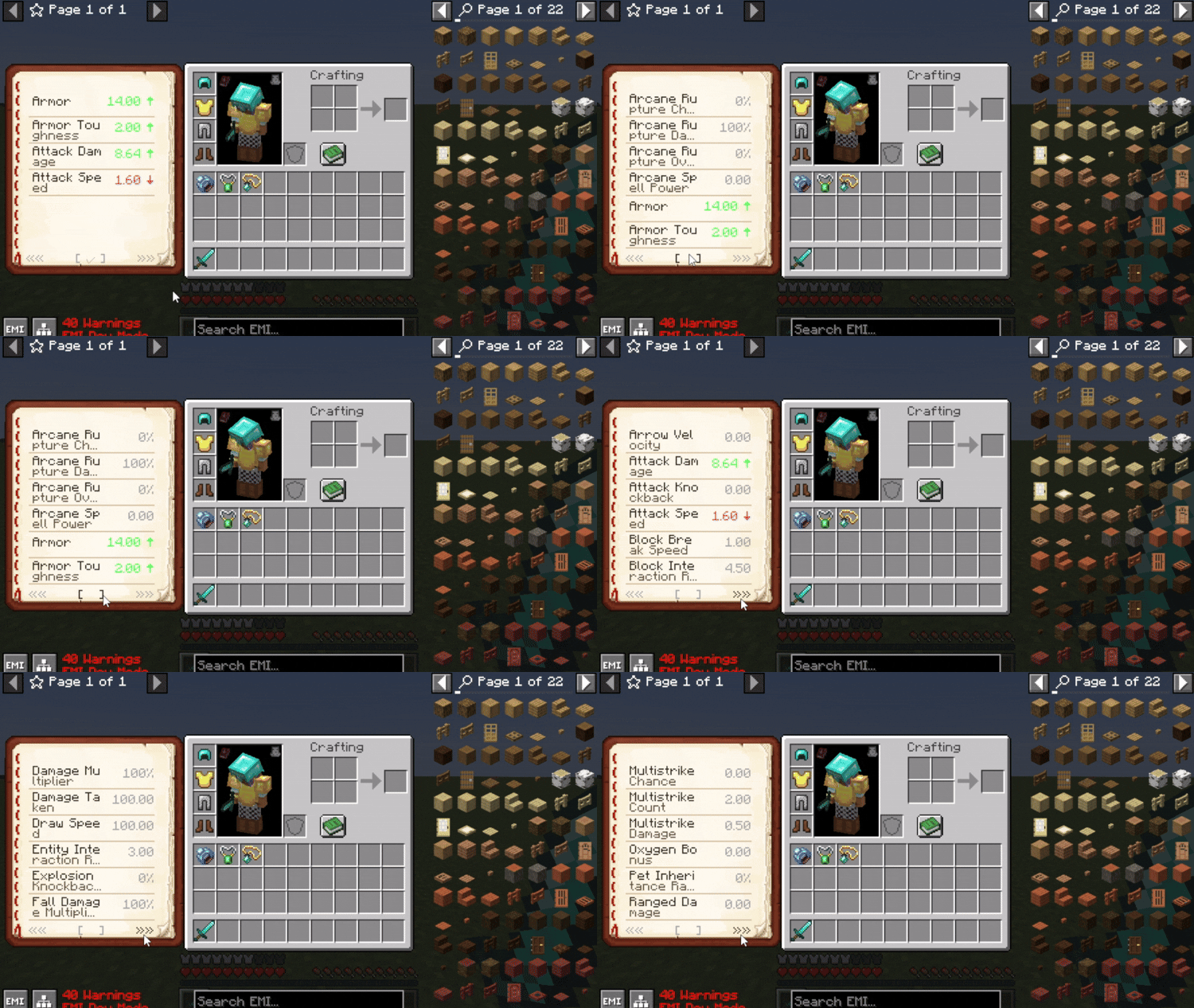
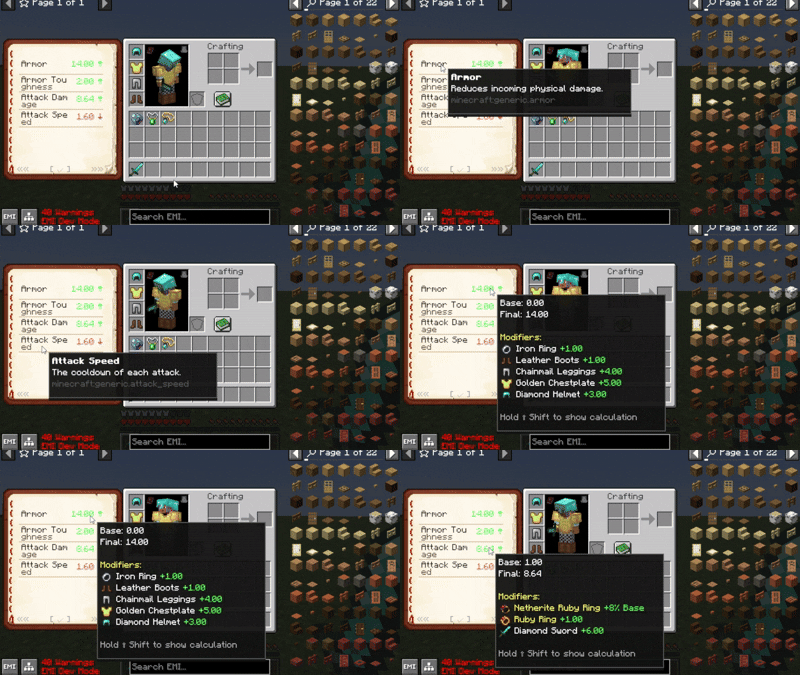
Available in 1.1.5 with customizable headers and icons inside Mod Menu or config:
Resourcepack used to showcase: EaglesEye's Tooltip Attribute Icons with Icon Leading Tooltip
🔧 Adding Descriptions to Custom Attributes
To add descriptions to any attributes:
Create a resource pack, and inside it, navigate to: assets/<your_namespace>/lang/en_us.json
Add your attribute descriptions like this:
{ "description.attribute.name.modid.attributename": "Your attribute description here.", "description.attribute.name.spell_engine.healing_taken": "Modifies how much healing is received." }
✅ Replace modid and attributename with your actual mod's ID and the attribute's name.
Currently has innate support for:
- TieredZ
- Trinkets / Curios / Accessories
- Reskillable Reimagined
- Apotheosis
- Pufferfish Skill Trees
- RPG Systems
- Spell Engine (Set Equipment)
- More Quest Types (Rewards)
- RPG Systems (Titles)
Giving an attribute the id -> minecraft:diamond_sword.hello_world -> will show in tooltip as the diamond sword with the custom name as "Hello World"
Made for FantasyMC 1.21.1
Comment installer Kev's Attributes Panel
With Millida Launcher
Install Millida Launcher
The launcher is free: download it at millida.net/launcher and sign in with any nickname.
Click “Install” on this page
The launcher opens and installs the mod for Minecraft 1.20.1–1.21.1 on Fabric, Forge or NeoForge automatically.
Launch the game
A profile with it appears in the launcher: click “Play”.
Manually
Install Fabric, Forge or NeoForge
The loader must match the game version of the mod file, for example Minecraft 1.21.1. After installing it, a separate profile appears in your launcher.
Download the file for your version
In the version list above, pick the file kevs_attributes_panel-neoforge-1.3.4.jar (224 KB) for your game version and loader.
Put it in the mods folder
The folder is inside .minecraft (Windows: %appdata%\.minecraft\mods). If it does not exist, create it.
Launch the loader profile
Open “Mods” in the main menu: Kev's Attributes Panel should be in the list.
Minecraft 1.21.1 runs on Java 21: with a different Java version the game may close right after launch.
Versions
Avec dépendances
| Minecraft | Loader | Fichier | Date | Actions |
|---|---|---|---|---|
| 1.20.1 | Forge | Kev's Attributes Panel [FORGE] [1.20.1] - [1.3.4]190 Ko | ||
| 1.20.1 | Fabric | Kev's Attributes Panel [FABRIC] [1.20.1] - [1.3.4]185 Ko | ||
| 1.21.1 | NeoForge | Kev's Attributes Panel [NEOFORGE] [1.21.1] - [1.3.4]224 Ko |
FAQ
Which Minecraft versions does Kev's Attributes Panel work on?
There are files for 1.21.1, 1.20.1. The newest is 1.21.1.
Is Kev's Attributes Panel for Forge or Fabric?
There are files for Fabric: 1.20.1, for Forge: 1.20.1 and for NeoForge: 1.21.1.
Does Kev's Attributes Panel need other mods?
The author lists no required dependencies: the Fabric, Forge or NeoForge loader is enough.
Which Java does Kev's Attributes Panel need?
Minecraft 1.21.1 runs on Java 21. If the game closes right after launch, the usual cause is the wrong Java version in the profile settings.
How do I download Kev's Attributes Panel?
With Millida Launcher: it installs Kev's Attributes Panel into a modpack by itself, for the right game version and loader. The launcher is free.
Avis
Soyez le premier à noter Kev's Attributes Panel


