

Jade 🔍 Mod pour Minecraft 1.20.1, 1.21.1
Affiche des informations sur ce que vous regardez. (fork de Hwyla/Waila pour Minecraft 1.16+)
 NeoForge
 Fabric
 Quilt
Quilt Forge
ForgeJade 🔍
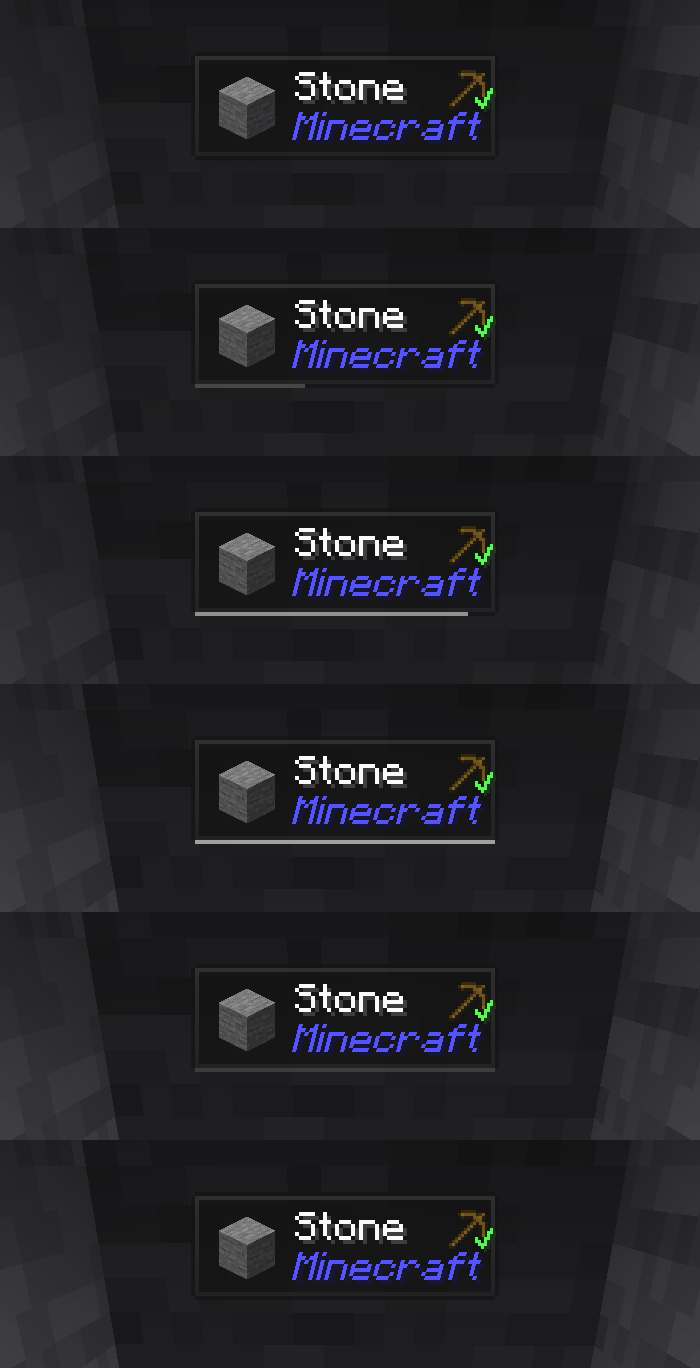
Jade est le mod d'affichage d'informations HUD - Hwyla/Waila pour les versions modernes de Minecraft. Conçu pour une meilleure expérience utilisateur et une meilleure API.
Jade peut être installé uniquement côté client. Mais de nombreuses fonctionnalités nécessitent Jade côté serveur. (stockage des objets, quantité de carburant de l'alambic, abeilles dans la ruche...)
Pour l'intégration de mods, essayez Jade Addons : NeoForge Fabric

Touches (par défaut) :
- Pavé numérique 0 : Ouvrir l'écran de configuration
- Pavé numérique 1 : Activer/désactiver l'overlay
- Pavé numérique 2 : Activer/désactiver l'affichage des liquides
- Pavé numérique 3 : Afficher les recettes (nécessite JEI)
- Pavé numérique 4 : Afficher les utilisations (nécessite JEI)
- Pavé numérique 5 : Narrer la cible

Changements notables par rapport à Hwyla :
- Refonte de l'API
- Plus d'addons vanilla
- Plus grande configurabilité
- Meilleure accessibilité
Comme l'exige le projet original Hwyla, Jade utilise la licence Creative Commons Attribution-NonCommercial-ShareAlike 4.0 International (CC BY-NC-SA 4.0).
Comment installer Jade 🔍
With Millida Launcher
Install Millida Launcher
The launcher is free: download it at millida.net/launcher and sign in with any nickname.
Click “Install” on this page
The launcher opens and installs the mod for Minecraft 1.16–26.3 on Fabric, Forge, NeoForge or Quilt automatically, together with its dependencies: Fabric API.
Launch the game
A profile with it appears in the launcher: click “Play”.
Manually
Install Fabric, Forge, NeoForge or Quilt
The loader must match the game version of the mod file, for example Minecraft 26.3. After installing it, a separate profile appears in your launcher.
Download the file for your version
In the version list above, pick the file Jade-mc26.3-NeoForge-26.3.5.jar (1.0 MB) for your game version and loader.
Put it in the mods folder
The folder is inside .minecraft (Windows: %appdata%\.minecraft\mods). If it does not exist, create it. Required dependencies go there too: Fabric API.
Launch the loader profile
Open “Mods” in the main menu: Jade 🔍 should be in the list.
On a server
A server on Fabric, Forge, NeoForge or Quilt
The mod only works on a server with the same loader and game version, for example 26.3.
File goes into the server’s mods folder
Stop the server, put the mod file into the mods folder and start the server again.
Use the “To server” button
On Millida Hosting, the button at the top of the page uploads the file to your server and restarts it for you.
Versions
Avec dépendances
| Minecraft | Loader | Fichier | Date | Actions |
|---|---|---|---|---|
| 26.1.2 | NeoForge | 26.1.21005 Ko 7 | ||
| 26.3 | NeoForge | 26.31 Mo 18 | ||
| 26.3 | Fabric, Quilt | 26.31 Mo 575 | ||
| 26.3 | NeoForge | 26.31 Mo 1 | ||
| 26.3 | Fabric, Quilt | 26.31 Mo | ||
| 26.3 | Fabric, Quilt | 26.31 Mo | ||
| 26.3 | Fabric, Quilt | 26.31 Mo | ||
| 26.3 | NeoForge | 26.31007 Ko |
Ce qu'il faut pour l'exécuter
- Fabric APIobligatoire
- Just Enough Items (JEI)facultatif
Contenu qui en dépend
Avis
Soyez le premier à noter Jade 🔍


