
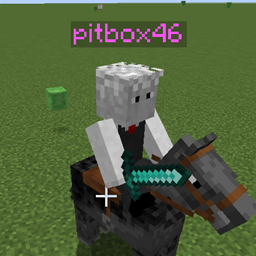
Hidden Names Mod pour Minecraft 1.20.1, 1.21.1
Masquez et personnalisez les noms des autres joueurs avec des commandes
 Fabric
 NeoForge
 Forge
ForgeÀ propos du mod Hidden Names
Hide and customize other player's names with commands
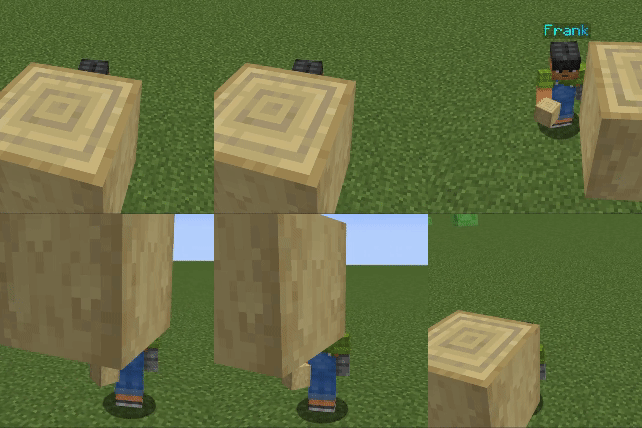
Commands
/hiddennames nameplateVisible [player(s)] [true/false]
/hiddennames defaultVisible [true/false]
/hiddennames blocksHideName [true/false] Blocks in the way hide the nameplate
/hiddennames setName [player(s)] [colour] [animation] ["name"] The name argument has to be in quotes
/hiddennames setName [player(s)] name ["name"]
/hiddennames setName [player(s)] colour [colour]
/hiddennames setName [player(s)] animation [animation]
/hiddennames setName [player(s)] reset
All commands require op level 2 or more to execute.
Support Me
- Join my Discord Server
Comment installer Hidden Names
With Millida Launcher
Install Millida Launcher
The launcher is free: download it at millida.net/launcher and sign in with any nickname.
Click “Install” on this page
The launcher opens and installs the mod for Minecraft 1.20.1–1.21.4 on Fabric, Forge or NeoForge automatically.
Launch the game
A profile with it appears in the launcher: click “Play”.
Manually
Install Fabric, Forge or NeoForge
The loader must match the game version of the mod file, for example Minecraft 1.21.4. After installing it, a separate profile appears in your launcher.
Download the file for your version
In the version list above, pick the file HiddenNames-1.21-f1.0.2.jar (48 KB) for your game version and loader.
Put it in the mods folder
The folder is inside .minecraft (Windows: %appdata%\.minecraft\mods). If it does not exist, create it.
Launch the loader profile
Open “Mods” in the main menu: Hidden Names should be in the list.
Minecraft 1.21.4 runs on Java 21: with a different Java version the game may close right after launch.
Versions
Avec dépendances
| Minecraft | Loader | Fichier | Date | Actions |
|---|---|---|---|---|
| 1.20.2 | Forge | hiddennames-1.20.1-1.0.6.jar46.1 Ko 1 | ||
| 1.21 | NeoForge | 1.21.0-1.0.646.9 Ko | ||
| 1.21.1 | Fabric | HiddenNames-1.21-f1.0.2.jar48 Ko 1 |
FAQ
Which Minecraft versions does Hidden Names work on?
There are files for 1.20.1–1.21.4, 11 versions in total. The newest is 1.21.4.
Is Hidden Names for Forge or Fabric?
There are files for Fabric: 1.21.1, for Forge: 1.20.1–1.20.6 and for NeoForge: 1.21–1.21.4.
Does Hidden Names need other mods?
The author lists no required dependencies: the Fabric, Forge or NeoForge loader is enough.
Which Java does Hidden Names need?
Minecraft 1.21.4 runs on Java 21. If the game closes right after launch, the usual cause is the wrong Java version in the profile settings.
How do I download Hidden Names?
With Millida Launcher: it installs Hidden Names into a modpack by itself, for the right game version and loader. The launcher is free.
Avis
Soyez le premier à noter Hidden Names


