

FTB Filter System Mod pour Minecraft 1.20.1, 1.21.1
FTB Filter System (aka FFS) is a powerful item filtering mod with friendly GUI editing
 Fabric
 NeoForge
 Forge
ForgeFTB Filter System
Overview
FTB Filter System (aka FFS) is a powerful item filtering mod with friendly GUI editing. It doesn't do much on its own, but is intended to be used by other mods which need to filter items; FTB Quests in particular, but it offers an API which any mod can use.
See more images
Using FFS
FFS adds a single item, the Smart Filter. All configuration is done via this item, by simply right-clicking it. This opens a GUI, with a list which initially contains just a "Root" element, and "Add" / "Delete" / "Configure" buttons on the right:
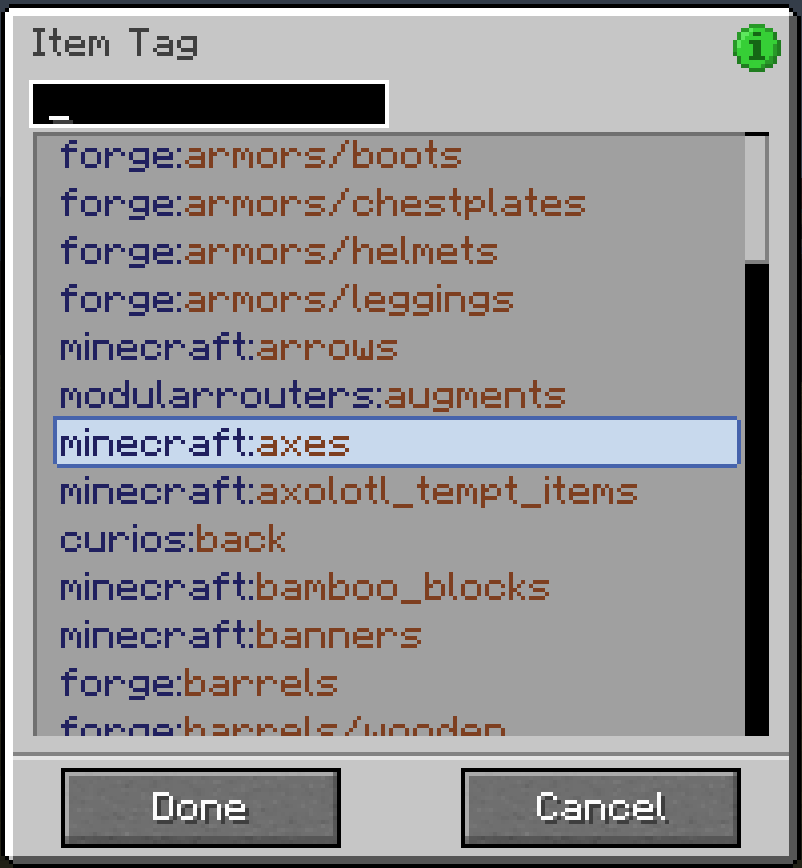
- Click "Add…" to pop up a list of available subfilters which you can add.
- On the left side of the list are compound filters, to which more filters can be added as children, forming a filter hierarchy.
- On the right side (in possibly multiple columns) are basic filters, which do actual matching against items.
- All the filter buttons have a tooltip with a brief explanation of what they do (should be obvious in general)
- Click "Delete" to delete the currently-selected filter.
- Deleting a compound filter also deletes all its children
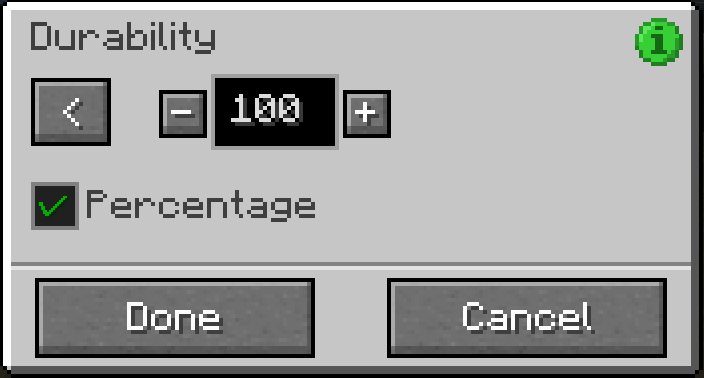
- Click "Configure…" to pop up another screen allowing the currently-selected filter to be configured
- Not all filters can be configured; compound filters don't have any configuration, and some basic filters don't either
- You can also double-click any filter in the list to open its configuration screen
At the bottom are "Done" and "Cancel" buttons:
- Click "Done" to save any changes you've made to the filter
- Click "Cancel" (or press Escape) to discard any changes (you will be prompted to confirm discarding unsaved changes)
Other tips and tricks:
- Some filters allow dragging of items from JEI to configure them: the Item Filter, the NBT and Fuzzy NBT filters, and the Mod filter
- Filters can be dragged in the list to move them around in the filter hierarchy, subject to the following rules:
- The Root filter can never be moved
- Filters can only be dragged onto compound filters
- Compound filters can only be dragged onto filters at the same level or higher up in the hierarchy (dragging a filter into its own child isn't a very sane thing to do…)
- You can quickly test if a filter matches what it's supposed to:
- Hold the configured filter in your main hand, and the item to be tested in your offhand
- Then sneak-right-click the filter and you'll get a chat response indicating a match success or failure
Support
- For Modpack issues, please go here: https://go.ftb.team/support-modpack
- For Mod issues, please go here: https://go.ftb.team/support-mod-issues
- Just got a question? Check out our Discord: https://go.ftb.team/discord
Comment installer FTB Filter System
With Millida Launcher
Install Millida Launcher
The launcher is free: download it at millida.net/launcher and sign in with any nickname.
Click “Install” on this page
The launcher opens and installs the mod for Minecraft 1.20.1–26.1.2 on Fabric, Forge or NeoForge automatically.
Launch the game
A profile with it appears in the launcher: click “Play”.
Manually
Install Fabric, Forge or NeoForge
The loader must match the game version of the mod file, for example Minecraft 26.1.2. After installing it, a separate profile appears in your launcher.
Download the file for your version
In the version list above, pick the file ftb-filter-system-fabric-26.1.2.2.jar (214 KB) for your game version and loader.
Put it in the mods folder
The folder is inside .minecraft (Windows: %appdata%\.minecraft\mods). If it does not exist, create it.
Launch the loader profile
Open “Mods” in the main menu: FTB Filter System should be in the list.
Versions
Avec dépendances
| Minecraft | Loader | Fichier | Date | Actions |
|---|---|---|---|---|
| 26.1.2 | Fabric | FTB Filter System Fabric 26.1.2.2214 Ko 1 | ||
| 26.1.2 | NeoForge | FTB Filter System Neoforge 26.1.2.2212 Ko | ||
| 1.21.1 | NeoForge | [NEOFORGE][1.21.1] FTB Filter System 21.1.4207 Ko 4 | ||
| 1.21.1 | Fabric | [FABRIC][1.21.1] FTB Filter System 21.1.4205 Ko | ||
| 1.20.1 | NeoForge, Forge | [FORGE] FTB Filter System 20.0.1 MC 1.20.1193 Ko | ||
| 1.20.4 | Forge | [FORGE] FTB Filter System 2.0.1 MC 1.20.4189 Ko |
Avis
Soyez le premier à noter FTB Filter System


