

 NeoForge
 Fabric
À propos du mod Fairy Lights
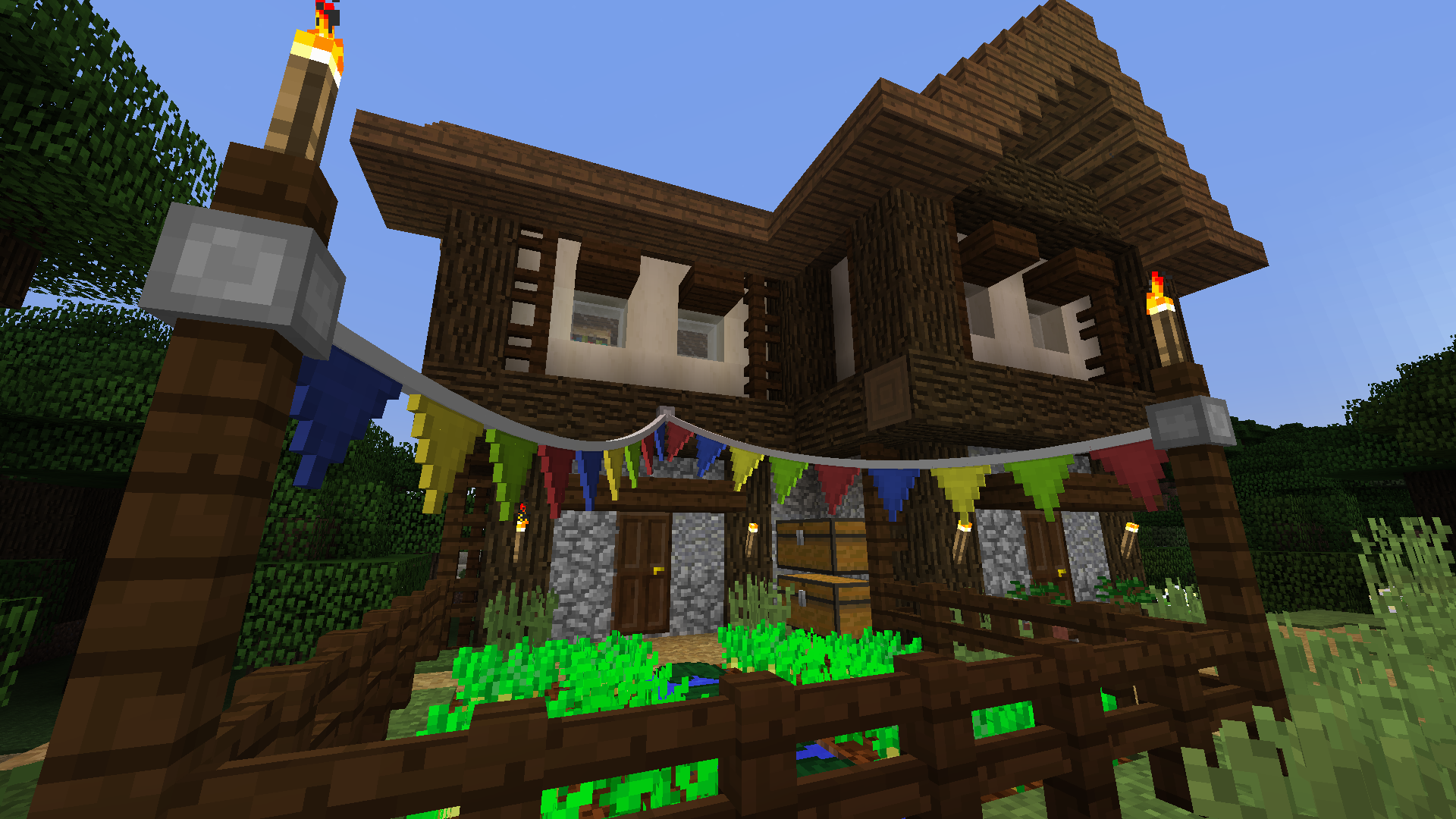
Fairy Lights adds decorative hanging lights that can have any combination of six light variants each with one of the sixteen dye colors. A Fabric & NeoForge port of the original Fairy Lights.

News
- As of v1.2.0, NeoForge 1.21.1 is supported natively!
- On Fabric, versions 1.2.0 and above use a new architecture that might still have some issues. If you're encountering any bugs, try downgrading to v1.1.4.

Features
- Different types of lights: fairy lights, lanterns, incandescent light bulbs, and many more!
- Pennants: Squares & Triangles
- Arbitrary patterns of lights and pennants
- Increase or decrease the slack of hanging ropes by right clicking with string or a stick respectively.
- Hanging lights can be turned on and off by right clicking
- EMI and JEI integration
Gallery
Crafting
Fairy lights are crafted by a horizontal combination of iron ingot, string or stick, iron ingot, along with any combination of lights to specify a pattern (left-right, top-down). Combine a light with glowstone dust to make it twinkle. The hanging lights item will only show the first four light colors, but the most lights that can be crafted is eight by placing a hanging lights in a crafting table with eight lights. Pennant buntings work analogously.
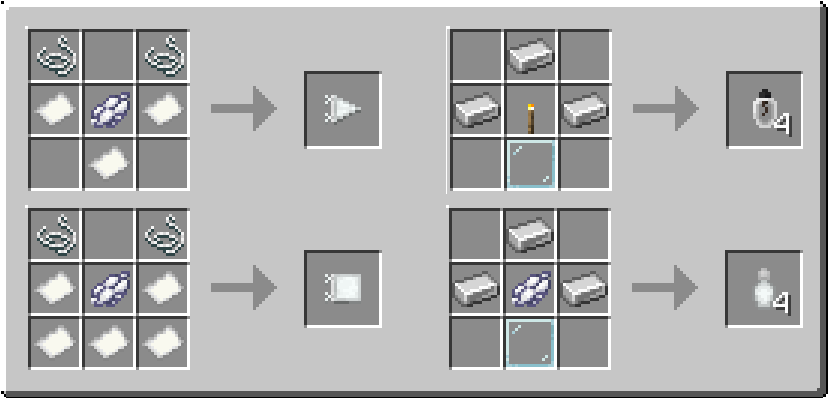
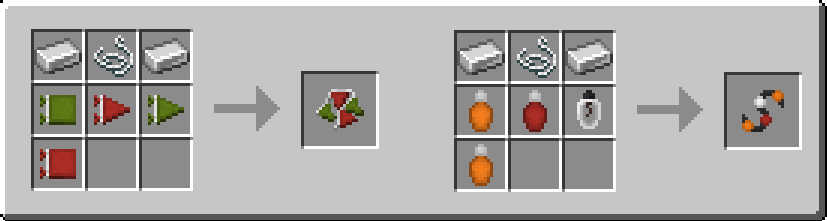

A selection of crafting recipes.
Modpacks
Yes, you can use this mod in your modpack.
Comment installer Fairy Lights
With Millida Launcher
Install Millida Launcher
The launcher is free: download it at millida.net/launcher and sign in with any nickname.
Click “Install” on this page
The launcher opens and installs the mod for Minecraft 1.20.1–1.21.1 on Fabric or NeoForge automatically.
Launch the game
A profile with it appears in the launcher: click “Play”.
Manually
Install Fabric or NeoForge
The loader must match the game version of the mod file, for example Minecraft 1.21.1. After installing it, a separate profile appears in your launcher.
Download the file for your version
In the version list above, pick the file fairylights-neoforge-1.21.1-1.2.3.jar (613 KB) for your game version and loader.
Put it in the mods folder
The folder is inside .minecraft (Windows: %appdata%\.minecraft\mods). If it does not exist, create it.
Launch the loader profile
Open “Mods” in the main menu: Fairy Lights should be in the list.
On a server
A server on Fabric or NeoForge
The mod only works on a server with the same loader and game version, for example 1.21.1.
File goes into the server’s mods folder
Stop the server, put the mod file into the mods folder and start the server again.
Use the “To server” button
On Millida Hosting, the button at the top of the page uploads the file to your server and restarts it for you.
Minecraft 1.21.1 runs on Java 21: with a different Java version the game may close right after launch.
Versions
Avec dépendances
| Minecraft | Loader | Fichier | Date | Actions |
|---|---|---|---|---|
| 1.21.1 | NeoForge | 1.21.1613 Ko | ||
| 1.20.1 | Fabric | 1.20.1745 Ko 1 | ||
| 1.21.1 | Fabric | 1.21.1757 Ko | ||
| 1.21.1 | NeoForge | 1.21.1613 Ko | ||
| 1.21.1 | NeoForge | 1.21.1602 Ko | ||
| 1.21.1 | NeoForge | 1.21.1598 Ko | ||
| 1.21.1 | Fabric | 1.21.1736 Ko | ||
| 1.21.1 | Fabric | 1.21.1736 Ko |
FAQ
Which Minecraft versions does Fairy Lights work on?
There are files for 1.21.1, 1.20.1. The newest is 1.21.1.
Is Fairy Lights for Forge or Fabric?
There are files for Fabric: 1.20.1–1.21.1 and for NeoForge: 1.21.1. There are no files for Forge: a mod for another loader will not start.
Does Fairy Lights need other mods?
The author lists no required dependencies: the Fabric or NeoForge loader is enough.
Does Fairy Lights work on a server?
Yes. Fairy Lights works both in singleplayer and on a server.
Which Java does Fairy Lights need?
Minecraft 1.21.1 runs on Java 21. If the game closes right after launch, the usual cause is the wrong Java version in the profile settings.
Where can I download Fairy Lights safely?
On this page: the file fairylights-neoforge-1.21.1-1.2.3.jar (613 KB) is stored on Millida’s server, with no link shorteners. SHA-1 checksum: 08ed4551de4c3228386b97ccbd1e58828eab5c38.
Avis
Soyez le premier à noter Fairy Lights


