

Expanded Equivalence Mod pour Minecraft 1.12.2, 1.19.2
Ajoute de l'EMC aux objets de différents mods et des mécaniques d'artisanat pour ProjectE.
- téléchargements
- 1 téléchargements
- vues
- 14 vues
- Mis à jour
- Mis à jour 24.10.2026
- 1.12.2 — 1.19.2
 Forge
Forge
À propos du mod Expanded Equivalence
Ceci est un addon pour ProjectE.
Cet addon nécessite HammerLib.
Cet addon ajoute une intégration pour ProjectE et de nombreux autres mods. Il vise à enregistrer des valeurs EMC pour différents systèmes de fabrication tels que le Fusion Crafting de Draconic Evolution, la fabrication extrême d'Avaritia, et d'autres.
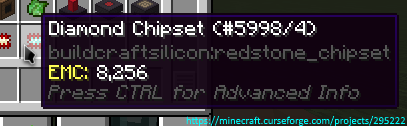
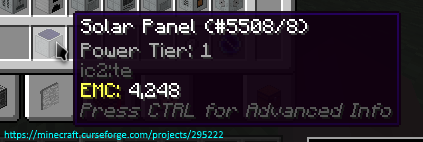
Ici, vous pouvez voir tous les mods/plans actuellement pris en charge
Permissions :
- Vous pouvez utiliser ce mod dans votre mod pack.
- Vous n'êtes pas autorisé à republier ce mod sur d'autres sites sans fournir un lien de téléchargement CurseForge et mon autorisation (MP à
Zeitheron, ou via Discord)
- Vous n'êtes pas autorisé à inclure ce mod (ou tout autre mod de l'équipe DragonForge) dans votre propre mod. Créer des addons est toutefois autorisé, mais un MP amical serait apprécié.
Note :
- La seule version de Minecraft prise en charge est la plus récente pour laquelle ce mod existe. NE DEMANDEZ PAS DE RÉTROGRADER !
Vous voulez discuter de quelque chose ? Besoin d'aide avec les API ?
Rejoignez le serveur Discord et suivez Zeitheron sur Twitter !
Si vous souhaitez soutenir mon travail, vous pouvez devenir mécène via Patreon.
Comment installer Expanded Equivalence
With Millida Launcher
Install Millida Launcher
The launcher is free: download it at millida.net/launcher and sign in with any nickname.
Click “Install” on this page
The launcher opens and installs the mod for Minecraft 1.12.2–1.19.2 on Forge automatically.
Launch the game
A profile with it appears in the launcher: click “Play”.
Manually
Install Forge
The loader must match the game version of the mod file, for example Minecraft 1.19.2. After installing it, a separate profile appears in your launcher.
Download the file for your version
In the version list above, pick the file ExpandedEquivalence-1.19.2-19.1.2.jar (87 KB) for your game version.
Put it in the mods folder
The folder is inside .minecraft (Windows: %appdata%\.minecraft\mods). If it does not exist, create it.
Launch the loader profile
Open “Mods” in the main menu: Expanded Equivalence should be in the list.
Minecraft 1.19.2 runs on Java 17: with a different Java version the game may close right after launch.
Versions
Avec dépendances
| Minecraft | Loader | Fichier | Date | Actions |
|---|---|---|---|---|
| 1.19.2 | Forge | [1.19.2] Expanded Equivalence - 19.1.287.1 Ko | ||
| 1.19.2 | Forge | [1.19.2] Expanded Equivalence - 19.1.083 Ko | ||
| 1.12.2 | — | [1.12.2] Expanded Equivalence - 12.3.1782.7 Ko 1 | ||
| 1.12.2 | — | [1.12.2] Expanded Equivalence - 1b61.5 Ko |
FAQ
Which Minecraft versions does Expanded Equivalence work on?
There are files for 1.19.2, 1.12.2. The newest is 1.19.2.
Is Expanded Equivalence for Forge or Fabric?
Only for Forge: 1.19.2. There are no files for Fabric or NeoForge: a mod for another loader will not start.
Does Expanded Equivalence need other mods?
The author lists no required dependencies: the Forge loader is enough.
Which Java does Expanded Equivalence need?
Minecraft 1.19.2 runs on Java 17. If the game closes right after launch, the usual cause is the wrong Java version in the profile settings.
Where can I download Expanded Equivalence safely?
On this page: the file ExpandedEquivalence-1.19.2-19.1.2.jar (87 KB) is stored on Millida’s server, with no link shorteners. SHA-1 checksum: 4f30d2cb6779b8448ed1e30f118102a740a022af.
Avis
Soyez le premier à noter Expanded Equivalence


