
Damage Number Mod pour Minecraft 1.20.1, 1.21.1
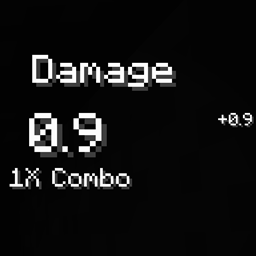
Ce mod affiche un nombre dans le coin supérieur droit de l'écran.
 NeoForge
 Forge
ForgeDamage Number Display
简体中文版本,请查看github上的Readme文件。
This mod renders a number in the top-right corner of screen.
License of each version are same with the main branch.
Comment installer Damage Number
With Millida Launcher
Install Millida Launcher
The launcher is free: download it at millida.net/launcher and sign in with any nickname.
Click “Install” on this page
The launcher opens and installs the mod for Minecraft 1.18.2–26.1.2 on Forge or NeoForge automatically.
Launch the game
A profile with it appears in the launcher: click “Play”.
Manually
Install Forge or NeoForge
The loader must match the game version of the mod file, for example Minecraft 26.1.2. After installing it, a separate profile appears in your launcher.
Download the file for your version
In the version list above, pick the file 26.1.2-damage_number-2.0.5.jar (59 KB) for your game version and loader.
Put it in the mods folder
The folder is inside .minecraft (Windows: %appdata%\.minecraft\mods). If it does not exist, create it.
Launch the loader profile
Open “Mods” in the main menu: Damage Number should be in the list.
Versions
Avec dépendances
| Minecraft | Loader | Fichier | Date | Actions |
|---|---|---|---|---|
| 26.1.2 | NeoForge | 26.1.2-damage_number-2.0.5.jar59.2 Ko 1 | ||
| 1.20.1 | Forge | 1.20.1-damage_number-2.0.5-all.jar240 Ko | ||
| 1.21 | NeoForge | 1.21-damage_number-2.0.3.jar60.1 Ko | ||
| 1.18.2 | Forge | 1.18.2-damage_number-2.0.1.jar60.5 Ko | ||
| 1.21 | NeoForge | 1.21-damage_number-2.0.1.jar56.7 Ko |
Avis
Soyez le premier à noter Damage Number


