
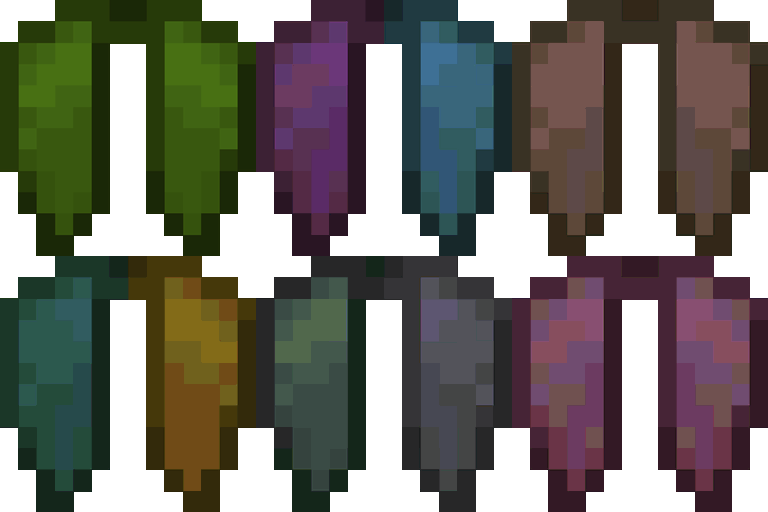
Customizable Elytra Mod pour Minecraft 1.20.1, 1.16.5
Ajoute une variété de façons colorées de personnaliser votre elytra !
 Fabric
 NeoForge
 Forge
Forge Quilt
QuiltÀ propos du mod Customizable Elytra
Backport 1.12.2 par jbredwards
Permet de teindre les Elytra et d'y placer des bannières, de la même manière que pour l'armure en cuir et les boucliers
Nouveau dans la 1.20 : prend en charge les Armor Trims !
Fonctionnalités supplémentaires et FAQ
Fonctionne avec les capes !
(Tu peux aussi empêcher ta cape d'apparaître sur ton elytra en la fabriquant simplement avec un morceau de papier !)
Fabrique avec une Glow Ink Sac pour faire briller ton elytra dans le noir !
(Fonctionne aussi avec les Glow Ink Sacs d'Upgrade Aquatic et du Backport de Caves & Cliff en 1.16 !)
FAQ
Ce mod est-il compatible avec les bannières ajoutées par d'autres mods ?
Depuis la dernière version, les mods suivants sont compatibles : Additional Banners, Rats, Ice and Fire, Autumnity, Buzzier Bees, Neapolitan, Alex's Mobs et Penguin-Lib
Mes enchantements/nom personnalisé resteront-ils si je personnalise mon elytra ?
Oui, toutes les modifications que tu as apportées à ton elytra seront conservées si tu le personnalises
Comment retirer la personnalisation ?
Tu peux retransformer ton elytra en un elytra vanilla en faisant un clic droit sur un chaudron rempli d'eau tout en le tenant !
Vidéos
(3:06 Si le timestamp ne fonctionne pas !)
Comment installer Customizable Elytra
With Millida Launcher
Install Millida Launcher
The launcher is free: download it at millida.net/launcher and sign in with any nickname.
Click “Install” on this page
The launcher opens and installs the mod for Minecraft 1.16.4–26.2 on Fabric, Forge, NeoForge or Quilt automatically.
Launch the game
A profile with it appears in the launcher: click “Play”.
Manually
Install Fabric, Forge, NeoForge or Quilt
The loader must match the game version of the mod file, for example Minecraft 26.2. After installing it, a separate profile appears in your launcher.
Download the file for your version
In the version list above, pick the file customizableelytra-fabric-2.2.9+26.2.jar (190 KB) for your game version and loader.
Put it in the mods folder
The folder is inside .minecraft (Windows: %appdata%\.minecraft\mods). If it does not exist, create it.
Launch the loader profile
Open “Mods” in the main menu: Customizable Elytra should be in the list.
Versions
Avec dépendances
| Minecraft | Loader | Fichier | Date | Actions |
|---|---|---|---|---|
| 26.2 | Fabric | [Fabric] Customizable Elytra 2.2.9+26.2190 Ko 2 | ||
| 26.2 | NeoForge | [NeoForge] Customizable Elytra 2.2.9+26.2189 Ko | ||
| 26.2 | Forge | [Forge] Customizable Elytra 2.2.9+26.2820 Ko 4 | ||
| 1.20.1 | Quilt | [Quilt] Customizable Elytra 2.1.2+1.20273 Ko | ||
| 1.16.5 | — | customizableelytra-1.16.4-1.0.1.jar85.2 Ko |
FAQ
Which Minecraft versions does Customizable Elytra work on?
There are files for 26.2, 1.20.1, 1.20, 1.16.5, 1.16.4. The newest is 26.2.
Is Customizable Elytra for Forge or Fabric?
There are files for Fabric: 26.2, for Forge: 26.2, for NeoForge: 26.2 and for Quilt: 1.20–1.20.1.
Does Customizable Elytra need other mods?
The author lists no required dependencies: the Fabric, Forge, NeoForge or Quilt loader is enough.
Where can I download Customizable Elytra safely?
On this page: the file customizableelytra-fabric-2.2.9+26.2.jar (190 KB) is stored on Millida’s server, with no link shorteners. SHA-1 checksum: f4975ade8884ccbccf4e1e744c177716129736a9.
Avis
Soyez le premier à noter Customizable Elytra


