

Create: Shuffle Filter Mod pour Minecraft 1.20.1, 1.21.1
This mod provides a new "Shuffle Filter" item which, when used in Create deployers on contrabtions, enables a randomnes when placing blocks. (Like the shuffle mod for players).
 NeoForge
 Forge
Forge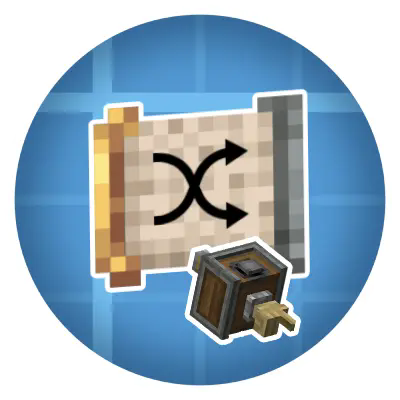
Create: Shuffle Filter
Add unpredictable variety to your automated builds.
The Create Shuffle Filter is a lightweight mod that adds a new Shuffle Filter item. When used in Create deployers on contraptions, it enables randomness when placing blocks (similar to the Shuffle Mod for players).
Update 2.0 (beta) now available
Shuffle Filters now work on Rollers tooo. Due to a architecture change its not backwards compatible. Old filters will be unconfigured new filters and need to be setup again.
Why you'll love it
- Randomness where you want it: Choose between equal chance or weighted selection.
- Hands-free block variety: No more manual block mixups — let your contraption handle it.
- Small and focused: One item, one lightweight mixin — no heavy UI or config needed.
- Compatible: Fully works with Create mod and its addons.
Quick Features
- New item: Shuffle Filter (createshufflefilter:shuffle_filter)
- Shuffle mode for Create deployers on contraptions
- Works as a normal list filter everywhere else
- Two selection modes: Equal or Weighted
Comment installer Create: Shuffle Filter
With Millida Launcher
Install Millida Launcher
The launcher is free: download it at millida.net/launcher and sign in with any nickname.
Click “Install” on this page
The launcher opens and installs the mod for Minecraft 1.20.1–1.21.1 on Forge or NeoForge automatically, together with its dependencies: Create.
Launch the game
A profile with it appears in the launcher: click “Play”.
Manually
Install Forge or NeoForge
The loader must match the game version of the mod file, for example Minecraft 1.21.1. After installing it, a separate profile appears in your launcher.
Download the file for your version
In the version list above, pick the file create-shufflefilter-2.2.0-neo.jar (218 KB) for your game version and loader.
Put it in the mods folder
The folder is inside .minecraft (Windows: %appdata%\.minecraft\mods). If it does not exist, create it. Required dependencies go there too: Create.
Launch the loader profile
Open “Mods” in the main menu: Create: Shuffle Filter should be in the list.
On a server
A server on Forge or NeoForge
The mod only works on a server with the same loader and game version, for example 1.21.1.
File goes into the server’s mods folder
Stop the server, put the mod file into the mods folder and start the server again.
Use the “To server” button
On Millida Hosting, the button at the top of the page uploads the file to your server and restarts it for you.
Minecraft 1.21.1 runs on Java 21: with a different Java version the game may close right after launch.
Versions
Avec dépendances
| Minecraft | Loader | Fichier | Date | Actions |
|---|---|---|---|---|
| 1.21.1 | NeoForge | 1.21.1218 Ko 1 | ||
| 1.21.1 | NeoForge | 1.21.1217 Ko | ||
| 1.21.1 | NeoForge | 1.21.1217 Ko | ||
| 1.21.1 | NeoForge | 1.21.1214 Ko | ||
| 1.21.1 | NeoForge | 1.21.1214 Ko | ||
| 1.21.1 | NeoForge | 1.21.1214 Ko | ||
| 1.21.1 | NeoForge | 1.21.1214 Ko | ||
| 1.20.1 | Forge | 1.20.11.8 Mo |
Ce qu'il faut pour l'exécuter
- Createobligatoire
Avis
Soyez le premier à noter Create: Shuffle Filter


