

Create: Pattern Schematics Mod pour Minecraft 1.20.1, 1.21.1
Construisez avec des schémas répétitifs !
 NeoForge
 Fabric
 Forge
ForgeFonctionnalités
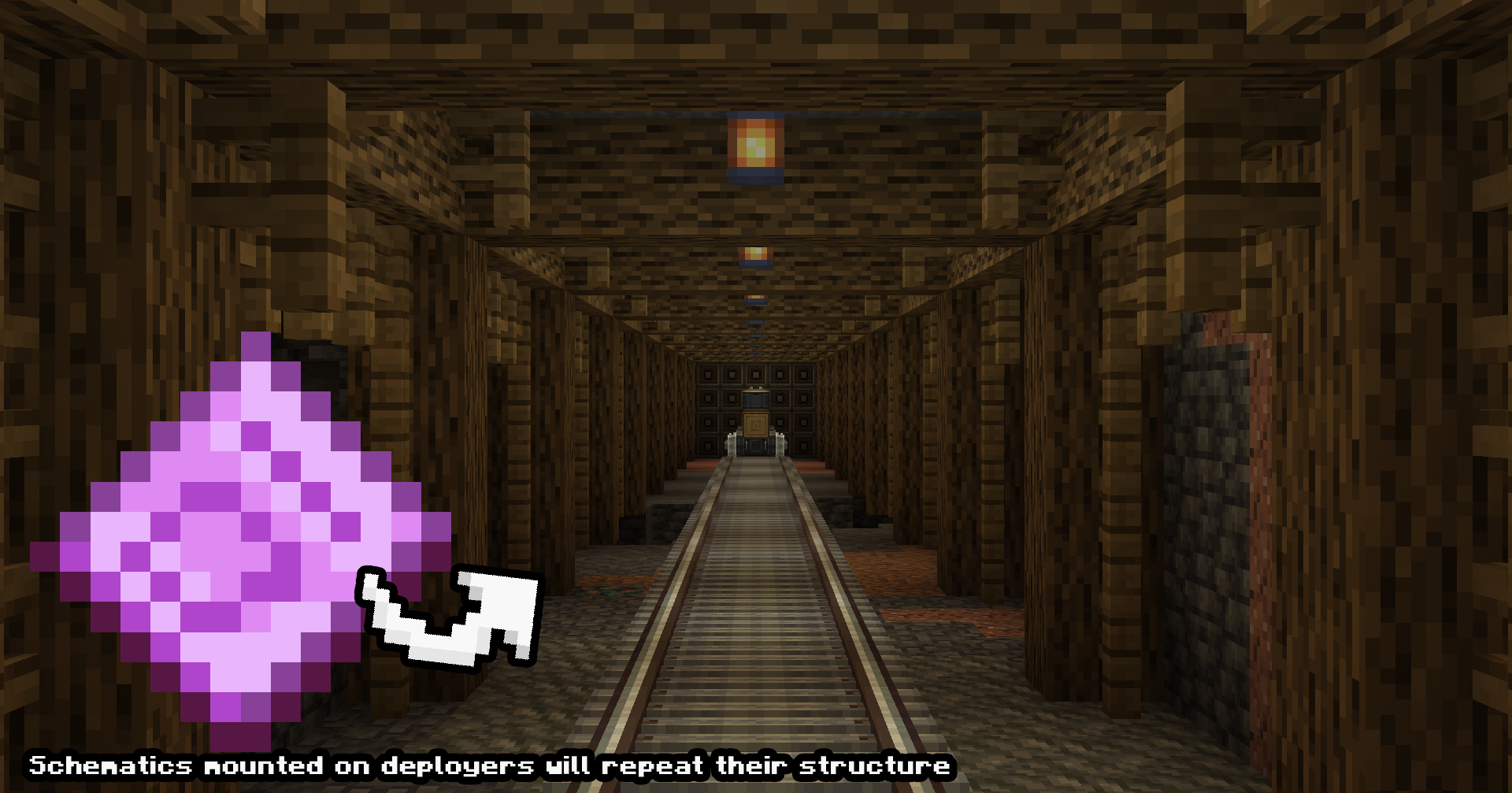
Construction infinie de mécanismes (démo de test de développement)
Les schémas de motifs peuvent être placés sur des trains, des chariots à portique ou tout autre mécanisme pour construire à l'infini des itérations du schéma.
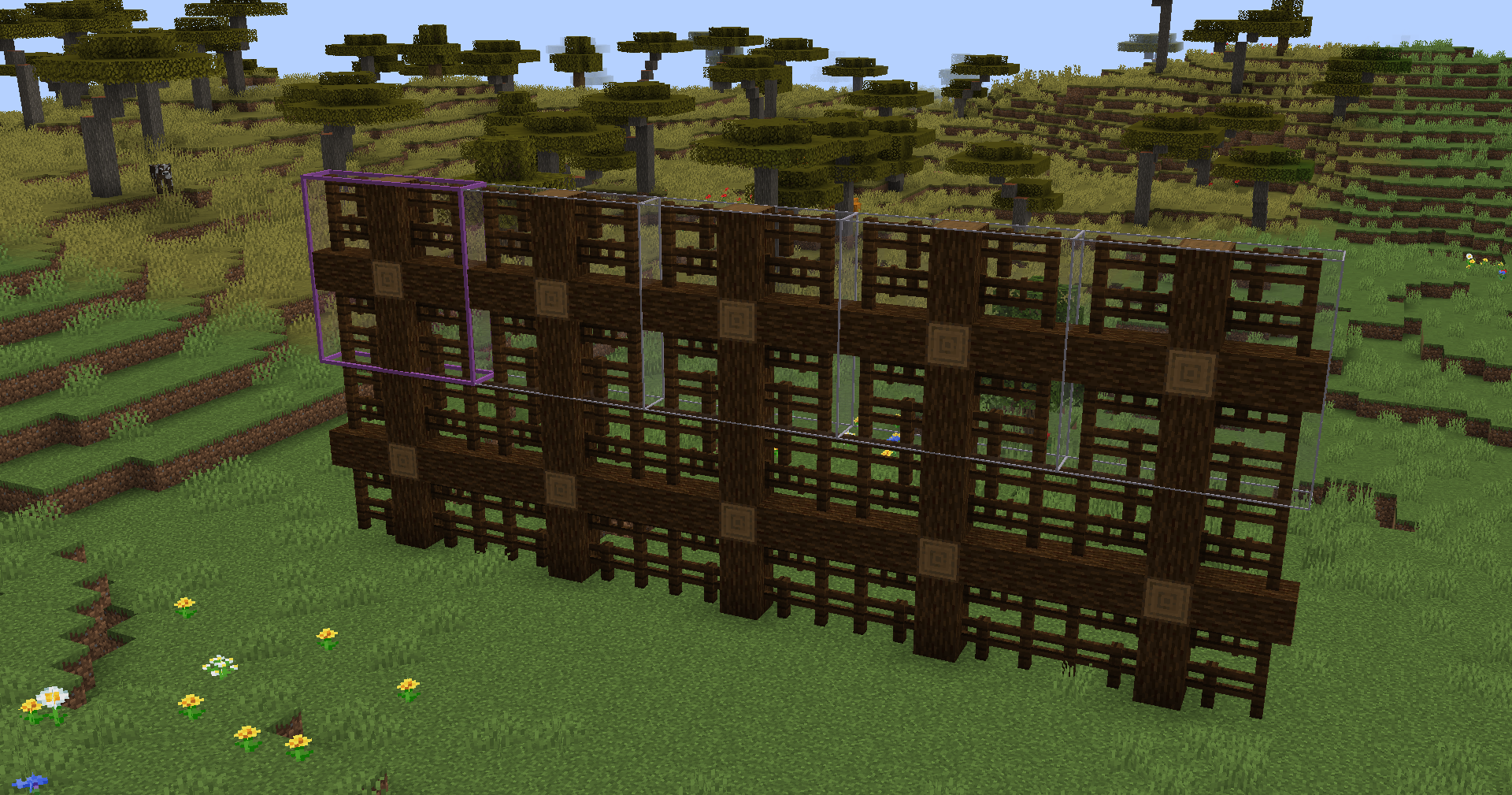
Motifs de construction (démo de test de développement)
Ces schémas de motifs peuvent servir à répéter des schémas existants, par exemple répéter un pont pour l'allonger ! Imprimez en créatif ou placez-les dans un canon à schémas pour construire !
Note sur la prise en charge des versions
Bien qu'il existe des versions pour Fabric et Forge 1.20.1, celles-ci sont obsolètes et il est peu probable qu'elles reçoivent une prise en charge au-delà de leur état actuel. Cela est dû à la difficulté de maintenir différentes versions du mod et à ma propre concentration sur d'autres projets. À l'avenir, Neoforge 1.21.1 sera la principale version de développement. Désolé pour le désagrément.
Comment installer Create: Pattern Schematics
With Millida Launcher
Install Millida Launcher
The launcher is free: download it at millida.net/launcher and sign in with any nickname.
Click “Install” on this page
The launcher opens and installs the mod for Minecraft 1.20.1–1.21.1 on Fabric, Forge or NeoForge automatically.
Launch the game
A profile with it appears in the launcher: click “Play”.
Manually
Install Fabric, Forge or NeoForge
The loader must match the game version of the mod file, for example Minecraft 1.21.1. After installing it, a separate profile appears in your launcher.
Download the file for your version
In the version list above, pick the file create_pattern_schematics-2.0.10.jar (217 KB) for your game version and loader.
Put it in the mods folder
The folder is inside .minecraft (Windows: %appdata%\.minecraft\mods). If it does not exist, create it.
Launch the loader profile
Open “Mods” in the main menu: Create: Pattern Schematics should be in the list.
Minecraft 1.21.1 runs on Java 21: with a different Java version the game may close right after launch.
Versions
Avec dépendances
| Minecraft | Loader | Fichier | Date | Actions |
|---|---|---|---|---|
| 1.20.1 | Fabric | Create Pattern Schematics 1.2.1 Fabric 1.20.1206 Ko 2 | ||
| 1.20.1 | Forge | Create Pattern Schematics 1.3.3 Forge Create 6.0.8 1.20.1216 Ko 9 | ||
| 1.21.1 | NeoForge | Create: Pattern Schematics 2.0.10 NeoForge 1.21.1217 Ko 30 | ||
| — | — | Create: Pattern Schematics 1.1.8 Fabric 1.20.1124 Ko 2 |
FAQ
Which Minecraft versions does Create: Pattern Schematics work on?
There are files for 1.21.1, 1.20.1. The newest is 1.21.1.
Is Create: Pattern Schematics for Forge or Fabric?
There are files for Fabric: 1.20.1, for Forge: 1.20.1 and for NeoForge: 1.21.1.
Does Create: Pattern Schematics need other mods?
The author lists no required dependencies: the Fabric, Forge or NeoForge loader is enough.
Which Java does Create: Pattern Schematics need?
Minecraft 1.21.1 runs on Java 21. If the game closes right after launch, the usual cause is the wrong Java version in the profile settings.
Where can I download Create: Pattern Schematics safely?
On this page: the file create_pattern_schematics-2.0.10.jar (217 KB) is stored on Millida’s server, with no link shorteners. SHA-1 checksum: e3dea574c3b3d590444796a42e8f7456280b1063.
Avis
Soyez le premier à noter Create: Pattern Schematics


