

Create: Aeroworks Mod pour Minecraft 1.21.1
Une collection d'addons pour Create Aeronautics avec des blocs comme le gyroscope, le joystick et plus encore !
- téléchargements
- 60 téléchargements
- vues
- 141 vues
- Mis à jour
- Mis à jour 04.10.2026
- 1.21.1
 NeoForge
- Client et serveur
Create: Aeroworks
An addon for Create: Aeronautics that adds a suite of various blocks for your airships.
Available blocks:
- Gyroscope
- Joystick
Planned blocks:
- Advanced Gyroscope (allows arbitrary target orientation)
- Mini Gyroscope
- Joystick + Keyboard Input
- Handheld Joystick
- Modular Controller
Keep Your Ship Level
The Gyroscope is a spinning flywheel that stabilizes your ship upwards. Mount one anywhere on your contraption and supply it with rotational energy. The gyroscope stabilization scales with input RPM. Multiple gyroscopes can be used to stabilize larger ships!
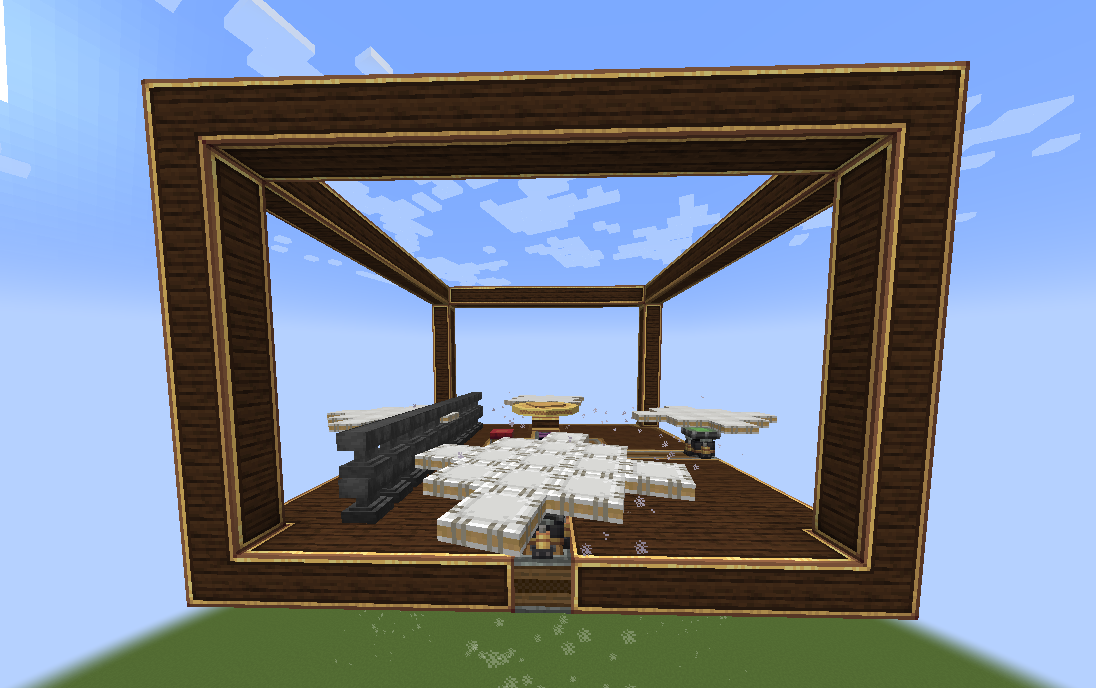
A tooltip is provided to provide insight to the gyroscopic stabilization.
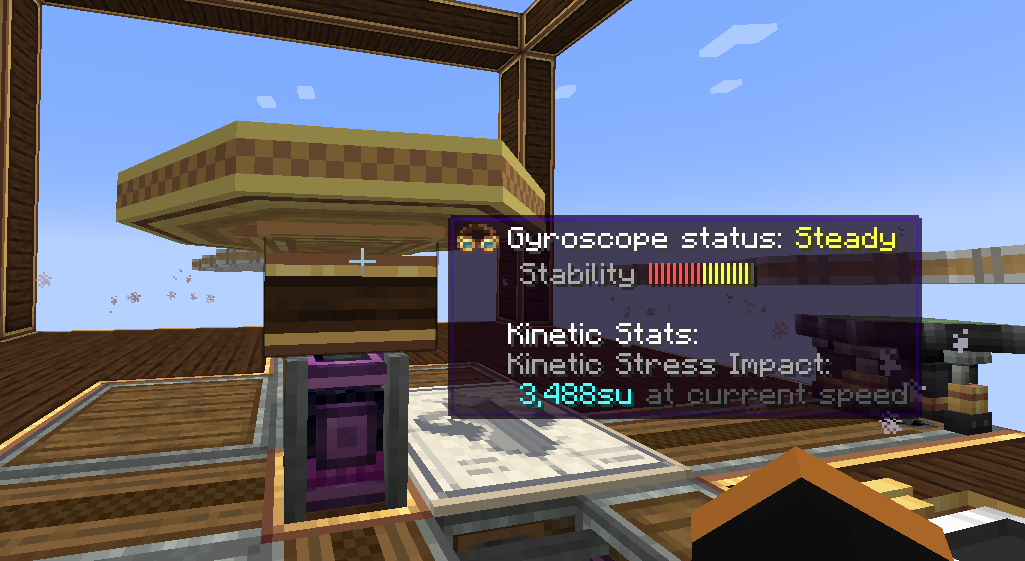
Explanation of Gyroscope status:
- Off -> Self explanatory. The gyroscope is off.
- Unstable -> The gyroscope is unable to stabilize your ship with the input RPM or number of gyroscope
- Steady -> Your ship can be stabilized with the current gyroscope(s) configuration. However, more power or gyroscopes is necessary to make your ship perfectly level.
- Level -> Your ship is level (< 2°) with respect to the world with the current gyroscope(s) configuration.
Configurable axis "stiffness":
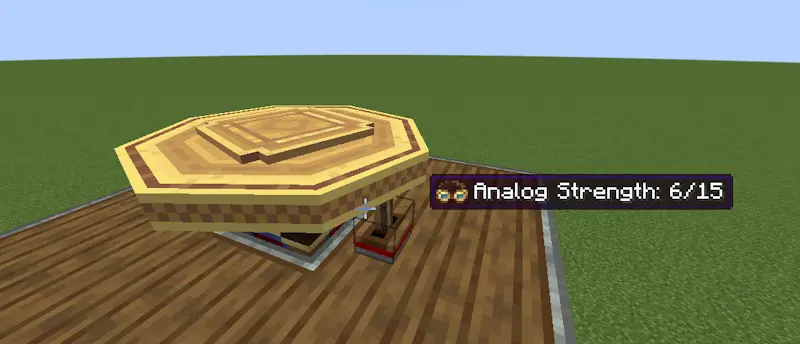
Applying an analog redstone signal to the side of a gyroscope reduces the corrective forces applied by the gyroscope along that axis. The axis is fully unlocked at max redstone strength:
The tooltip is updated to reflect the current corrective force as "stiffness":
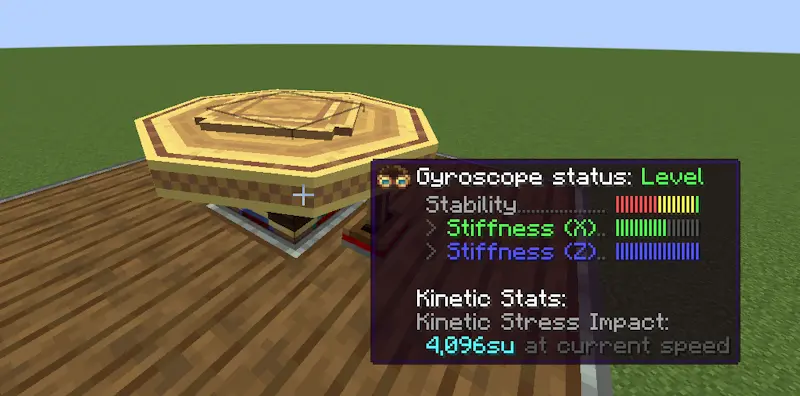
This allows you to roll and pitch your ship but then bring the ship back to level when you're done maneuvering.
Joystick
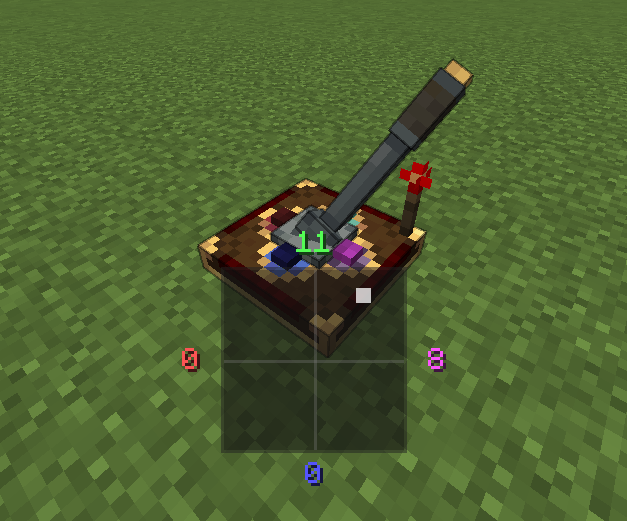
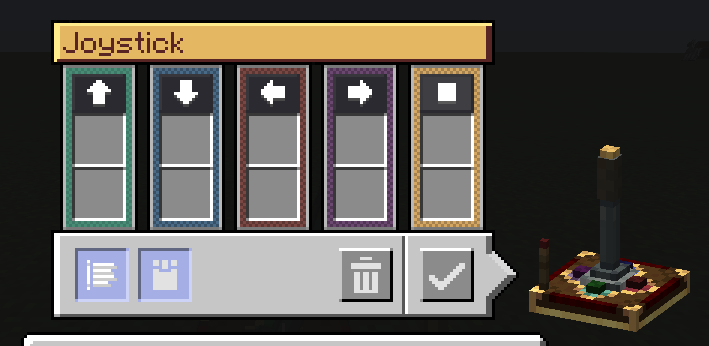
The Joystick allows you to control your ship along 2 axes. A redstone signal (0-15) is output per direction the stick is tilted towards. For simplicity, the joystick outputs the redstone signal on configurable redstone link frequencies. An extra button is provided for extra controllability.
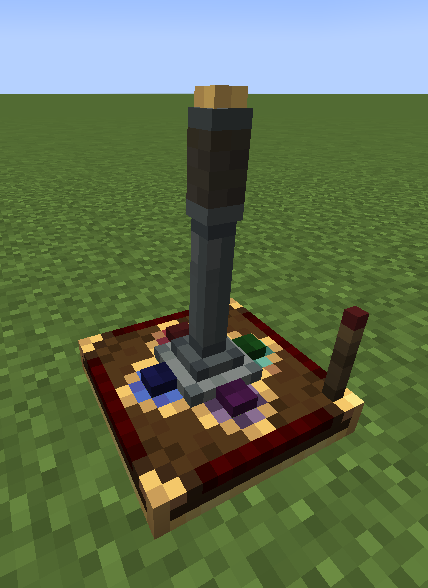
A redstone input can be provided to lock the orientation of the joystick:
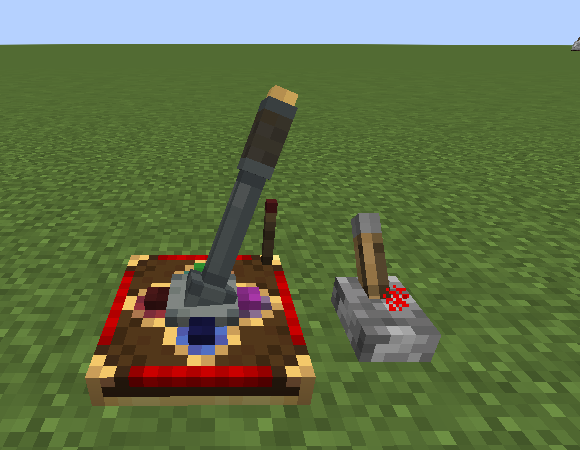
An on-screen HUD displays the current Joystick output when being controlled:
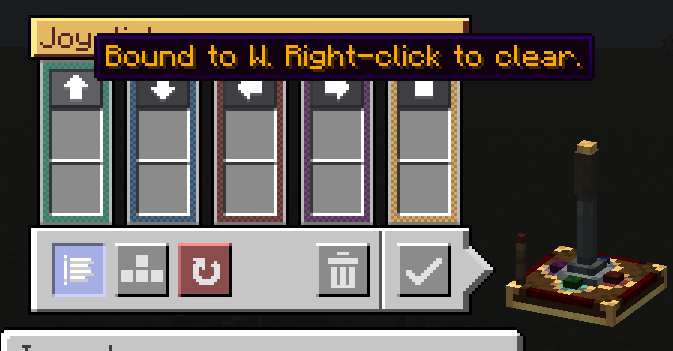
A configurable UI is provided for configuring the redstone link frequencies:
Keyboard mode is also available with a toggleable snapback mode:
Modular Controls
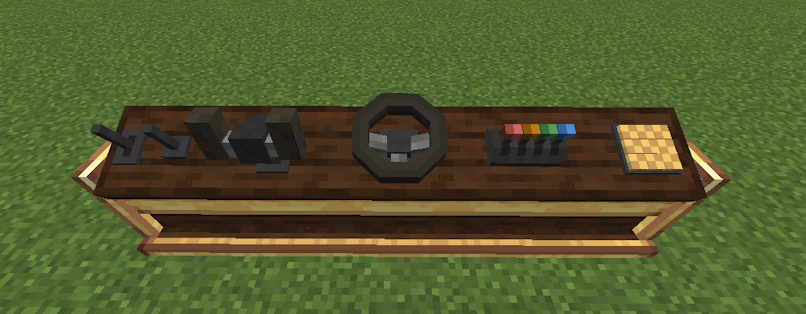
The console desk allows you to mix and match control modules to create the perfect cockpit or helm for your ship.
Current supported control modules:
- Lever
- Joystick
- Button
- Steering Wheel
- Yoke
- Throttle Quadrant
Dependencies
- NeoForge 21.1.225+
- Create 6.0.0+
- Create: Aeronautics 1.0.3+
Comment installer Create: Aeroworks
With Millida Launcher
Install Millida Launcher
The launcher is free: download it at millida.net/launcher and sign in with any nickname.
Click “Install” on this page
The launcher opens and installs the mod for Minecraft 1.21.1 on NeoForge automatically, together with its dependencies: Create, Sable.
Launch the game
A profile with it appears in the launcher: click “Play”.
Manually
Install NeoForge
The loader must match the game version of the mod file, for example Minecraft 1.21.1. After installing it, a separate profile appears in your launcher.
Download the file for your version
In the version list above, pick the file aeroworks-1.5.0.jar (772 KB) for your game version.
Put it in the mods folder
The folder is inside .minecraft (Windows: %appdata%\.minecraft\mods). If it does not exist, create it. Required dependencies go there too: Create, Sable.
Launch the loader profile
Open “Mods” in the main menu: Create: Aeroworks should be in the list.
On a server
A server on NeoForge
The mod only works on a server with the same loader and game version, for example 1.21.1.
File goes into the server’s mods folder
Stop the server, put the mod file into the mods folder and start the server again.
Use the “To server” button
On Millida Hosting, the button at the top of the page uploads the file to your server and restarts it for you.
Minecraft 1.21.1 runs on Java 21: with a different Java version the game may close right after launch.
Versions
Avec dépendances
| Minecraft | Loader | Fichier | Date | Actions |
|---|---|---|---|---|
| 1.21.1 | NeoForge | 1.21.1772 Ko 60 | ||
| 1.21.1 | NeoForge | 1.21.1665 Ko | ||
| 1.21.1 | NeoForge | 1.21.1619 Ko | ||
| 1.21.1 | NeoForge | 1.21.1617 Ko | ||
| 1.21.1 | NeoForge | 1.21.1659 Ko | ||
| 1.21.1 | NeoForge | 1.21.1272 Ko | ||
| 1.21.1 | NeoForge | 1.21.1271 Ko | ||
| 1.21.1 | NeoForge | 1.21.1180 Ko |
Avis
Soyez le premier à noter Create: Aeroworks


