
ColoredWater Mod pour Minecraft 1.21.11
De l'eau colorée pour décorer de façon colorée. Et des chaudrons !
 NeoForge
 Forge
Forge Fabric
About
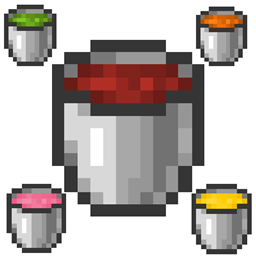
Looking for a simple mod to decorate? This mod adds colored water with which you can decorate your world however you want. The Mod also adds Condensed Colored Water. And these two have their light variant! And Cauldrons!!
Incompatible with Optifine, but it works with Rubidium! (Tbh at this point I'm not sure but in some versions it works and in others it doesn't seem to be.)
Now you can pour colored water into Cauldrons!
Crafting:
Crafting is intuitive and easy. You just have to gather a bucket of water and a dye. The Condensed Water is made with an extra dye and the luminous with glowstone dust!
Comment installer ColoredWater
With Millida Launcher
Install Millida Launcher
The launcher is free: download it at millida.net/launcher and sign in with any nickname.
Click “Install” on this page
The launcher opens and installs the mod for Minecraft 1.21.11 on Fabric, Forge or NeoForge automatically.
Launch the game
A profile with it appears in the launcher: click “Play”.
Manually
Install Fabric, Forge or NeoForge
The loader must match the game version of the mod file, for example Minecraft 1.21.11. After installing it, a separate profile appears in your launcher.
Download the file for your version
In the version list above, pick the file colored_water-neoforge-1.21.11.jar (229 KB) for your game version and loader.
Put it in the mods folder
The folder is inside .minecraft (Windows: %appdata%\.minecraft\mods). If it does not exist, create it.
Launch the loader profile
Open “Mods” in the main menu: ColoredWater should be in the list.
Minecraft 1.21.11 runs on Java 21: with a different Java version the game may close right after launch.
Versions
Avec dépendances
| Minecraft | Loader | Fichier | Date | Actions |
|---|---|---|---|---|
| 1.21.11 | NeoForge | Colored Water-neoforge-1.21.11-2.0.0-beta.1229 Ko | ||
| 1.21.11 | Forge | Colored Water-forge-1.21.11-2.0.0-beta.1223 Ko 2 | ||
| 1.21.11 | Fabric | Colored Water-fabric-1.21.11-2.0.0-beta.1217 Ko 2 | ||
| 1.21.11 | Forge | Colored Water-forge-1.21.11-2.0.0-alpha.7218 Ko | ||
| 1.21.11 | NeoForge | Colored Water-neoforge-1.21.11-2.0.0-alpha.7224 Ko | ||
| 1.21.11 | Fabric | Colored Water-fabric-1.21.11-2.0.0-alpha.7213 Ko | ||
| 1.21.11 | Forge | Colored Water-forge-1.21.11-1.4.2832 Ko | ||
| 1.21.11 | Fabric | Colored Water-fabric-1.21.11-1.1.2793 Ko |
FAQ
Which Minecraft versions does ColoredWater work on?
Only Minecraft 1.21.11: there are no files for other versions.
Is ColoredWater for Forge or Fabric?
There are files for Fabric: 1.21.11, for Forge: 1.21.11 and for NeoForge: 1.21.11.
Does ColoredWater need other mods?
The author lists no required dependencies: the Fabric, Forge or NeoForge loader is enough.
Which Java does ColoredWater need?
Minecraft 1.21.11 runs on Java 21. If the game closes right after launch, the usual cause is the wrong Java version in the profile settings.
Where can I download ColoredWater safely?
On this page: the file colored_water-neoforge-1.21.11.jar (229 KB) is stored on Millida’s server, with no link shorteners. SHA-1 checksum: 3a6d5873e0eeb523ccf3e7395c3b8ed7053e8d4f.
Avis
Soyez le premier à noter ColoredWater


