
Chisel Chipped Integration Mod pour Minecraft 1.20.1, 1.21.1
Ajoute des blocs du mod chisel.
 NeoForge
 Forge
ForgeÀ propos du mod Chisel Chipped Integration
Textures originales du mod Chisel !
Si vous trouvez des bugs, signalez-les sur le bugtracker !
Pour plus d'informations ou un aperçu, consultez le Wiki de Chisel.
Pour des demandes de blocs différents, veuillez consulter la section Coming Soon sur le wiki.
Développement actif : 1.21.1
Développement technique : Forge 1.20.1, NeoForge 1.21.1
Ce mod nécessite :
Connected Textures Mod
Athena (1.20 et au-dessus)
Chipped (optionnel)
Libre d'utilisation dans n'importe quel modpack.
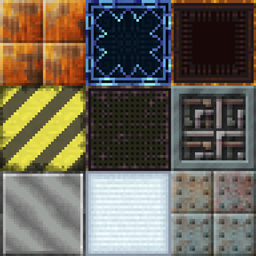
Ce mod ajoute quelques blocs au mod chipped qui existaient dans l'ancien mod chisel.
Ces blocs incluent :
- Factory Blocks
- Laboratory Blocks
- Technical Blocks
- Tyrian
- Futura Blocks
- Metal Blocks (Aluminum-, Bronze-, Cobalt-, Copper-, Electrum-, Gold-, Invar-, Iron-, Lead-, Nickel-, Platinum-, Silver-, Steel-, Tin- et Uranium Blocks)
- Wool and Carpets
- Gem Blocks (Diamond-, Emerald-, Lapis- et Redstone Blocks)
Comment installer Chisel Chipped Integration
With Millida Launcher
Install Millida Launcher
The launcher is free: download it at millida.net/launcher and sign in with any nickname.
Click “Install” on this page
The launcher opens and installs the mod for Minecraft 1.19.2–1.21.1 on Forge or NeoForge automatically.
Launch the game
A profile with it appears in the launcher: click “Play”.
Manually
Install Forge or NeoForge
The loader must match the game version of the mod file, for example Minecraft 1.21.1. After installing it, a separate profile appears in your launcher.
Download the file for your version
In the version list above, pick the file chisel_chipped_integration-v1.3.9-1.21.1.jar (2.7 MB) for your game version and loader.
Put it in the mods folder
The folder is inside .minecraft (Windows: %appdata%\.minecraft\mods). If it does not exist, create it.
Launch the loader profile
Open “Mods” in the main menu: Chisel Chipped Integration should be in the list.
Minecraft 1.21.1 runs on Java 21: with a different Java version the game may close right after launch.
Versions
Avec dépendances
| Minecraft | Loader | Fichier | Date | Actions |
|---|---|---|---|---|
| 1.21.1 | NeoForge | Chisel 1.3.9-1.21.12.7 Mo 1 | ||
| 1.20.1 | NeoForge, Forge | Chisel 1.1.6-1.20.12.7 Mo 3 | ||
| 1.21 | NeoForge | Chisel v1.3.3-1.21 Beta1.9 Mo | ||
| 1.19.2 | Forge | Chisel Chipped Integration 1.0.0 1.19.2 Beta658 Ko |
FAQ
Which Minecraft versions does Chisel Chipped Integration work on?
There are files for 1.21.1, 1.21, 1.20.1, 1.19.2. The newest is 1.21.1.
Is Chisel Chipped Integration for Forge or Fabric?
There are files for Forge: 1.19.2–1.20.1 and for NeoForge: 1.20.1–1.21.1. There are no files for Fabric: a mod for another loader will not start.
Does Chisel Chipped Integration need other mods?
The author lists no required dependencies: the Forge or NeoForge loader is enough.
Which Java does Chisel Chipped Integration need?
Minecraft 1.21.1 runs on Java 21. If the game closes right after launch, the usual cause is the wrong Java version in the profile settings.
Where can I download Chisel Chipped Integration safely?
On this page: the file chisel_chipped_integration-v1.3.9-1.21.1.jar (2.7 MB) is stored on Millida’s server, with no link shorteners. SHA-1 checksum: 8a7b23797cf5ecd9db0cc1cced108d5fbdb876b9.
Avis
Soyez le premier à noter Chisel Chipped Integration


