

Armorful Mod pour Minecraft 1.20.1, 1.21.1
Ajoute naturellement des armures pour diverses créatures. Illagers, sorcières, noyés et plus encore !
- vues
- 33 vues
- Mis à jour
- Mis à jour 04.10.2026
- 1.20 — 1.21.1
 Fabric
- Client et serveur
Armorful
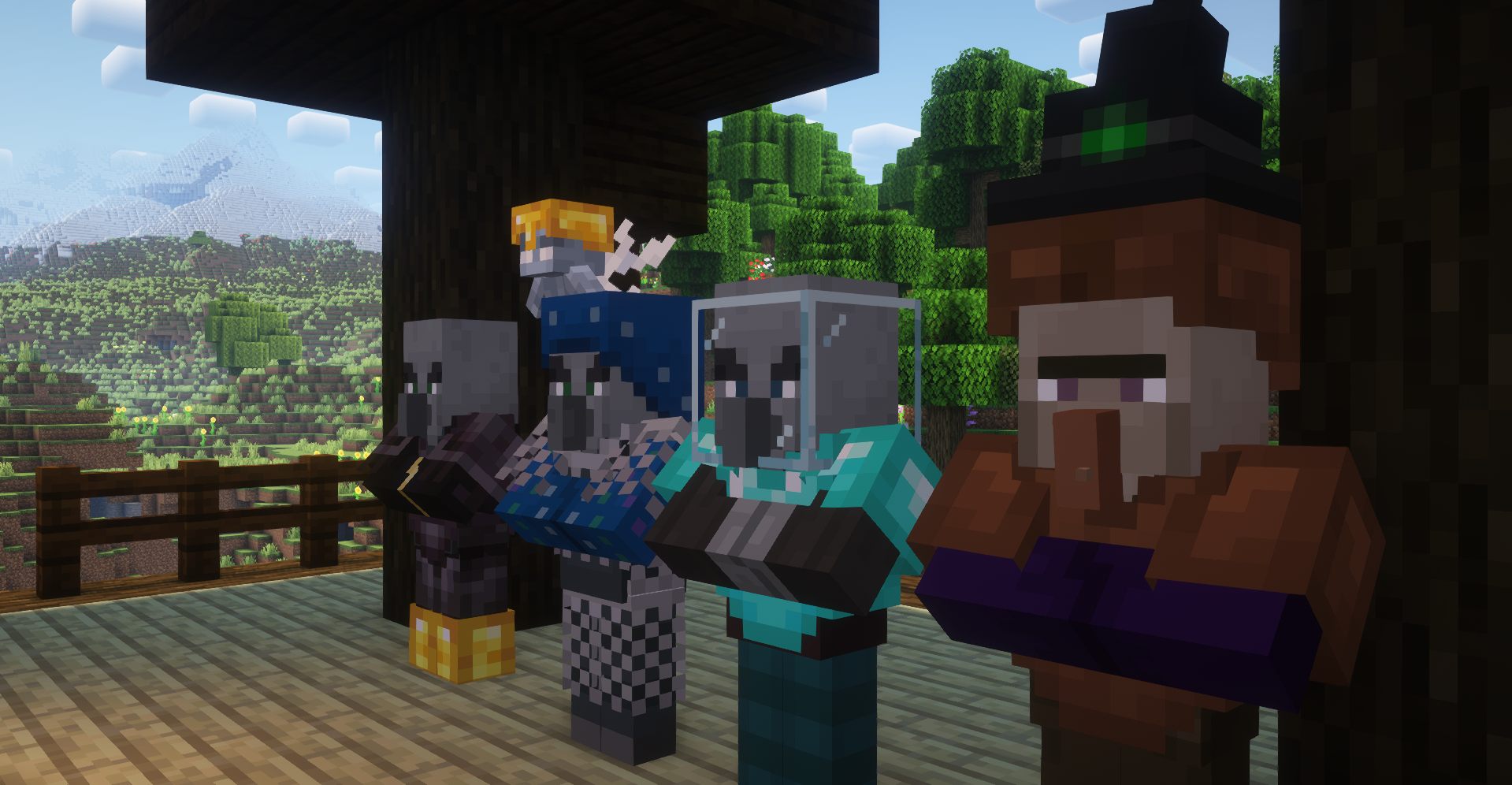
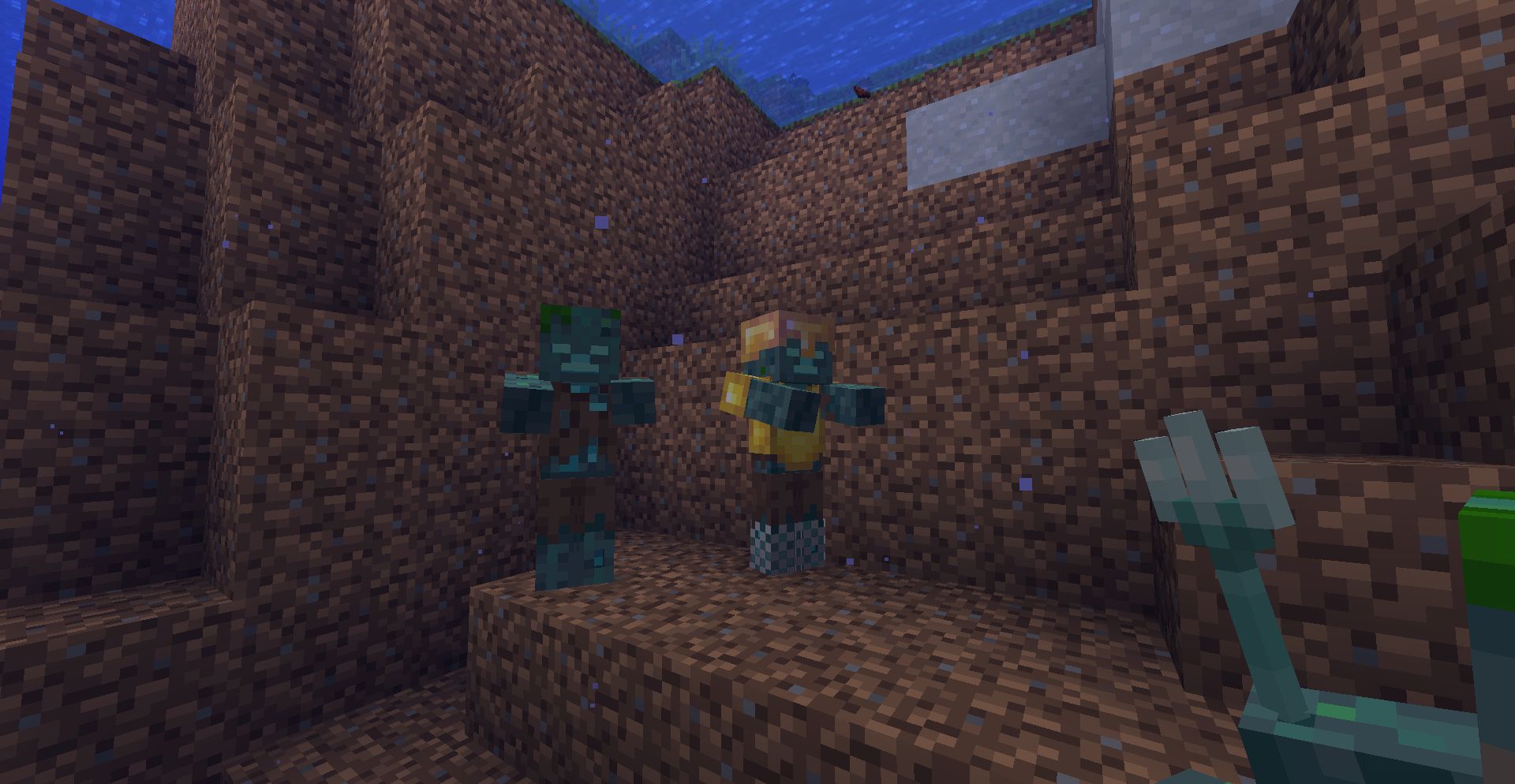
Armorful adds armor for various mobs naturally where vanilla does not. It adds armor to illagers during raids and patrols, and allows Drowned to spawn with armor.
It's a Fabric port of Illagers Wear Armor, just with a few slight tweaks, bug fixes and new features.

Illagers (Pillagers)
Illagers have a chance to naturally spawn with armor, and an increased chance during a raid depending on the difficulty and the wave number.
- Evoker
- Illusioner
- Pillager
- Vindicator
- Vexes
Drowned
Drowned can now have a chance to naturally spawn with armor depending on the difficulty of the world.
By using my mods, you agree to the Modpack Distribution Guidelines and the End User License Agreement

Comment installer Armorful
With Millida Launcher
Install Millida Launcher
The launcher is free: download it at millida.net/launcher and sign in with any nickname.
Click “Install” on this page
The launcher opens and installs the mod for Minecraft 1.20–1.21.1 on Fabric automatically, together with its dependencies: Fabric API, MRU.
Launch the game
A profile with it appears in the launcher: click “Play”.
Manually
Install Fabric
The loader must match the game version of the mod file, for example Minecraft 1.21.1. After installing it, a separate profile appears in your launcher.
Download the file for your version
In the version list above, pick the file Armorful-3.1.3+1.21.jar (118 KB) for your game version.
Put it in the mods folder
The folder is inside .minecraft (Windows: %appdata%\.minecraft\mods). If it does not exist, create it. Required dependencies go there too: Fabric API, MRU.
Launch the loader profile
Open “Mods” in the main menu: Armorful should be in the list.
On a server
A server on Fabric
The mod only works on a server with the same loader and game version, for example 1.21.1.
File goes into the server’s mods folder
Stop the server, put the mod file into the mods folder and start the server again.
Use the “To server” button
On Millida Hosting, the button at the top of the page uploads the file to your server and restarts it for you.
Minecraft 1.21.1 runs on Java 21: with a different Java version the game may close right after launch.
Versions
Avec dépendances
| Minecraft | Loader | Fichier | Date | Actions |
|---|---|---|---|---|
| 1.20.6 | Fabric | 1.20.6118 Ko | ||
| 1.21.1 | Fabric | 1.21.1118 Ko | ||
| 1.20.4 | Fabric | 1.20.4118 Ko | ||
| 1.20.1 | Fabric | 1.20.1120 Ko | ||
| 1.20.4 | Fabric | 1.20.4118 Ko | ||
| 1.21.1 | Fabric | 1.21.1118 Ko | ||
| 1.20.6 | Fabric | 1.20.6118 Ko | ||
| 1.20.1 | Fabric | 1.20.1120 Ko |
Ce qu'il faut pour l'exécuter
- Fabric APIobligatoire
- MRUobligatoire
Avis
Soyez le premier à noter Armorful


