
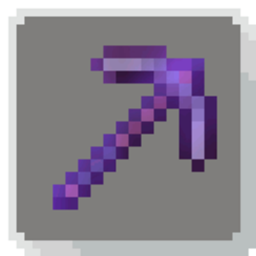
Amethyst Pickaxes Mod pour Minecraft 26.2
Ajoute la pioche en améthyste qui vous permet de miner une zone de 3x3 en un seul coup de pioche, inspirée du Donut SMP.
 Fabric
 Forge
Forge NeoForge
 Quilt
QuiltAmethyst Pickaxes
Mine a full 3x3 area with a single swing: the legendary Amethyst Pickaxe, inspired by Donut SMP, now in your world.
What is this?
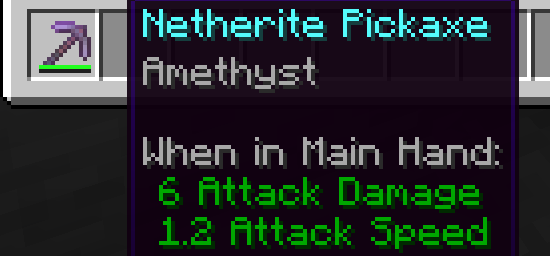
Amethyst Pickaxes adds a custom Amethyst enchantment to Minecraft that lets you mine a full 3x3 area with a single swing of your pickaxe.
Inspired by the iconic Amethyst Pickaxe from the Donut SMP, this datapack brings that same legendary item into your own world. Enchant a pickaxe with the Amethyst Enchantment (obtained from trading with villagers) at an anvil.
Features
- 3x3 area mining - break 9 blocks in one swing
- Custom enchantment - obtainable through trading with villagers
Installation
- Download amethyst-1.0.0.jar
- Drop it into your world's mods folder
- Find the Amethyst enchantment and get mining
Compatibility
Loader Supported
Fabric Yes
Quilt Yes
NeoForge Yes
Forge Yes
Requires Minecraft 1.21+
Made by qlttqb - inspired by the Donut SMP Amethyst Pickaxe.
Comment installer Amethyst Pickaxes
With Millida Launcher
Install Millida Launcher
The launcher is free: download it at millida.net/launcher and sign in with any nickname.
Click “Install” on this page
The launcher opens and installs the mod for Minecraft 1.21.11–26.2 on Fabric, Forge, NeoForge or Quilt automatically.
Launch the game
A profile with it appears in the launcher: click “Play”.
Manually
Install Fabric, Forge, NeoForge or Quilt
The loader must match the game version of the mod file, for example Minecraft 26.2. After installing it, a separate profile appears in your launcher.
Download the file for your version
In the version list above, pick the file amethyst-1.21.11.jar (50 KB) for your game version and loader.
Put it in the mods folder
The folder is inside .minecraft (Windows: %appdata%\.minecraft\mods). If it does not exist, create it.
Launch the loader profile
Open “Mods” in the main menu: Amethyst Pickaxes should be in the list.
Versions
Avec dépendances
| Minecraft | Loader | Fichier | Date | Actions |
|---|---|---|---|---|
| 1.21.11 | Fabric, Forge, NeoForge, Quilt | amethyst-1.0.0.jar50.4 Ko 20 |
Avis
Soyez le premier à noter Amethyst Pickaxes


