
 Fabric
 NeoForge
À propos du mod Alloy Forgery
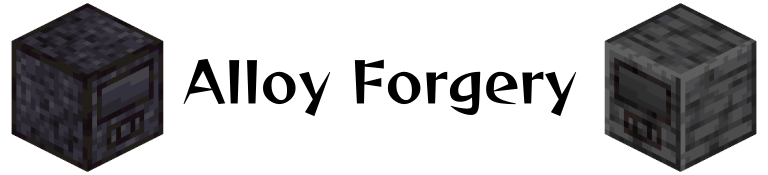
Alloy Forgery ajoute un haut fourneau d'alliage multibloc, la Alloy Forge. Dans sa configuration de base, il sert de moyen simple d'augmenter le rendement des minerais, mais tout est piloté par les données, ce qui vous permet d'ajouter de nouvelles forges et recettes comme bon vous semble. Ces fonctionnalités pilotées par les données sont principalement destinées aux auteurs de mods et de modpacks, d'autant plus que les nouveaux types de forges ne peuvent être ajoutés que via d'autres mods-datapacks ou des fichiers de configuration globaux.
Par défaut, il existe trois paliers de forge, chacun avec une capacité de carburant et une vitesse différentes. Ils sont tous fabriqués à partir de matériaux différents de type pierre, vous pouvez les consulter sur le wiki.
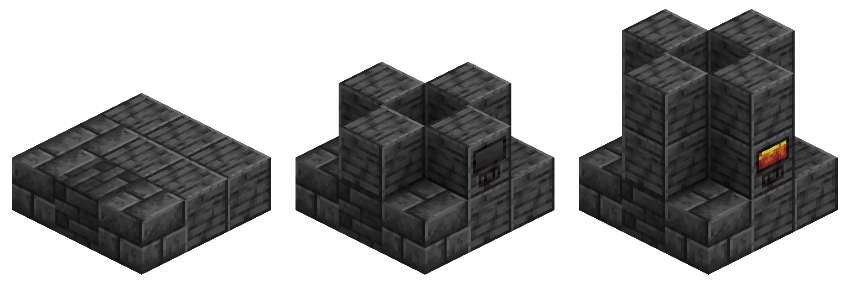
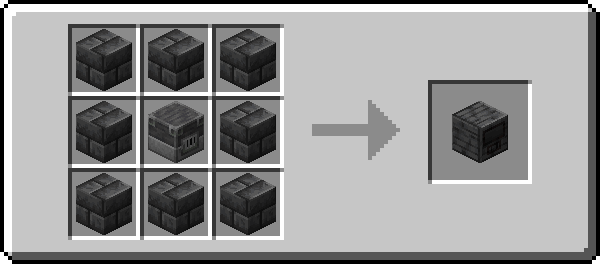
Tous les contrôleurs sont fabriqués selon ce schéma, avec l'anneau extérieur de blocs correspondant au matériau de ce contrôleur. Pour construire une forge, il suffit de suivre le guide pratique au-dessus de ce texte en utilisant n'importe quelle combinaison de blocs pris en charge par ce type de forge.
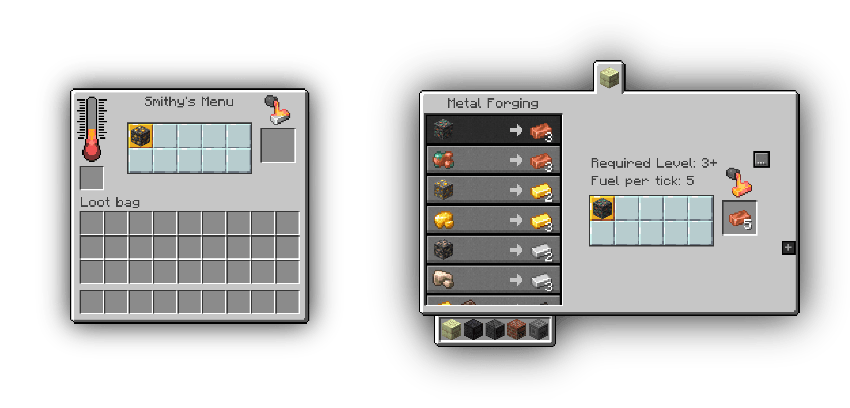
Roughly Enough Items et EMI sont pris en charge !
Discord de développement : rejoignez-le si vous rencontrez des problèmes ou avez besoin d'aide pour ajouter du nouveau contenu
Comment installer Alloy Forgery
With Millida Launcher
Install Millida Launcher
The launcher is free: download it at millida.net/launcher and sign in with any nickname.
Click “Install” on this page
The launcher opens and installs the mod for Minecraft 1.21.4–26.1.2 on Fabric or NeoForge automatically.
Launch the game
A profile with it appears in the launcher: click “Play”.
Manually
Install Fabric or NeoForge
The loader must match the game version of the mod file, for example Minecraft 26.1.2. After installing it, a separate profile appears in your launcher.
Download the file for your version
In the version list above, pick the file alloy-forgery-fabric-3.1.1+26.1.2.jar (290 KB) for your game version and loader.
Put it in the mods folder
The folder is inside .minecraft (Windows: %appdata%\.minecraft\mods). If it does not exist, create it.
Launch the loader profile
Open “Mods” in the main menu: Alloy Forgery should be in the list.
Versions
Avec dépendances
| Minecraft | Loader | Fichier | Date | Actions |
|---|---|---|---|---|
| 26.1.2 | Fabric | [26.1.2] Alloy Forgery - 3.1.1290 Ko 1 | ||
| 26.1.2 | Fabric | [26.1.2] Alloy Forgery - 3.1.0291 Ko | ||
| 1.21.10 | NeoForge | [1.21.10] Alloy Forgery - 3.0.7372 Ko | ||
| 1.21.10 | Fabric | [1.21.10] Alloy Forgery - 3.0.7390 Ko | ||
| 1.21.4 | NeoForge | [1.21.4] Alloy Forgery - 3.0.5371 Ko |
FAQ
Which Minecraft versions does Alloy Forgery work on?
There are files for 26.1.2, 1.21.10, 1.21.4. The newest is 26.1.2.
Is Alloy Forgery for Forge or Fabric?
There are files for Fabric: 1.21.10–26.1.2 and for NeoForge: 1.21.4–1.21.10. There are no files for Forge: a mod for another loader will not start.
Does Alloy Forgery need other mods?
The author lists no required dependencies: the Fabric or NeoForge loader is enough.
Where can I download Alloy Forgery safely?
On this page: the file alloy-forgery-fabric-3.1.1+26.1.2.jar (290 KB) is stored on Millida’s server, with no link shorteners. SHA-1 checksum: 670fa132aea5713c06f92c2c4af0bf1a3517e6c4.
Avis
Soyez le premier à noter Alloy Forgery


