

Z-ONE Build pour Minecraft 1.7.10
Un modpack sur la survie après un désastre
À propos du modpack Z-ONE
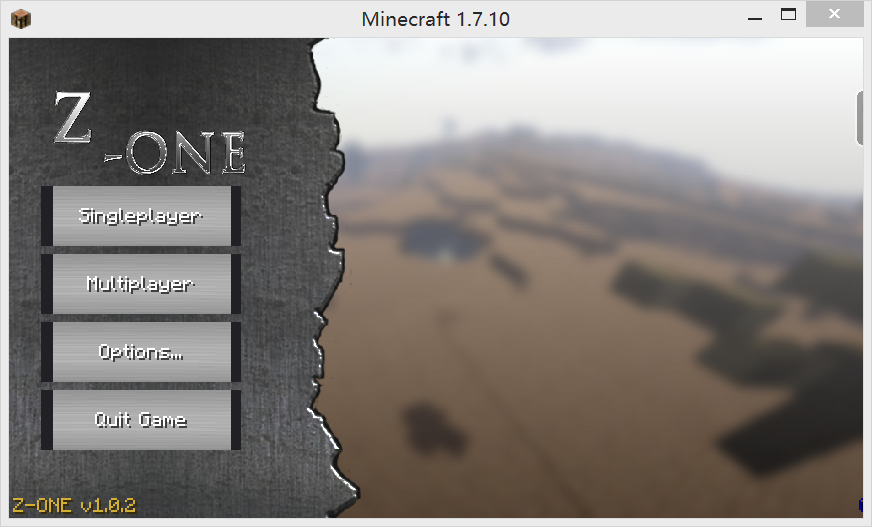
Z-ONE is centered around RotaryCraft mod.(From the mod site description:RotaryCraft is a large "industrial-style" mod.Why "RotaryCraft"? The power transmission. Engines generate rotational power - torque and speed, with power being the product of the two - and it is transmitted by shafts, gearboxes, and other transmission devices to eventually reach the machines.)
The main story is about a scientific accident happens in the year of 3251 , many buildings are destroyed, lots of horrible monster emerge, killing, eating the pitiful people.The world is in disaster.
Notice:
-When create a new world, please set the world type to wasteland.
Mod List:
-AppleCore(by squeek52)
-appliedenergistics2(by AlgorithmX2)
-Baubles(by Azanor)
-buildcraft(by Buildcraft Team)
-Calculator(by SonarSonic)
-Carpenter's Blocks(by Mineshopper)
-ChickenChunks(by chicken_bones)
-Chisel(by AUTOMATIC_MAIDEN)
-CustomMainMenu(by lumien231)
-ElectriCraft(by Reika)
-EnhancedInventories(by AnimeniacYuuto)
-EnviroMine(by TimbuckTato)
-Ex-Nihilo(by Erasmus_Crowley)
-fastcraft(by Player)
-FastLeafDecay(by Olafski)
-IguanaTinkerTweaks(by boni)
-InfernalMobs(by AtomicStryker)
-ItemPhysic Lite(by CreativeMD)
-Mantle(by mDiyo)
-Mekanism(by aidancbrady)
-MekanismGenerators(by aidancbrady)
-FallingMeteors(by AlexDGr8r)
-MineTweaker(by StanH)
-MobStats(by MrFancyPants)
-ModTweaker(by jaredlll08)
-myfit(by APmodS)
-neiaddons(by bdew)
-NotEnoughItems(by chicken_bones)
-OreDictionaryConverter(by EXTER7)
-PneumaticCraft(by MineMaarten)
-primitivemobs(by Daveyx0)
-ReactorCraft(by Reika)
-RoguelikeDungeons(by Greymerk)
-RotaryCraft(by Reika)
-StevesFactoryManager(by Vswe)
-StorageDrawers(by jaquadro)
-TConstruct(by mDiyo)
-ThermalDynamics(by TeamCofh)
-ThermalFoundation(by Skyboy)
-TiCTooltips(by squeek502)
-Waila(by ProfMobius)
-Wasteland(by GiMoe)
-Wawla(by Darkhax)
-ZombieAwareness(by Corosus)
Comment installer Z-ONE
With Millida Launcher
Install Millida Launcher
The launcher is free: download it at millida.net/launcher and sign in with any nickname.
Click “Install” on this page
The launcher opens and installs the modpack for Minecraft 1.7.10 automatically.
Launch the game
A profile with it appears in the launcher: click “Play”.
Manually
Download the modpack archive
In the version list above, pick the file Z-one v1.0.6-hotfix2.zip (21 MB).
Import it into a launcher
A launcher that supports modpacks (Millida Launcher, Prism) takes the archive via “Add modpack”, then “From file”. No need to unpack it yourself.
Allocate memory
Modpacks need more memory than the plain game: set 4–6 GB in the profile settings.
On a server
Use the “To server” button
On Millida Hosting, the button at the top of the page uploads the file to your server and restarts it for you.
Invite friends: they install the same modpack
To join the server, every player needs the same modpack version.
Minecraft 1.7.10 runs on Java 8: with a different Java version the game may close right after launch.
Versions
Avec dépendances
| Minecraft | Loader | Fichier | Date | Actions |
|---|---|---|---|---|
| 1.7.10 | — | Z-one v1.0.6-hotfix2.zip21.2 Mo |
FAQ
Which Minecraft versions does Z-ONE work on?
Only Minecraft 1.7.10: there are no files for other versions.
Which Java does Z-ONE need?
Minecraft 1.7.10 runs on Java 8. If the game closes right after launch, the usual cause is the wrong Java version in the profile settings.
Where can I download Z-ONE safely?
On this page: the file Z-one v1.0.6-hotfix2.zip (21 MB) is stored on Millida’s server, with no link shorteners. SHA-1 checksum: 65af38ea87644a777a4284ff377c468872dacd9f.
Avis
Soyez le premier à noter Z-ONE


