
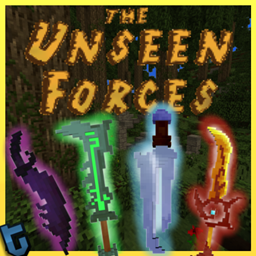
The Unseen Forces Carte pour Minecraft
Carte PvE 1.9. Utilisez des zombies personnalisés, des armes 3D et les fonctionnalités de la 1.9
À propos de la map The Unseen Forces
The Unseen Forces is a custom map created for the 1.9.
The game is separated in 15 waves with increasing difficulty, and a final boss wave.
your goal is to protect the gold statue monument by killing the zombies. Be careful, when a zombie is close to the statue, they break it!
When you killed all the zombies, the wave is done: you have access on the shop and you earn XP levels (the money)
In this shop, you can get new weapons! here is the list:
◆ Basic Sword
◆ Basic Hatchet
◆ Steel Beak Sword
◆ Cutlass
◆ Venom Blade
◆ Long Blade
◆ Soul Dagger
◆ Ranger Sword
◆ Crusher Blade (preview coming soon)
click on a link to view the weapon in 3D.
They have rarity. Green: Common, Blue: Rare, Orange: Legendary
You drop the weapons with custom durabilities. there are Unbreakable but you have different skins varied by the durability.
The map have custom Zombies, for example, there are the crawler.
Pictures:
that's it,
sorry if there are mistakes, the english is not my native language. (You can help me to find it! <3)
Comment installer The Unseen Forces
With Millida Launcher
Install Millida Launcher
The launcher is free: download it at millida.net/launcher and sign in with any nickname.
Click “Install” on this page
The launcher opens and installs the map automatically.
Launch the game
A profile with it appears in the launcher: click “Play”.
Manually
Download the map archive
Pick the file The Unseen Forces (v0.1.18).zip (11 MB).
Unpack it into the saves folder
The world folder (with level.dat inside) must sit directly in .minecraft/saves.
Open the world
“Singleplayer”: the map will be in your world list.
On a server
Replace the world folder
Stop the server and put the map folder in place of world (or set its name in level-name).
Use the “To server” button
On Millida Hosting, the button at the top of the page uploads the file to your server and restarts it for you.
Versions
Avec dépendances
| Minecraft | Loader | Fichier | Date | Actions |
|---|---|---|---|---|
| — | — | The Unseen Forces (v0.1.18).zip11.4 Mo 7 |
FAQ
Where can I download The Unseen Forces safely?
On this page: the file The Unseen Forces (v0.1.18).zip (11 MB) is stored on Millida’s server, with no link shorteners. SHA-1 checksum: 9b4720dc32feac022d43bb088cc276a66c69015f.
Avis
Soyez le premier à noter The Unseen Forces



