

SATB Pack de données pour Minecraft 1.20.1, 1.21.1
Ajoute des barres pour la saturation, l'épuisement et la résistance de l'armure !
- téléchargements
- 19 téléchargements
- vues
- 114 vues
- Mis à jour
- Mis à jour 26.09.2026
- 1.16 — 26.3
 Pack de données
- Client et serveur
⭐ Description
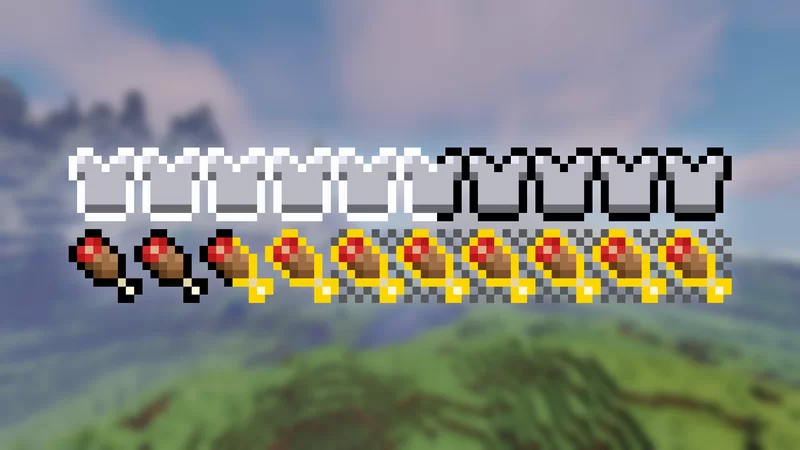
Inspired by AppleSkin Mod, This datapack adds saturation, exhaustion, and armor toughness bars to the game!
You can fully customize what bars to display in the settings menu (see commands section).

ℹ️ Bars Info:
Saturation Bar: It shows how much food is left before the player's food starts to decay. It is like a secondary hunger bar.
Exhaustion Bar: Shows how long it takes for the food bar or saturation to decrease by one.
Armor Toughness Bar: Explaining armor toughness is a bit complicated, but basically is an extra resistence. You can see more information in the wiki.
🪄 Commands:
/trigger satb_settings - Opens the personal settings menu, where you can activate or deactivate the bar display individually for yourself.
/function satb:global_settings - Opens the operator settings. Can enable and disable global settings (force settings for everyone).
/function satb:uninstall - Remove all scoreboards and data used by the datapack from the world
About the Resourcepack
This datapack requires a resourcepack to work. All players that are playing must have the resourcepack installed. If you are running on a dedicated server, you can configure it to force the use of resourcepack.
What the resourcepack changes:
- Add new fonts to the game.
- Add new translations for EN_US and PT_BR languages (for the chatmenu)
Players not using the resource pack won't see the bars.
Needs assistance or report some bug? Please contact me! I'm active on Discord: nodenotjs
Comment installer SATB
With Millida Launcher
Install Millida Launcher
The launcher is free: download it at millida.net/launcher and sign in with any nickname.
Click “Install” on this page
The launcher opens and installs the data pack for Minecraft 1.16–26.3 automatically.
Launch the game
A profile with it appears in the launcher: click “Play”.
Manually
Download the archive
Pick the file SATB Datapack.zip (21 KB) for your game version.
New world: “Data Packs”
When creating a world, click “Data Packs”, drag the archive into the window, then move it to “Selected”.
Existing world: the datapacks folder
Put the archive into saves/<world>/datapacks and type /reload in game.
On a server
Archive goes into the server world’s datapacks
The world/datapacks folder on the server; players do not need to install anything.
Reload the data
Type /reload in the server console or restart the server.
Use the “To server” button
On Millida Hosting, the button at the top of the page uploads the file to your server and restarts it for you.
Versions
Avec dépendances
| Minecraft | Loader | Fichier | Date | Actions |
|---|---|---|---|---|
| 26.3 | Pack de données | 26.321.1 Ko 6 | ||
| 26.3 | Pack de données | 26.321.1 Ko | ||
| 1.21.11 | Pack de données | 1.21.1121.1 Ko 5 | ||
| 1.21.5 | Pack de données | 1.21.517.2 Ko | ||
| 1.21.5 | Pack de données | 1.21.517.1 Ko | ||
| 1.21.4 | Pack de données | 1.21.417.1 Ko | ||
| 1.21 | Pack de données | 1.2117.1 Ko 1 | ||
| 1.20.1 | Pack de données | 1.20.112.8 Ko 6 |
FAQ
Which Minecraft versions does SATB work on?
There are files for 1.16–26.3, 40 versions in total. The newest is 26.3.
Does SATB work on a server?
Yes: the data pack goes into the datapacks folder of the server world, and players do not need to install anything.
Where can I download SATB safely?
On this page: the file SATB Datapack.zip (21 KB) is stored on Millida’s server, with no link shorteners. SHA-1 checksum: 1bd2456d2cf8b65d3e815921fc7c148e97534bff.
Avis
Soyez le premier à noter SATB


