

Panda Temple Pack de données pour Minecraft 1.20.1, 1.21.1
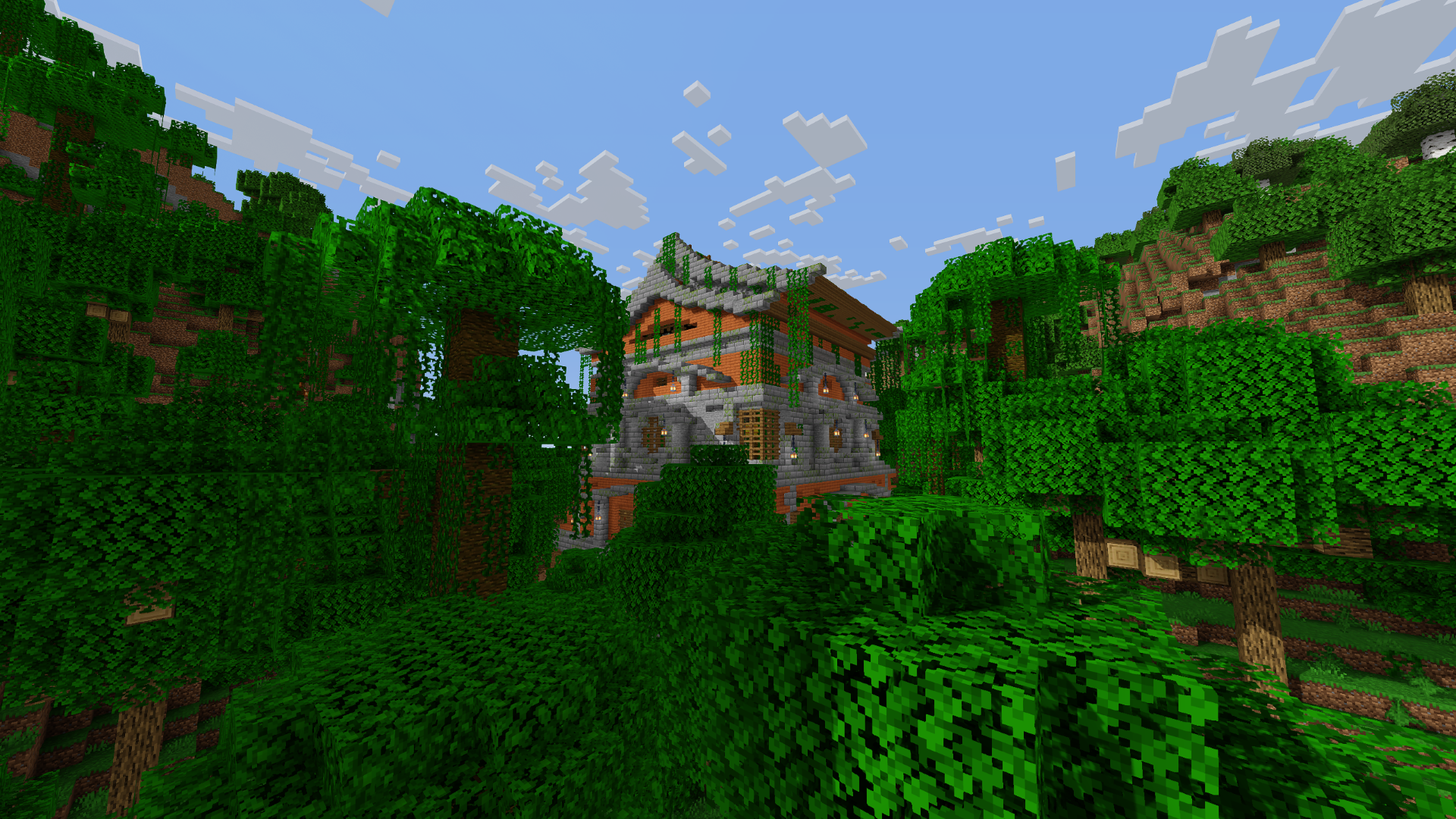
Fait apparaître un mystérieux temple envahi par la végétation dans la jungle, habité par notre créature mangeuse de bambou préférée !
- vues
- 36 vues
- Mis à jour
- Mis à jour 04.09.2026
- 1.20 — 26.2
 Pack de données
- Client et serveur
Welcome to Panda Temple!
Introduction
Pandas in Minecraft are extremely rare, but have you ever wondered why that is? Maybe this structure will shine a light on a forgotten civilization that would do anything to care for their favorite animals. It looks like a lovely place, or is there more to it than meets the eye?

Features
This datapack adds the Panda Temple which spawns in the Jungle biome. It houses pandas, parrots, frogs, and ocelots. While you can just get the animals, you can also explore further to try and find valuable stuff that is protected in a way that you want to be in the end game with enchanted gear and tools to stand a chance (or find a creative way to obtain it).
/locate command
/locate structure pandatemple:pandatemple
If you have a cool idea to make this datapack better, please make a suggestion in my Discord server!
Credits
Shoutout to @Navelpluus who designed the temple!

Comment installer Panda Temple
With Millida Launcher
Install Millida Launcher
The launcher is free: download it at millida.net/launcher and sign in with any nickname.
Click “Install” on this page
The launcher opens and installs the data pack for Minecraft 1.20–26.2 automatically.
Launch the game
A profile with it appears in the launcher: click “Play”.
Manually
Download the archive
Pick the file Panda Temple.zip (747 KB) for your game version.
New world: “Data Packs”
When creating a world, click “Data Packs”, drag the archive into the window, then move it to “Selected”.
Existing world: the datapacks folder
Put the archive into saves/<world>/datapacks and type /reload in game.
On a server
Archive goes into the server world’s datapacks
The world/datapacks folder on the server; players do not need to install anything.
Reload the data
Type /reload in the server console or restart the server.
Use the “To server” button
On Millida Hosting, the button at the top of the page uploads the file to your server and restarts it for you.
Versions
Avec dépendances
| Minecraft | Loader | Fichier | Date | Actions |
|---|---|---|---|---|
| 1.21 | Pack de données | 1.21747 Ko | ||
| 1.20.1 | Pack de données | 1.20.11.7 Mo | ||
| 26.2 | Pack de données | 26.2747 Ko | — | |
| 26.1 | Pack de données | 26.1747 Ko | — | |
| 1.21.11 | Pack de données | 1.21.11747 Ko | — |
Avis
Soyez le premier à noter Panda Temple


