

Ore Plus x2 Pack de données pour Minecraft 1.20.1, 1.16.5
Ce datapack augmente légèrement les taux d'apparition des minéraux vanilla.
- vues
- 31 vues
- Mis à jour
- Mis à jour 26.09.2026
- 1.16.2 — 26.2
 Pack de données
- Client et serveur
À propos du pack de données Ore Plus x2
🌐 English | 中文
✅ Separating From [[📁 Ore Plus (Legacy)]](https://modrinth.com/datapack/ore_plus)
For organizing versions\ x2 x4 and Ultra edition, including datapack and mod version makes even more difficult to find suitable in original project.

📋 Overview
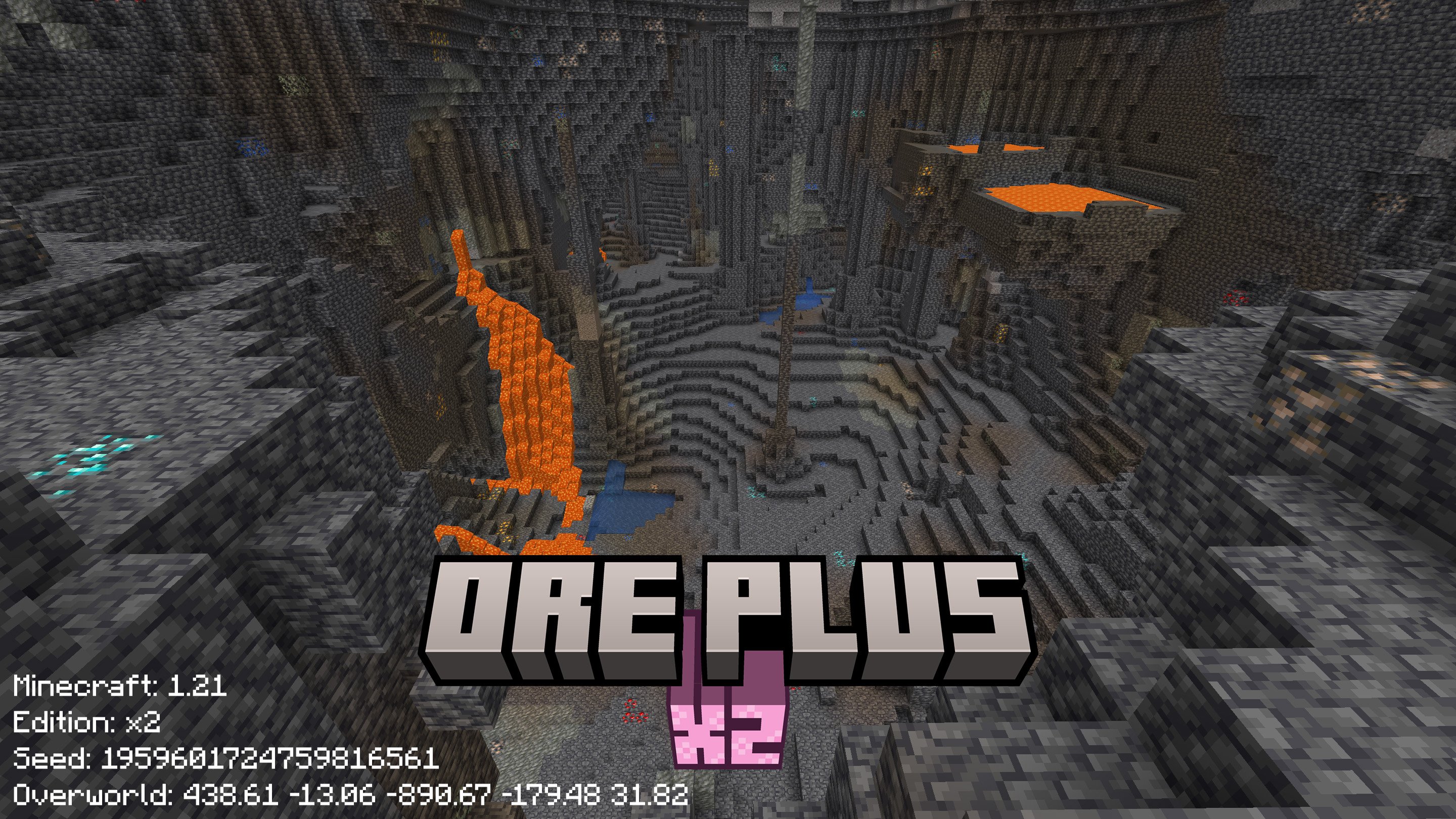
This datapack modifies the default ore generation in Minecraft, primarily increasing the spawn rates of certain minerals.
Created with 💗 by wen_wen

❇️ Features
Efficient Resource Gathering
Less time with creepers in caves, more time for exciting things
Native Datapack, Wide Compatibility:
Vanilla Single Play, Plungin Multiple Player Server, with or with out any Mod Loader you preferred (Forge NeoForge Fabric Quilt), this datapack works seamlessly with any type of Minecraft.
Vanilla Feature, Clean Experience
This datapack will only affect ores in new generated chunks, keep your loaded chunks safe and untouched.
🖼️ Gallery
Modrinth Gallery\ Compare With Other Edition
📖 Detail
Rate Table
Ore Name - Gen Rate - Gen Rate x2 - Discard Chance - Discard Chance x2
Ancient Debris Large - 1 - 8 - 1 - 0.6 Coal Lower - 20 - 40 - 0.5 - 0.2 Coal Upper - 30 - 54 - 0 - 0 Copper - 16 - 26 - 0 - 0 Copper Large - 16 - 26 - 0 - 0 Ancient Debris Small - 1 - 8 - 1 - 0.4 Diamond - 7 - 14 - 0.5 - 0.2 Diamond Buried - 4 - 8 - 1 - 0.6 Diamond Large - 1 in 9 - 1 in 6 - 0.7 - 0.2 Diamond Medium - 2 - 5 - 0.5 - 0 Emerald - 100 - 160 - 0 - 0 Gold - 4 - 10 - 0.5 - 0.2 Nether Gold Deltas - 20 - 35 - 0 - 0 Gold Extra - 50 - 90 - 0 - 0 Gold Lower - [0,1] - [6,12] - 0.5 - 0.2 Nether Gold - 10 - 20 - 0 - 0 Iron Middle - 10 - 20 - 0 - 0 Iron Small - 10 - 20 - 0 - 0 Iron Upper - 90 - 140 - 0 - 0 Lapis - 2 - 8 - 0 - 0 Lapis Buried - 4 - 12 - 1 - 0.8 Quartz Deltas - 32 - 56 - 0 - 0 Quartz Nether - 16 - 28 - 0 - 0 Redstone - 4 - 10 - 0 - 0 Redstone Lower - 8 - 18 - 0 - 0
Gen Rates: Ore generation rates. (higher is more frequent)\ Discard Chance: Discard ore generation if exposed to air. (lower is more frequent)
Refer to wiki for more details
The names of the packs do not reflect the directly multiplied probabilities from the vanilla rates, but rather the extent to which the datapack modifies the original ore generation probabilities.
✅ Installation
Download
[[⬇️ Modrinth Version List]](https://modrinth.com/datapack/ore_plus_x2/versions)
[[📁 Legacy Versions]](https://modrinth.com/datapack/ore_plus)
Install
Strongly recommand to install at the creation of a world
How to Install Datapack
⚙️ Versions
Supported
1.16.2 -26.1.2
📃 Contact
Community
Discord Group
Github Discussion
Feedback
📑Issue Page for any bugs or featuers.
📜 License
🎉 Thanks & Related Resource
I am really thanks everyone who follow or star this project,\ and of course, those people who download, use and love this project are also appreciate
Comment installer Ore Plus x2
With Millida Launcher
Install Millida Launcher
The launcher is free: download it at millida.net/launcher and sign in with any nickname.
Click “Install” on this page
The launcher opens and installs the data pack for Minecraft 1.16.2–26.2 automatically.
Launch the game
A profile with it appears in the launcher: click “Play”.
Manually
Download the archive
Pick the file Ore_Plus_x2-v3.101.107.0-build16.zip (305 KB) for your game version.
New world: “Data Packs”
When creating a world, click “Data Packs”, drag the archive into the window, then move it to “Selected”.
Existing world: the datapacks folder
Put the archive into saves/<world>/datapacks and type /reload in game.
On a server
Archive goes into the server world’s datapacks
The world/datapacks folder on the server; players do not need to install anything.
Reload the data
Type /reload in the server console or restart the server.
Use the “To server” button
On Millida Hosting, the button at the top of the page uploads the file to your server and restarts it for you.
Versions
Avec dépendances
| Minecraft | Loader | Fichier | Date | Actions |
|---|---|---|---|---|
| 1.20.6 | Pack de données | 1.20.6333 Ko | ||
| 26.2 | Pack de données | 26.2305 Ko | ||
| 26.1 | Pack de données | 26.1305 Ko | ||
| 1.19.2 | Pack de données | 1.19.2324 Ko | ||
| 1.18.2 | Pack de données | 1.18.2324 Ko | ||
| 1.17.1 | Pack de données | 1.17.1321 Ko | ||
| 1.16.5 | Pack de données | 1.16.5994 Ko | — |
FAQ
Does Ore Plus x2 work on a server?
Yes: the data pack goes into the datapacks folder of the server world, and players do not need to install anything.
Avis
Soyez le premier à noter Ore Plus x2


