
J' Dynamic Lighting Pack de données pour Minecraft 1.21.10
Un datapack léger pour éclairer quand vous tenez des torches et des lanternes, et d'autres fonctionnalités amusantes

Tired of having to constantly place and break torches just to see in a cave?
This Datapack allows any held light source to illuminate the surrounding area, making exploration fluid, fast, and exciting. Never be caught in the dark again!

- Handheld Illumination: Simply hold any Torch, Soul Torch, Lantern, or Soul Lantern in your main hand or off-hand to cast a light around you. The light vanishes the moment you switch to another item.
- Hotbar "Belt" Lighting: Lanterns will automatically illuminate your surroundings just by being in your hotbar. It's as if you've strapped the lantern to your belt for persistent light while you work!
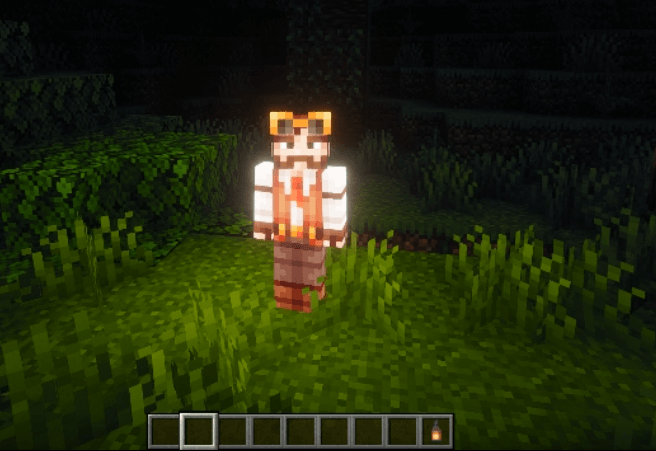
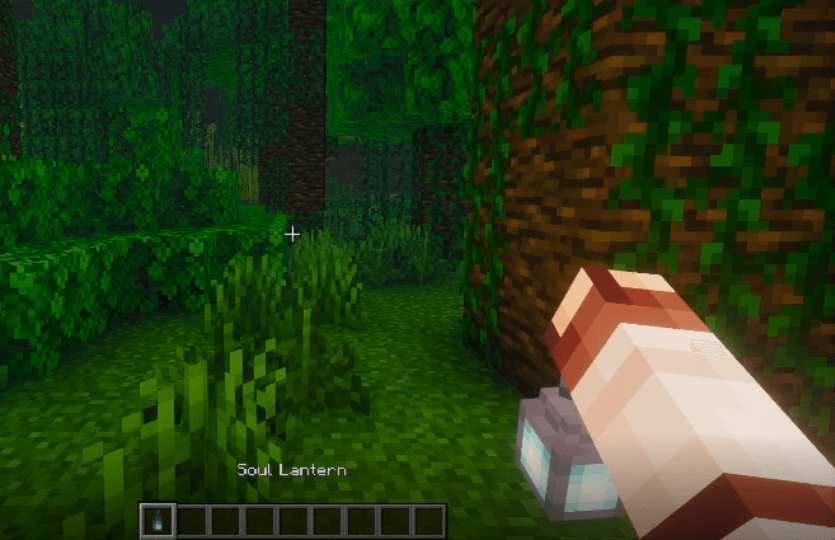
- The Power of the Soul: When you hold a Soul Lantern in your hand, in addition to casting light, it grants you the Night Vision effect. See farther and clearer in the darkest of depths!
- Compatible with 1.20.10: all the new copper torch and lantern are fully compatible with the Datapack
Comment installer J' Dynamic Lighting
With Millida Launcher
Install Millida Launcher
The launcher is free: download it at millida.net/launcher and sign in with any nickname.
Click “Install” on this page
The launcher opens and installs the data pack for Minecraft 1.21.10 automatically.
Launch the game
A profile with it appears in the launcher: click “Play”.
On a server
Archive goes into the server world’s datapacks
The world/datapacks folder on the server; players do not need to install anything.
Reload the data
Type /reload in the server console or restart the server.
Use the “To server” button
On Millida Hosting, the button at the top of the page uploads the file to your server and restarts it for you.
Versions
Avec dépendances
| Minecraft | Loader | Fichier | Date | Actions |
|---|---|---|---|---|
| 1.21.10 | — | J' Dynamic Lighting 1.21.10.zip29.8 Ko |
FAQ
Which Minecraft versions does J' Dynamic Lighting work on?
Only Minecraft 1.21.10: there are no files for other versions.
Does J' Dynamic Lighting work on a server?
Yes: the data pack goes into the datapacks folder of the server world, and players do not need to install anything.
How do I download J' Dynamic Lighting?
With Millida Launcher: it installs J' Dynamic Lighting into a modpack by itself, for the right game version and loader. The launcher is free.
Avis
Soyez le premier à noter J' Dynamic Lighting


