

Create builders Pack de données pour Minecraft 1.20.1, 1.19.2
C'est un datapack basé sur le mod "Create more automation" avec des recettes supplémentaires.
- vues
- 29 vues
- Mis à jour
- Mis à jour 26.09.2026
- 1.18.2 — 1.20.1
 Pack de données
- Client et serveur
📖 Create builders
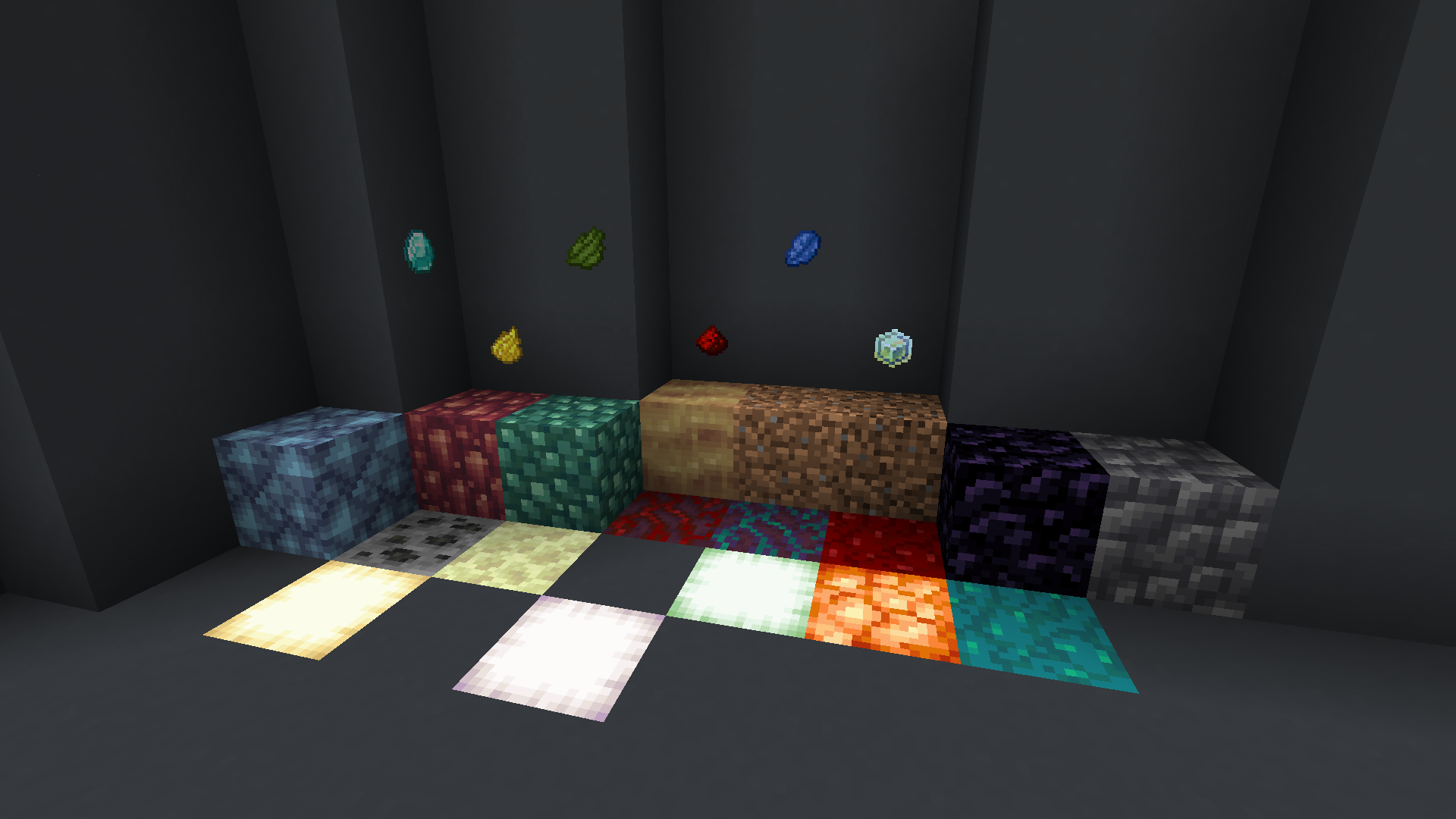
Quality of life datapack which adds creafting recipies for your automating world concuest. This package is created for people like me who want to automate everything possible, or those who dream of gigaprojects that require tons of resources.

📋 Recipes
- Asurine, which can be used to produce zinc.
- Veridium, with this, you can make copper.
- Crimsite, you can use that to make iron more efficient.
- Ochrum, more easier way to automate gold production.
- Lapis, this is for asurine production, you can make scoria out of lava and chocolate, instead of water in cabblestone generator.
- Redstone, you can make red dye out of beetroot.
- Green_dye, i created alternate recipie, if you can't find desert.
- Obsidian, more lagless way to make obsidian.
- Expirience, more convinient way to repair your tools!
- Diamond, i took this recipie from mod "Create stuff & additions".
- Yellow dye recipe for you big projects.
- Deepslate recipe.
- Dripstone recipe.
- Dirt, if want to make a big farm, or dirt brick automation.
- Coarse dirt, useful for builders.
- End stone, might be used for mixing with other blocks
- Coal ore, renewable fuel, and might be used in gradients
- Froglights, recipe for mass produce froglights
- Warped log, mostly for builders
- Crimson log, also for builders
- Nether wart block, alternate recipie to make this block
- Warped wart blick, may be used for decoration
You can also see recipes in the gallery tab\ Use JEI or REI for best expirience
This datapack based on forge mod "Create more automation".

Comment installer Create builders
With Millida Launcher
Install Millida Launcher
The launcher is free: download it at millida.net/launcher and sign in with any nickname.
Click “Install” on this page
The launcher opens and installs the data pack for Minecraft 1.18.2–1.20.1 automatically, together with its dependencies: Create.
Launch the game
A profile with it appears in the launcher: click “Play”.
Manually
Download the archive
Pick the file Create builders 2.0-1.20.1 (Forge).zip (8 KB) for your game version.
New world: “Data Packs”
When creating a world, click “Data Packs”, drag the archive into the window, then move it to “Selected”.
Existing world: the datapacks folder
Put the archive into saves/<world>/datapacks and type /reload in game.
On a server
Archive goes into the server world’s datapacks
The world/datapacks folder on the server; players do not need to install anything.
Reload the data
Type /reload in the server console or restart the server.
Use the “To server” button
On Millida Hosting, the button at the top of the page uploads the file to your server and restarts it for you.
Versions
Avec dépendances
| Minecraft | Loader | Fichier | Date | Actions |
|---|---|---|---|---|
| 1.20.1 | Pack de données | 1.20.17.5 Ko | ||
| 1.18.2 | Pack de données | 1.18.27.5 Ko | ||
| 1.19.2 | Pack de données | 1.19.27.5 Ko |
Ce qu'il faut pour l'exécuter
- Createobligatoire
Avis
Soyez le premier à noter Create builders


