

Debug Screen Pro Addon pour Minecraft 1.21, 26.50
Apporte l'écran de débogage F3 classique de l'édition Java sur Bedrock, avec des coordonnées en temps réel, un compteur de FPS et une carte de chunks en temps réel.
🌟 Debug Screen Pro by ZenXveda 🌟
Debug Screen Pro brings the classic, highly-requested Java Edition F3 Debug Screen experience directly to Minecraft Bedrock Edition!
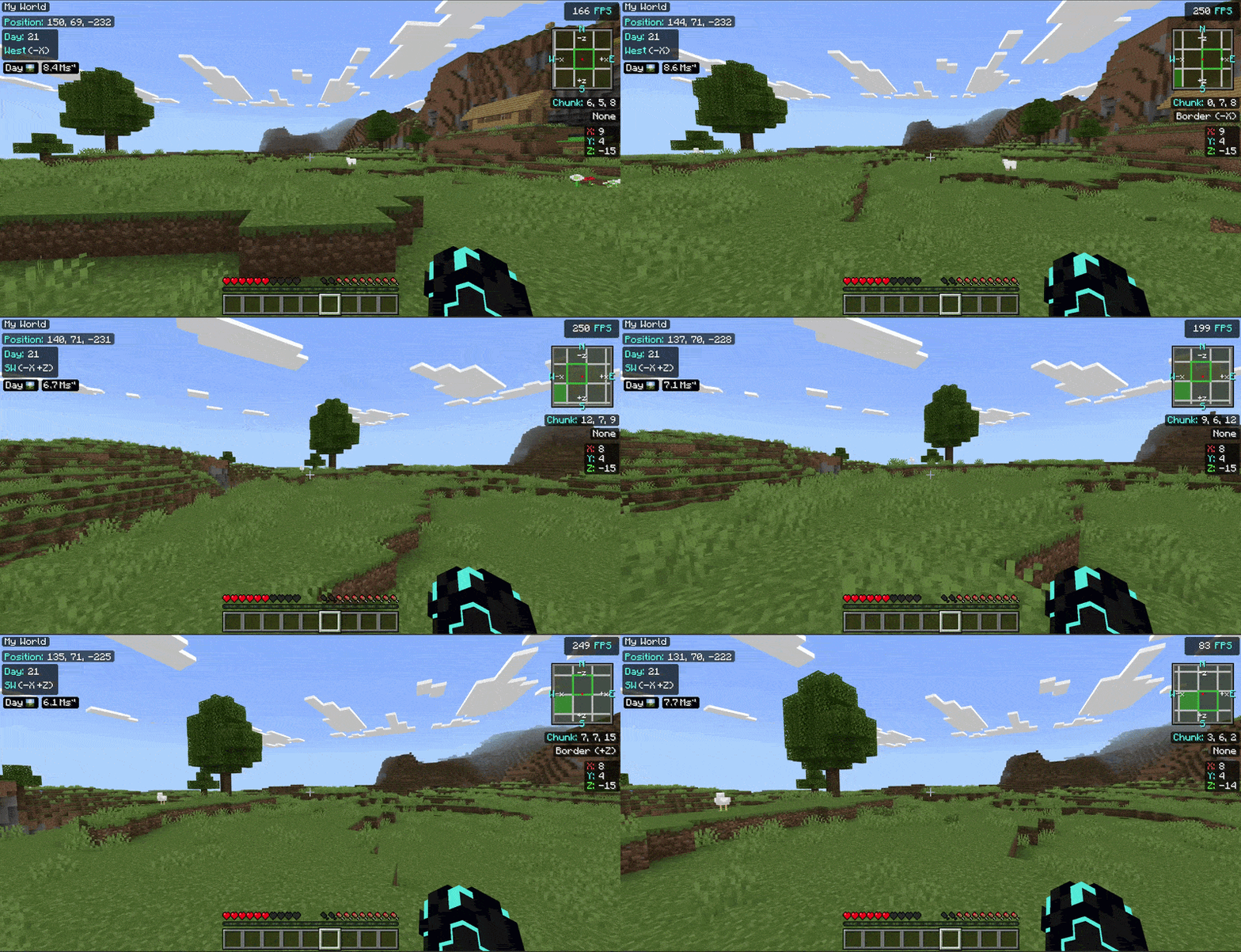
📱 Two Tailored Versions Available! 🖥️
We now offer two perfectly tailored versions of Debug Screen Pro to match your Minecraft UI profile:
🖥️ Classic UI
Debug Screen Pro (Classic): The original layout you know and love, designed specifically for players using the Classic UI profile.

📱 Pocket UI
Debug Screen Pro (Pocket): A brand new layout specifically re-engineered to fit flawlessly with the Pocket UI, ensuring no overlaps!

⚠️ Make sure to download the version that matches your UI profile (Settings > Video > UI Profile)!

✨ Key Features
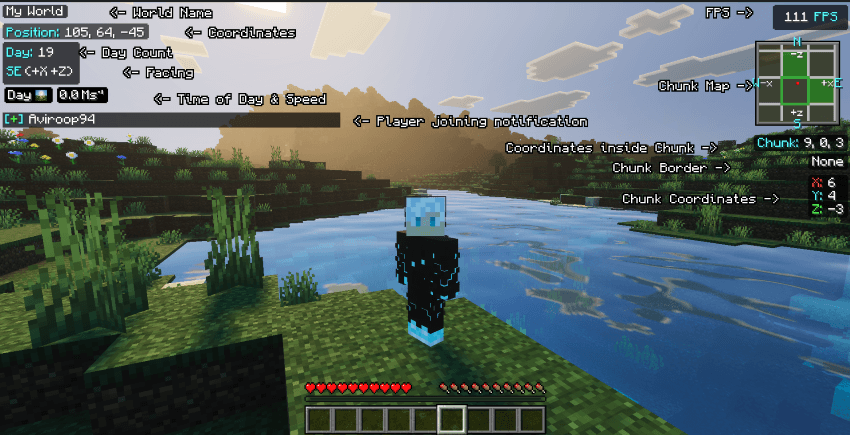
✔️ Java-Style F3 Menu: Accurately displays your coordinates, facing direction, current FPS, and in-game day/time in a sleek, non-intrusive overlay.
🎨 High-Definition UI: Features brand new, custom-designed HD icons for time of day (Sunrise, Noon, Sunset, Night, Midnight) in a detailed, slightly pixelated realistic style.
⚡ Optimized & Lightweight: Runs smoothly without causing lag, utilizing pure JSON UI and entity rendering techniques.
🧼 Clean Aesthetic: No bulky borders around the phase icons-just a seamless, modern look that blends perfectly with your gameplay.
🏆 Achievement Friendly: This is a pure resource pack. It requires absolutely no cheats or experimental toggles, meaning you can still earn achievements in your survival worlds!
🧩 Ultimate Compatibility: Requires NO player.json modification, ensuring it works perfectly alongside all your favorite animations and addons without conflicts.
🚀 Functionalities & Benefits
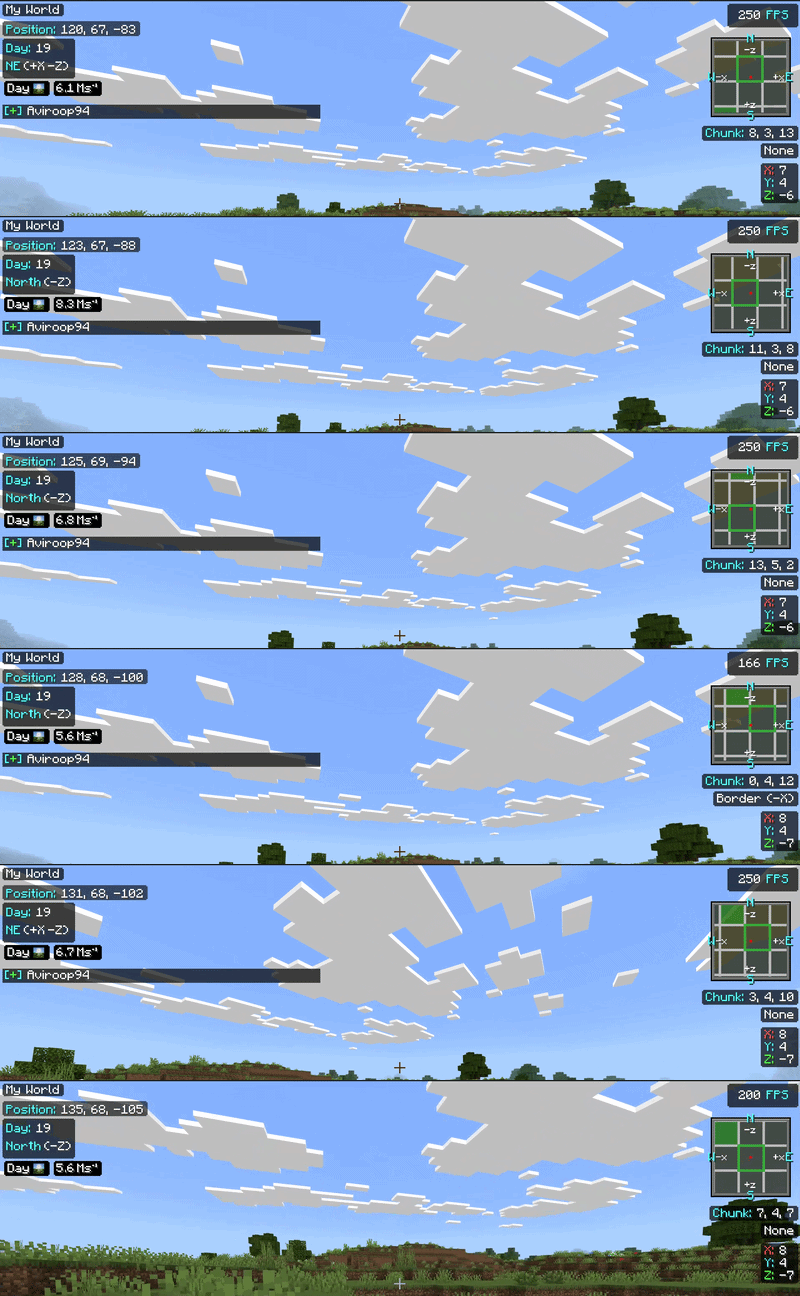
- 🔴 Never Get Lost: Always know exactly which direction you are facing and what your coordinates are, making mining, exploring, and building massive structures incredibly easy.
- 🟠 Track Time Perfectly: The HD visual day/night phase icons allow you to plan your survival days perfectly. Never get caught out in the dark by surprise!
- 🔵 Monitor Performance: The built-in FPS tracker lets you instantly see how different addons, shaders, or massive redstone builds affect your game's performance in real-time.
- 🟢 Seamless Integration: Because it uses UI and entity rendering instead of bulky scripts, it feels like a native part of the game.
📥 Installation Guide
- Download the correct .mcpack file based on your UI profile (Pocket or Classic).
- Double-click the file to automatically import it into Minecraft Bedrock.
- Apply the pack to your Global Resources or directly to your World Resource Packs.
- Enjoy your new advanced debug screen!
📖 How to Use
Once the pack is applied, the F3 Debug Screen overlay will appear automatically when you load into a world.
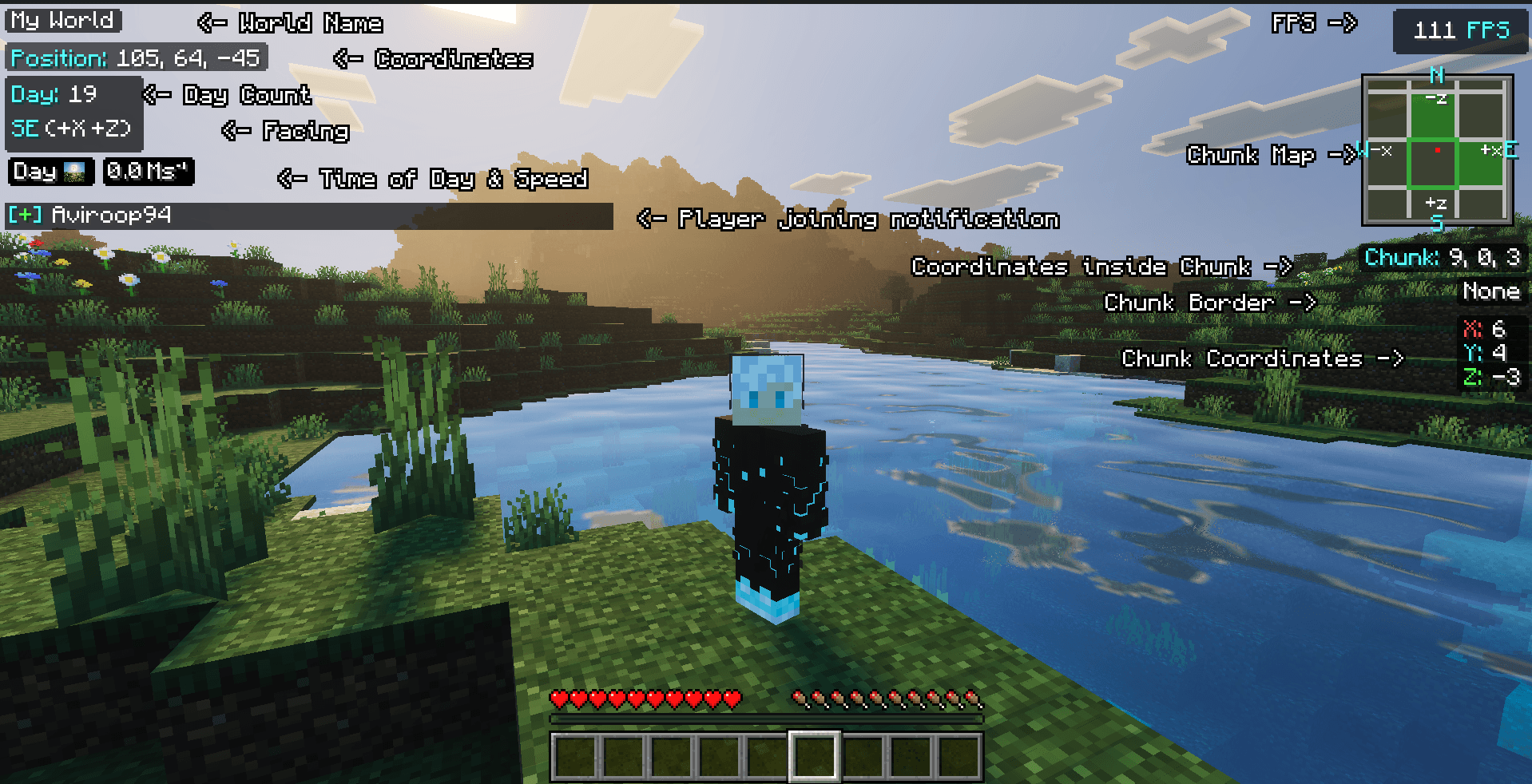
🌍 World Name
Players can see the world's name even inside the map!

📍 Coordinates & Direction
Always visible, helping you navigate your world accurately.

🧭 Facing Direction
Instantly see which direction you are facing.

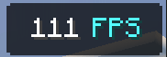
📈 FPS Counter
Tracks your current frames per second to monitor performance.
⏰ Time of Day
Beautiful HD phase icons show time of day and current day.

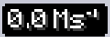
🏃‍♂️ Speed Tracker
Tracks the real-time speed of your character perfectly.
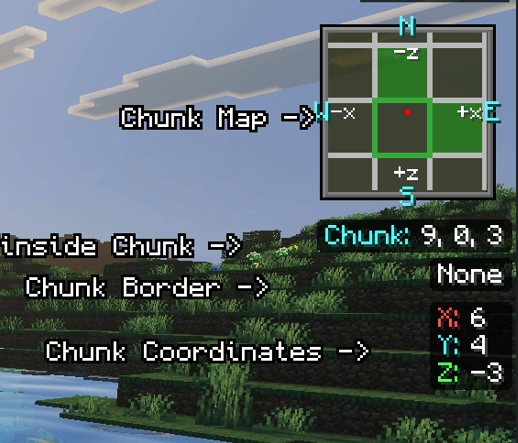
🗺️ Chunk Details
Includes a minimap chunk viewer, chunk borders, and chunk coordinates for advanced play!
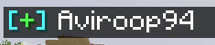
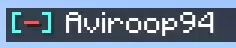
🛎️ Player Notifications!
Instantly see when someone joins or leaves the game directly on your HUD.
Player Joining:
Player Out:
🎮 Toggling the Display
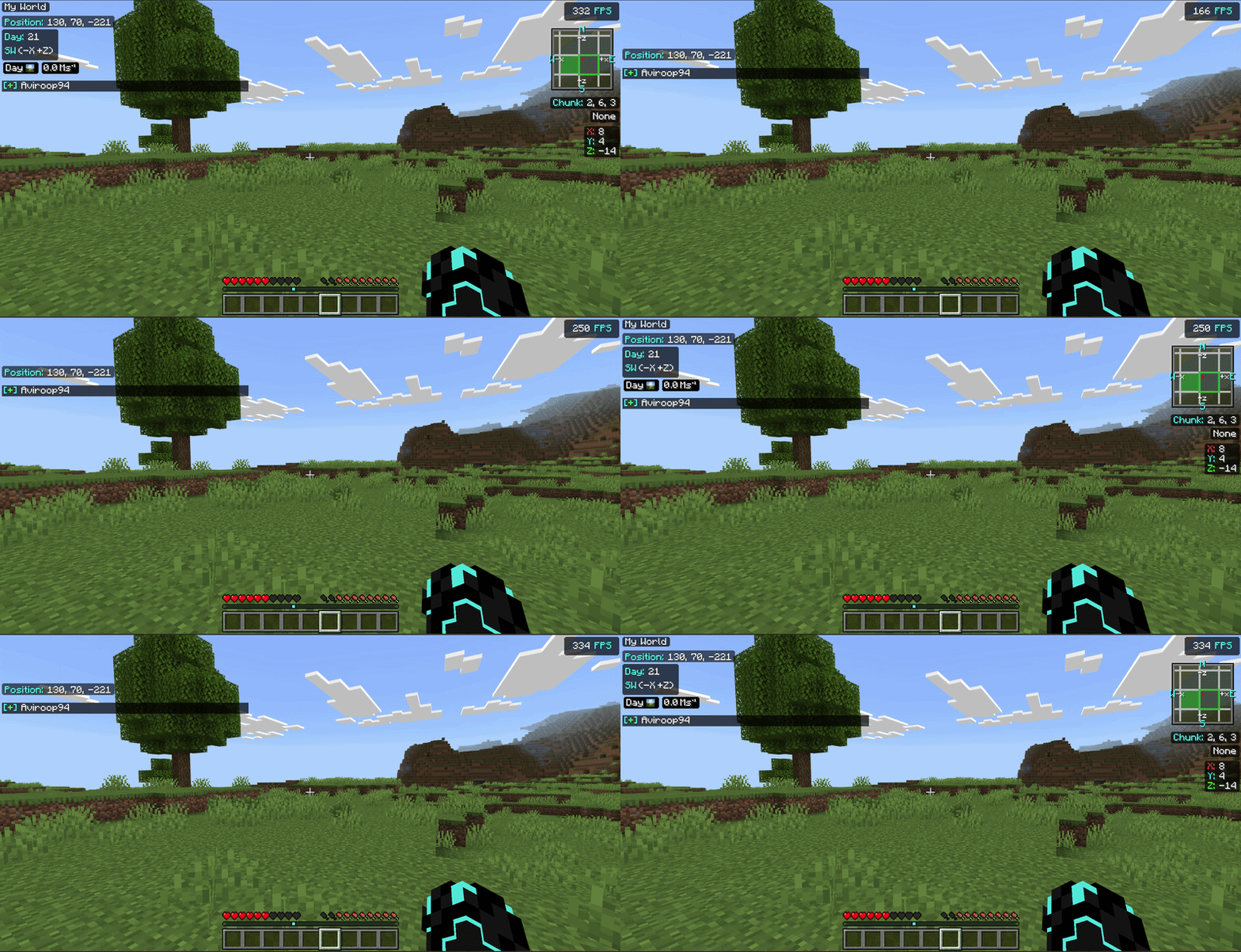
🖥️ PC Players
Simply press the F8 key on your keyboard to instantly hide or show the debug screen.
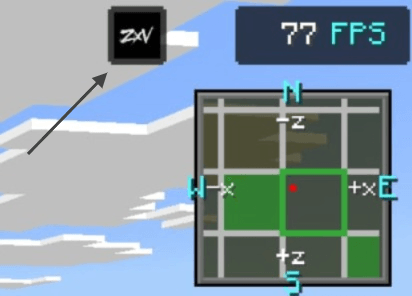
📱 Mobile / Console Players
Tap on the ZXV button at the top of the screen to toggle the debug screen ON or OFF.
⚙️ Compatibility
✔️ Works perfectly on Windows, Mobile, and Console versions of Minecraft Bedrock Edition.
✔️ Fully supports Minecraft version 1.20+ and beyond!
Made with ❤️ by ZenXveda
🌐 Join the Community
Support our work and stay updated on our latest projects:
Versions
| Minecraft | Loader | Fichier | Date | Actions |
|---|---|---|---|---|
| 1.21.30 | — | R Debug Screen Pro Pocket v1.1.31.7 Mo |
Avis
Soyez le premier à noter Debug Screen Pro
