
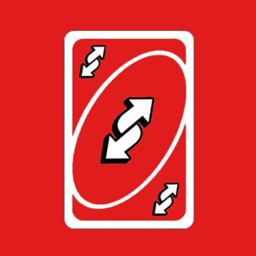
UNO© Reverse Card Paquete de recursos para Minecraft 1.20.1, 1.21.1
¡Invierte el tiempo!
Acerca del paquete de recursos UNO© Reverse Card
This pack changes the name of totem, sound and particles of it. have fun
Cómo instalar UNO© Reverse Card
With Millida Launcher
Install Millida Launcher
The launcher is free: download it at millida.net/launcher and sign in with any nickname.
Click “Install” on this page
The launcher opens and installs the resource pack for Minecraft 1.9–26.2 automatically.
Launch the game
A profile with it appears in the launcher: click “Play”.
Manually
Download the archive
Pick the file ReverseCard-Red.zip (315 KB) for your game version. No need to unpack it.
Put it in the resourcepacks folder
The easiest way: “Options”, then “Resource Packs”, then “Open Pack Folder”, and drag the archive there.
Enable the pack
In the same window, move the pack to the right-hand “Selected” column and click “Done”.
Versiones
Con dependencias
| Minecraft | Cargador | Archivo | Fecha | Acciones |
|---|---|---|---|---|
| 1.16.3 | — | Reverse Card Red315 KB 1 |
FAQ
Which Minecraft versions does UNO© Reverse Card work on?
There are files for 1.9–26.2, 64 versions in total. The newest is 26.2.
Where can I download UNO© Reverse Card safely?
On this page: the file ReverseCard-Red.zip (315 KB) is stored on Millida’s server, with no link shorteners. SHA-1 checksum: b811aa4ffe0a05069fd41c0211137e96ef70719c.
Reseñas
Sé el primero en valorar UNO© Reverse Card



