
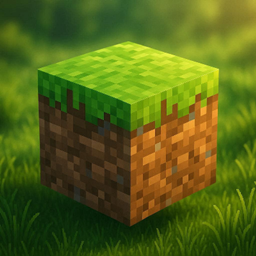
Nature FPS+ Paquete de recursos para Minecraft 26.30
• Texturas naturales suaves • Mejores visuales de hierba y plantas • Estilo vanilla+ limpio • Optimizado para FPS en móviles • Aspecto atractivo y de alta calidad • Mejor atmósfera de biomas
Acerca del paquete de recursos Nature FPS+
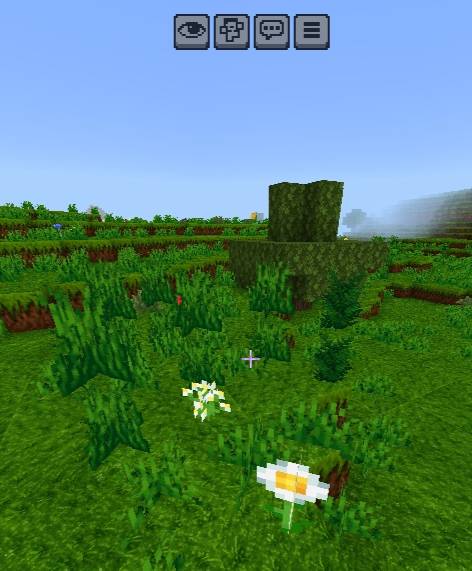
Nature FPS+ is a high-quality Minecraft Bedrock texture pack specially designed for mobile players who want a cleaner, smoother, and more attractive natural Minecraft experience without losing FPS performance. This pack improves grass, grass paths, ferns, short grass, tall grass, and many natural plant textures with a fresh vanilla+ style that feels realistic while still keeping the original Minecraft vibe.
Every texture is carefully redesigned with smooth shading, vibrant natural colors, and optimized details to make biomes look more alive, immersive, and visually pleasing. The pack focuses on creating a balanced combination of beauty and performance, making it perfect for survival worlds, aesthetic gameplay, building projects, and long gaming sessions on mobile devices.
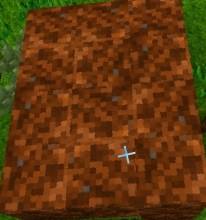
Nature FPS+ keeps textures lightweight and optimized, helping low-end and mid-range devices run Minecraft more smoothly while still delivering a premium visual upgrade. Whether you explore forests, plains, villages, or custom worlds, the improved nature textures create a fresh and relaxing atmosphere across your entire game.
If you enjoy smooth gameplay, better FPS, and beautiful natural visuals, Nature FPS+ is the perfect texture pack for your Minecraft world.
Cómo instalar Nature FPS+
With Millida Launcher
Install Millida Launcher
The launcher is free: download it at millida.net/launcher and sign in with any nickname.
Click “Install” on this page
The launcher opens and installs the resource pack for Minecraft 26.0–26.30 automatically.
Launch the game
A profile with it appears in the launcher: click “Play”.
Manually
Download the archive
Pick the file Nature FPS+ V_1.0.1.mcpack (1.5 MB) for your game version. No need to unpack it.
Put it in the resourcepacks folder
The easiest way: “Options”, then “Resource Packs”, then “Open Pack Folder”, and drag the archive there.
Enable the pack
In the same window, move the pack to the right-hand “Selected” column and click “Done”.
Versiones
Con dependencias
| Minecraft | Cargador | Archivo | Fecha | Acciones |
|---|---|---|---|---|
| 26.0.02 | — | Nature FPS+ V_1.0.1.mcpack1.5 MB |
FAQ
Which Minecraft versions does Nature FPS+ work on?
There are files for 26.0–26.30, 9 versions in total. The newest is 26.30.
Where can I download Nature FPS+ safely?
On this page: the file Nature FPS+ V_1.0.1.mcpack (1.5 MB) is stored on Millida’s server, with no link shorteners. SHA-1 checksum: 4f12e9ca8d0e290fce6d2775cccb39507f94875c.
Reseñas
Sé el primero en valorar Nature FPS+



