

Krpmon Volt Plus Shaders para Minecraft 26.2
Krpmon Volt Plus es un paquete de shaders de Minecraft ligero diseñado para ofrecer una experiencia visual más limpia y vibrante mientras mantiene requisitos de rendimiento más bajos que muchos paquetes de shaders más pesados.
 Fabric
 OptiFine
Acerca de los shaders Krpmon Volt Plus
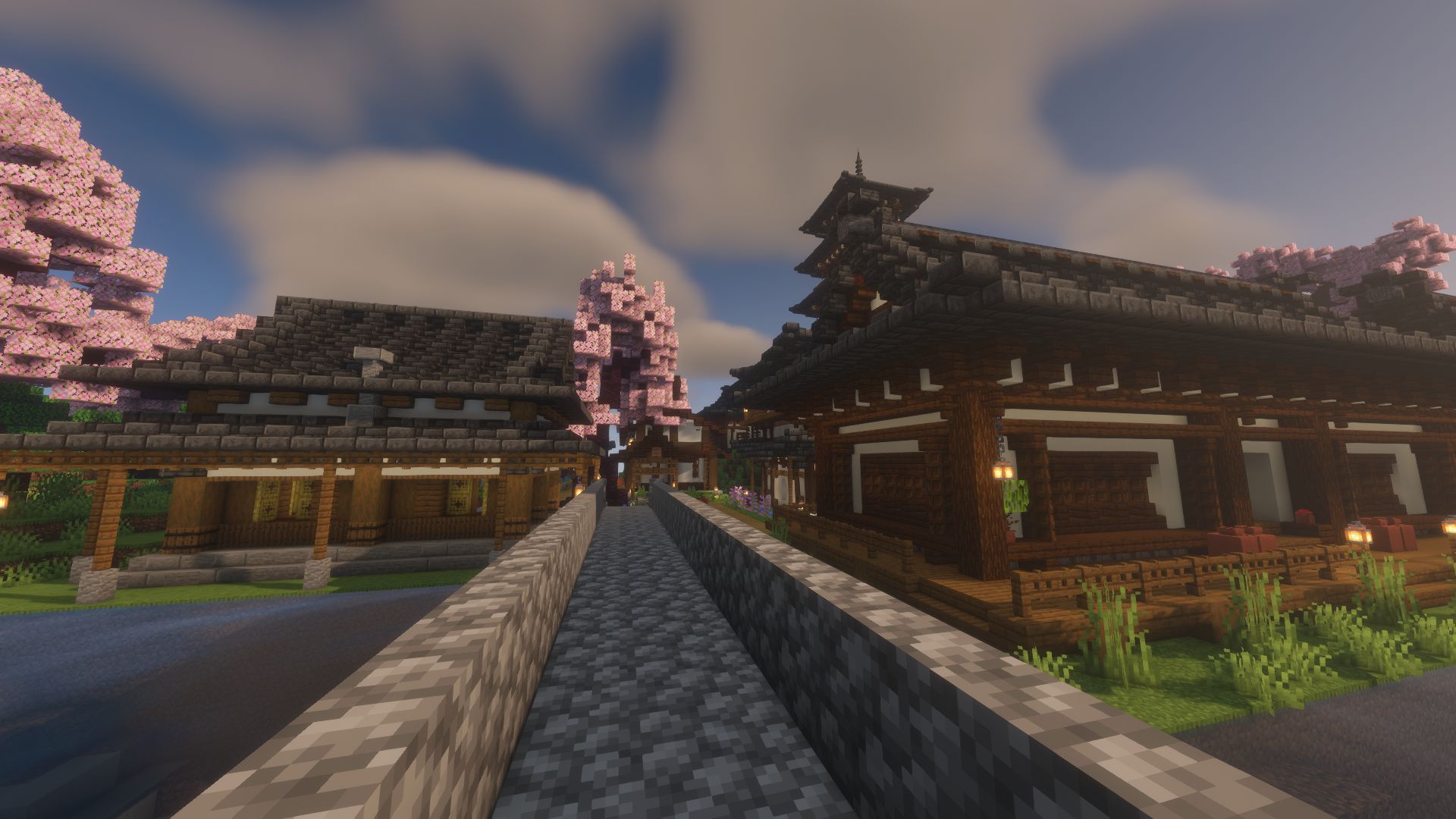
✨ Krpmon Volt Plus
Krpmon Volt Plus is a lightweight Minecraft shader pack made to improve visuals while keeping performance smooth and playable. It combines the clean Krpmon shader style with Volt-inspired water and lighting, giving Minecraft brighter scenes, smoother shadows, richer atmosphere, and more immersive environments.

🌅 Enhanced lighting, sunsets, and scene color.
💧 Volt-style water with improved reflections and atmosphere.
🌫️ Smooth fog and environmental effects.
⚡ Performance-focused for stable gameplay.
🖥️ Suitable for low-end and mid-range PCs.
🎮 Great for survival, exploration, building, screenshots, and general gameplay.
🌍 Compatible with Distant Horizons.
Krpmon Volt Plus is designed for players who want a cleaner, more vibrant Minecraft experience without using extremely heavy shaders.
🛠️ Made by The Hope

Cómo instalar Krpmon Volt Plus
With Millida Launcher
Install Millida Launcher
The launcher is free: download it at millida.net/launcher and sign in with any nickname.
Click “Install” on this page
The launcher opens and installs the shaders for Minecraft 26.1–26.2 automatically.
Launch the game
A profile with it appears in the launcher: click “Play”.
Manually
Install Iris or OptiFine
Without a shader mod the game cannot see shaders. Install it for the same Minecraft version.
Download the shader archive
Pick the file Krpmon volt plus 1.0.0.zip (1.4 MB) and do not unpack it.
Put it in the shaderpacks folder
“Options”, then “Video Settings”, then “Shader Packs”, then “Open Shader Pack Folder”, and drag the archive there.
Select the shaders
In the same window, click the pack name and “Apply”.
Versiones
Con dependencias
| Minecraft | Cargador | Archivo | Fecha | Acciones |
|---|---|---|---|---|
| 26.2 | Iris, OptiFine | 26.21.4 MB |
FAQ
Which Minecraft versions does Krpmon Volt Plus work on?
There are files for 26.2, 26.1.2, 26.1.1, 26.1. The newest is 26.2.
What do I need to run Krpmon Volt Plus?
Shaders are loaded through Iris or OptiFine: without one of them the game cannot see them.
Where can I download Krpmon Volt Plus safely?
On this page: the file Krpmon volt plus 1.0.0.zip (1.4 MB) is stored on Millida’s server, with no link shorteners. SHA-1 checksum: 572c9757f2e502a6b6d4a6a8f6937eb308ea33a6.
Reseñas
Sé el primero en valorar Krpmon Volt Plus


